
How do I offer a yearly price on my paid community?
You can sell one plan two ways: by the month, or by the year for less. It is one package with two prices, and members pick which suits them when they join. It takes about three minutes.
Updated 1 October 2026
Open Membership and choose Paid
Open Community, then Membership. Under What kind of community is this?, choose Paid.
If your community is already set up, press Edit first to open the choices.
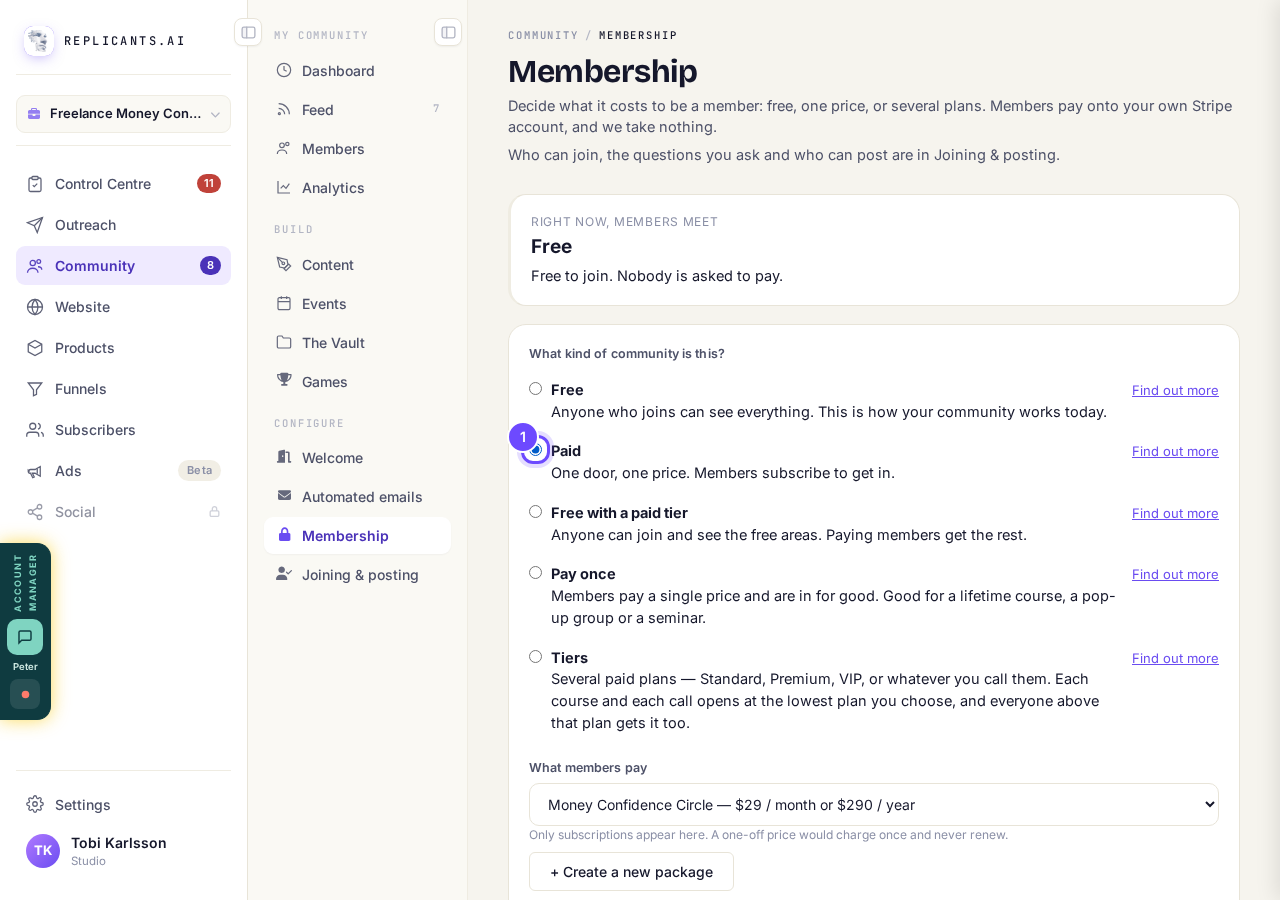
Paid is the second choice on the list.
Take me therePress + Create a new package
It sits under What members pay. A package is the plan members join, with its price.
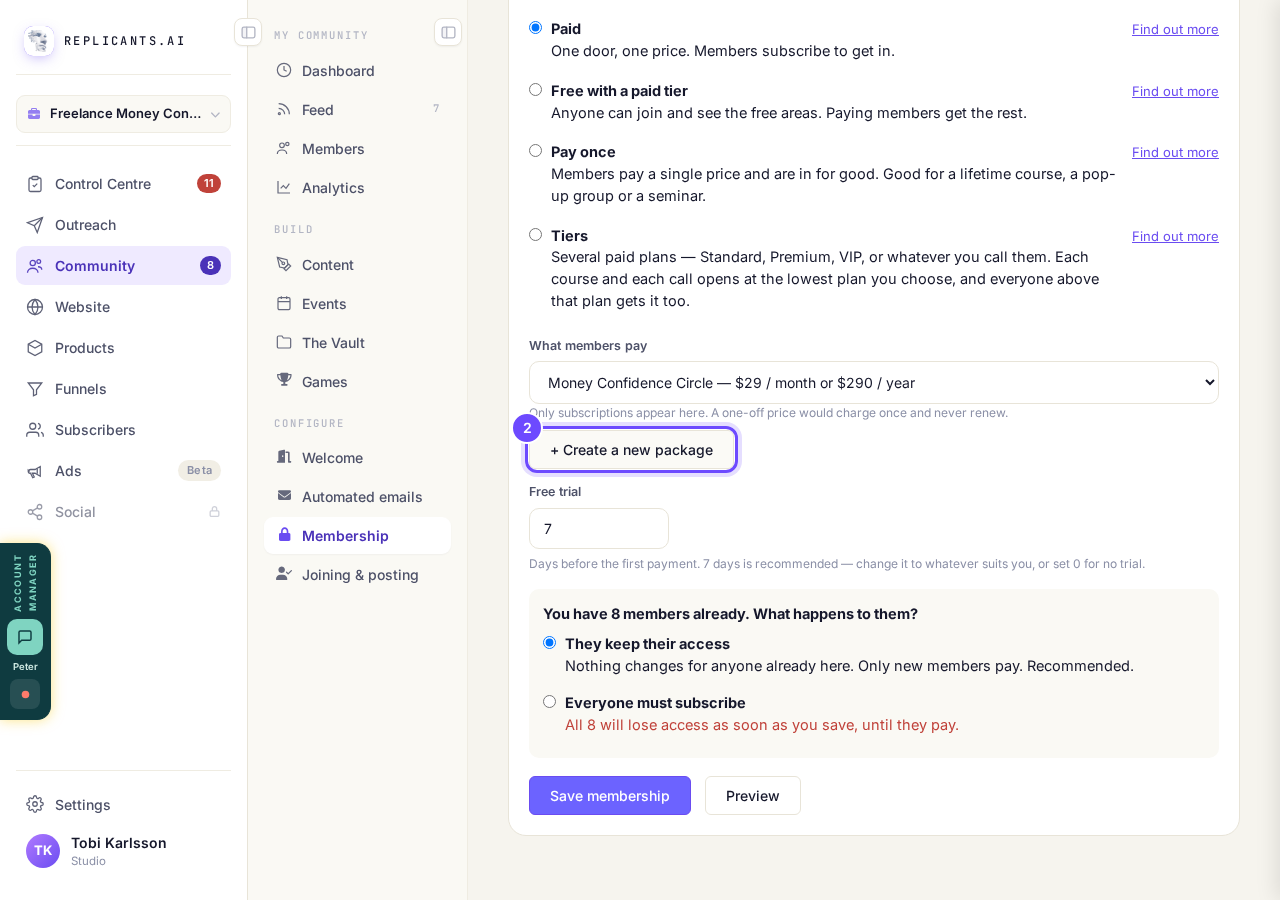
+ Create a new package is under the price list.
Give it a name and a monthly price, then tick the annual discount
Type the name members will see and the price per month. Leave Monthly selected.
Tick Do you want to offer an annual discount? and type the price per year. The screen tells you how much members save. Press Create this package.
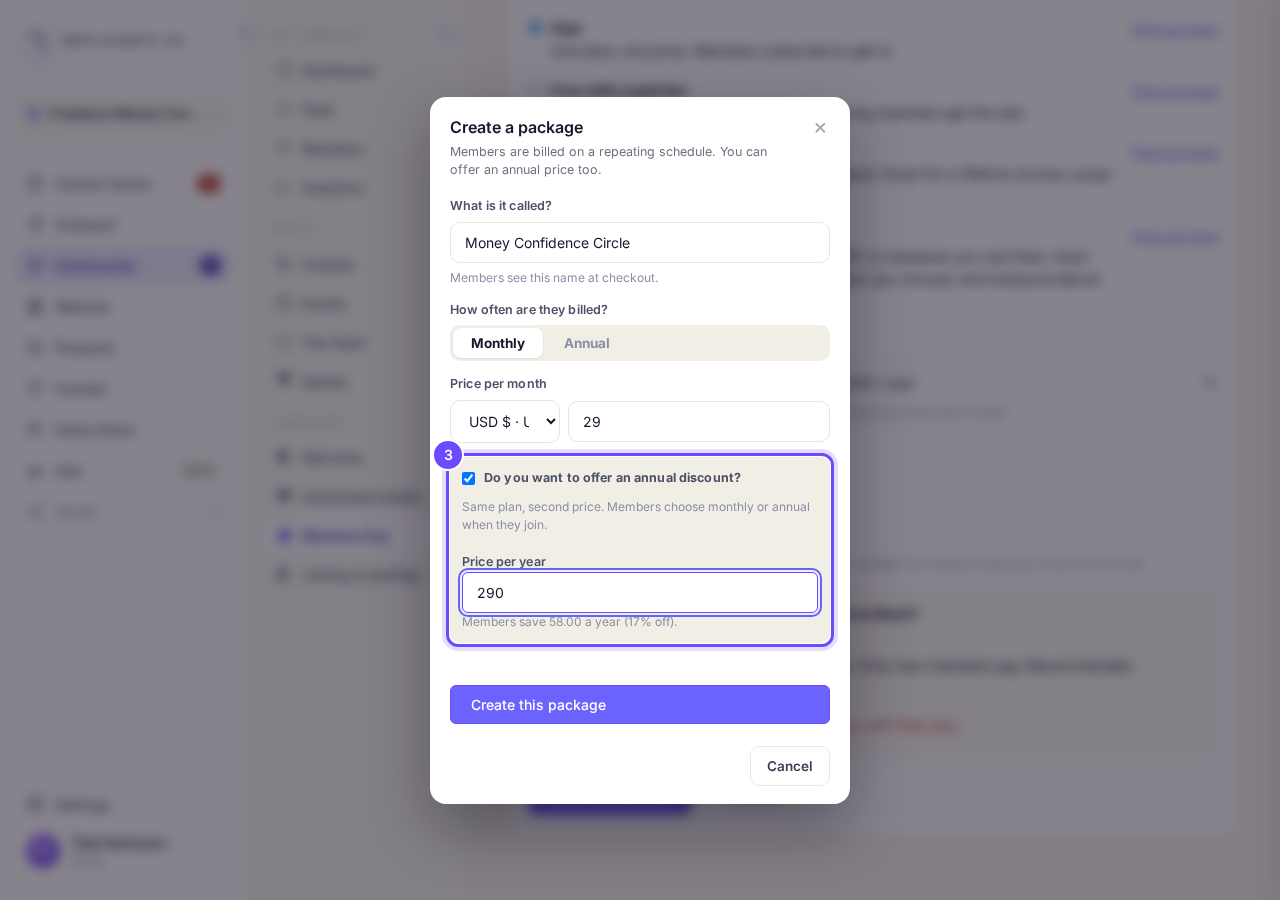
The yearly price goes in the box under the tick.
Press Preview to see what members get
Your monthly price is the one people see first on your welcome page. Under it, the preview shows the choice they get when they press the button: monthly or yearly.
The list under What members pay shows both prices too.
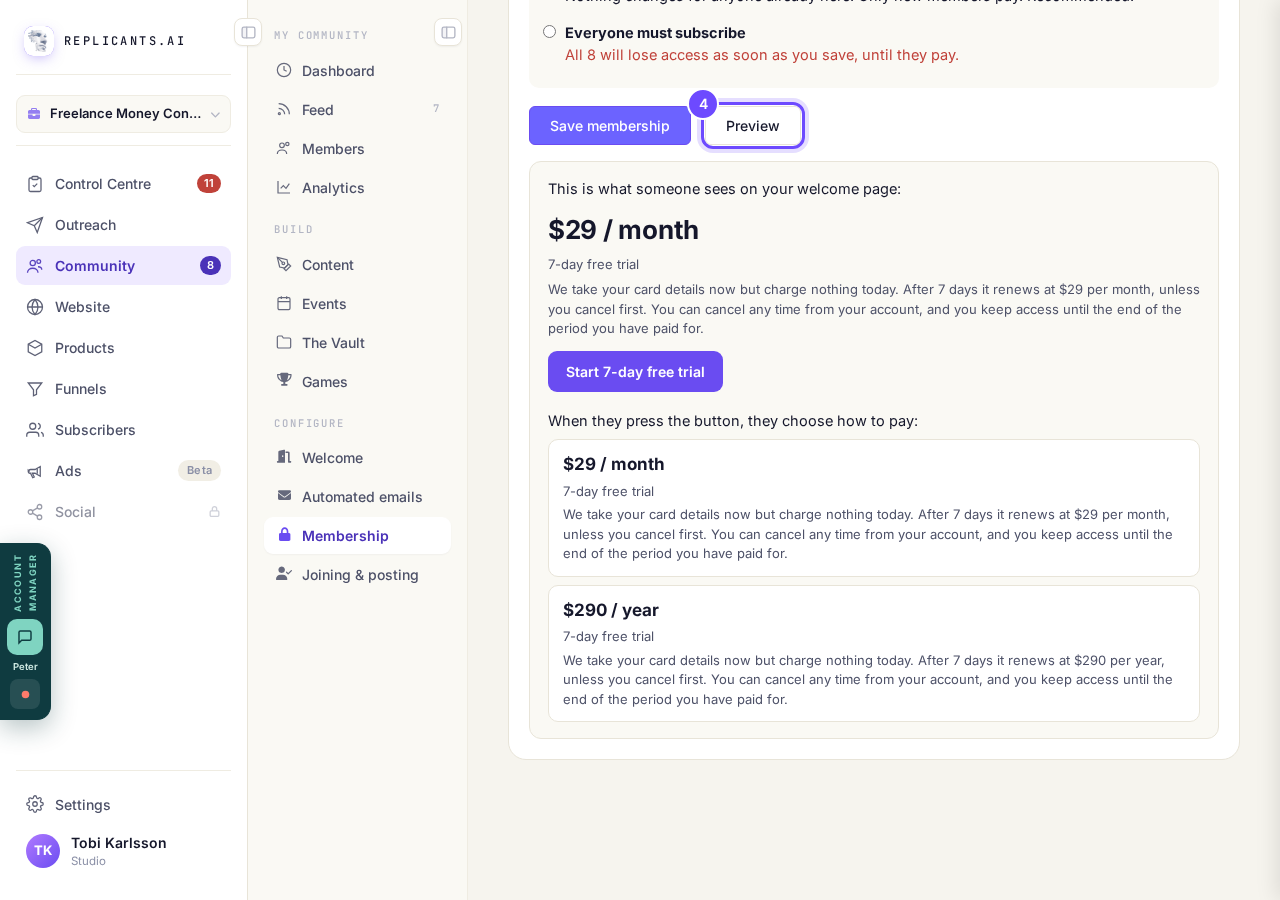
Monthly first, then both choices when they join.
Press Save membership, then Publish these changes
Save keeps it as a draft. Nobody is charged and members see nothing new until you press Publish these changes at the top of the page.
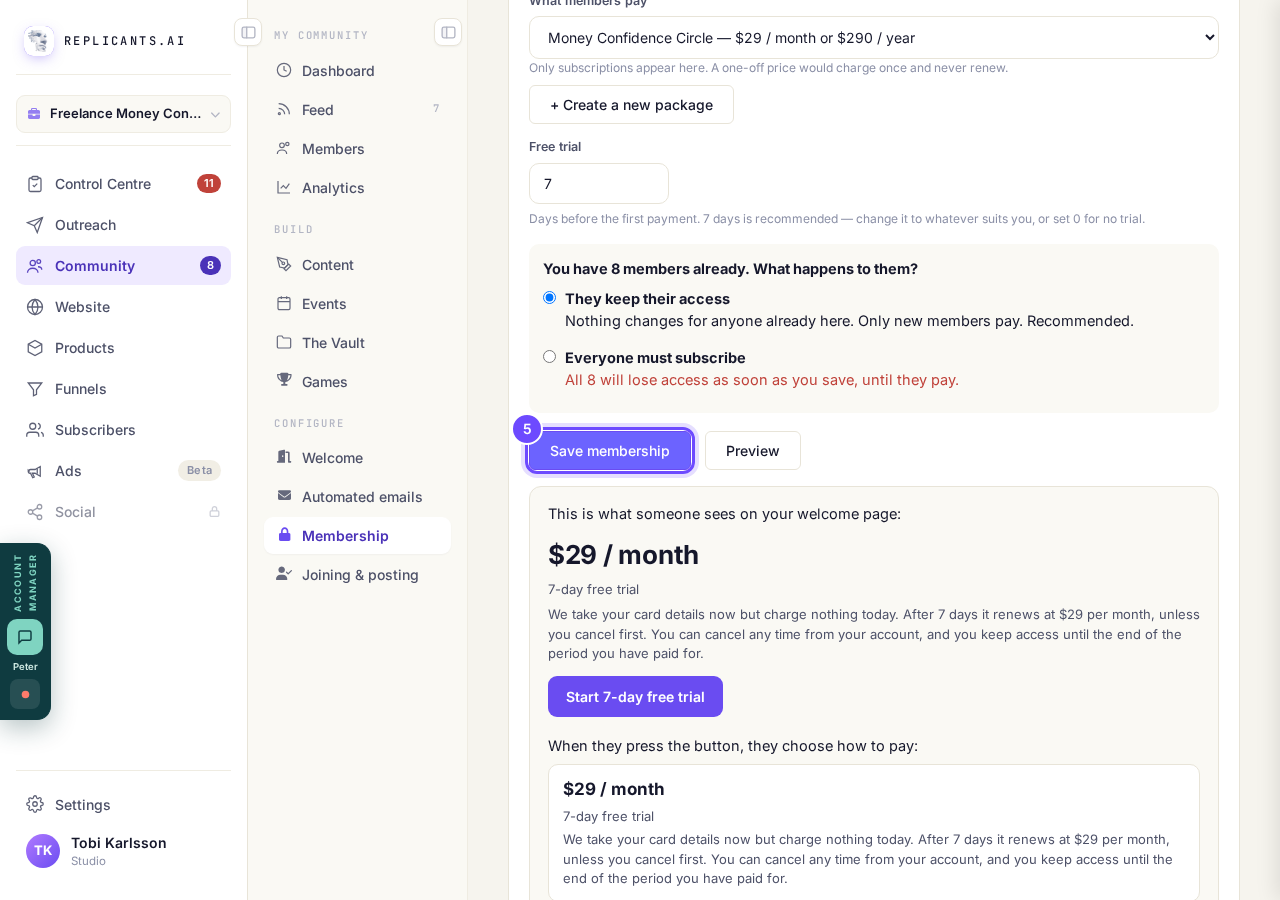
Save membership keeps it as a draft until you publish.


Can I keep my community hidden until I'm ready to launch?
Related articles
Can I approve new members before they get into my community?
Yes. Switch on approval and anyone who asks to join waits in a Requests list in Members until you let them in, the way a private LinkedIn or Facebook group works. People you invite, and people who pay, still go straight in. About five minutes to set up.
Can I check comments before they go up?
Turn on comment approval and every member comment waits for you. It's a separate switch from the one for posts.
Can I keep my community hidden until I'm ready to launch?
Your community goes live once it is made and your email is confirmed, and there is no switch that takes it offline. Two settings work together instead: one keeps your posts from anyone who isn't a member, the other means nobody gets in until you let them.