
Nothing sends until I press Send — how does that work?
Almost. Anything written to one person waits for you. A few standing emails go out on their own — all of them listed on one screen.
Updated 15 September 2026
Open Community, then Automated emails
The digest goes to members who chose it, at a frequency they control. Send the digest decides whether it goes at all; daily or weekly on Mondays. Send a test to myself first.
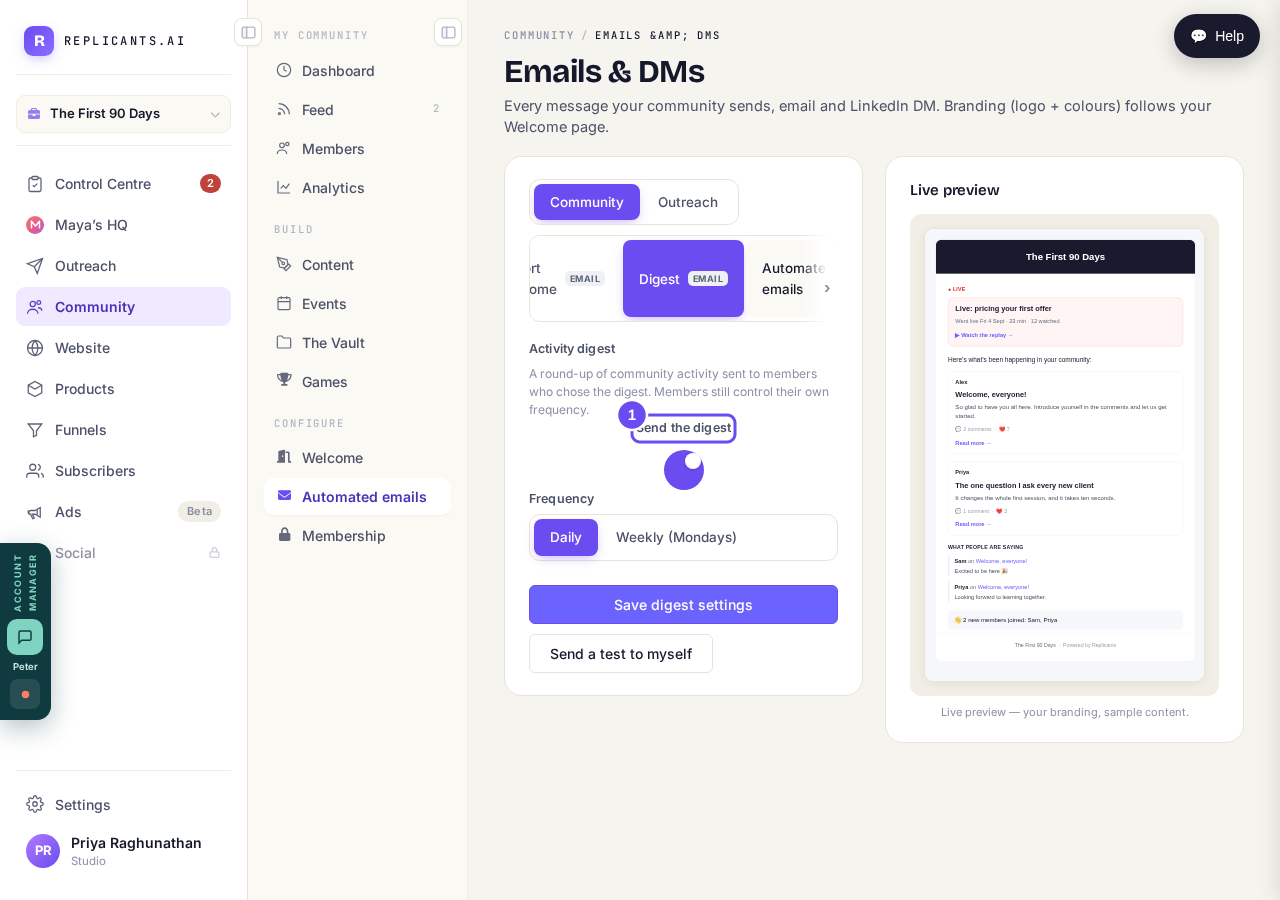
It goes by itself — to members who asked for it, at a frequency they control.
Take me thereRead the win-back at sixty days
The screen says it plainly: these are switched off, nobody is receiving them. It sends once ever, never repeats, skips anyone who unsubscribed, and won't send if there's been no conversation.
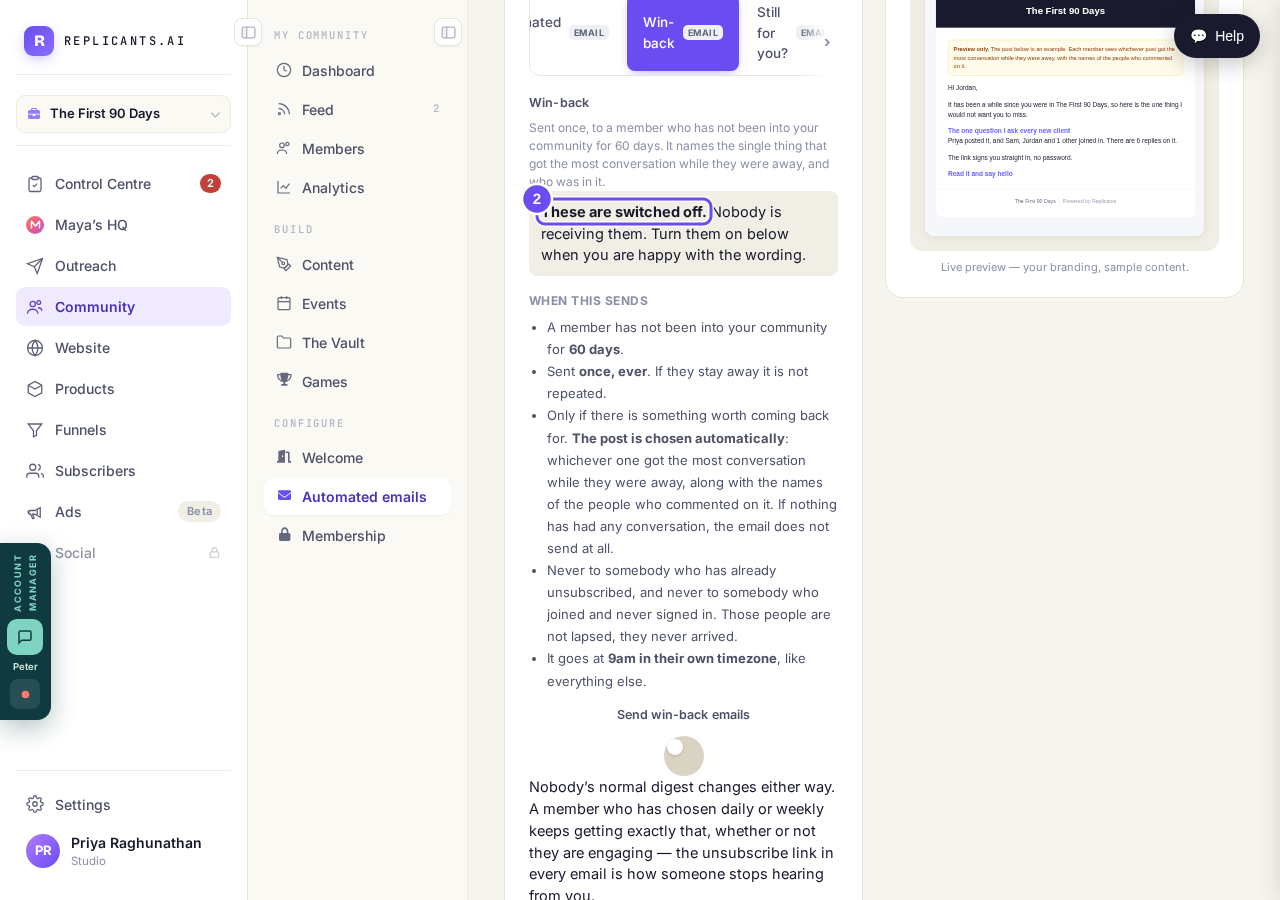
Switched off, and the screen says so before you ask.
Take me thereRead the ninety-day one beside it
It asks whether the community is still for them and makes leaving one click. Sent once, ever. Never to someone who unsubscribed, or who joined and never signed in. Off until you switch it on.
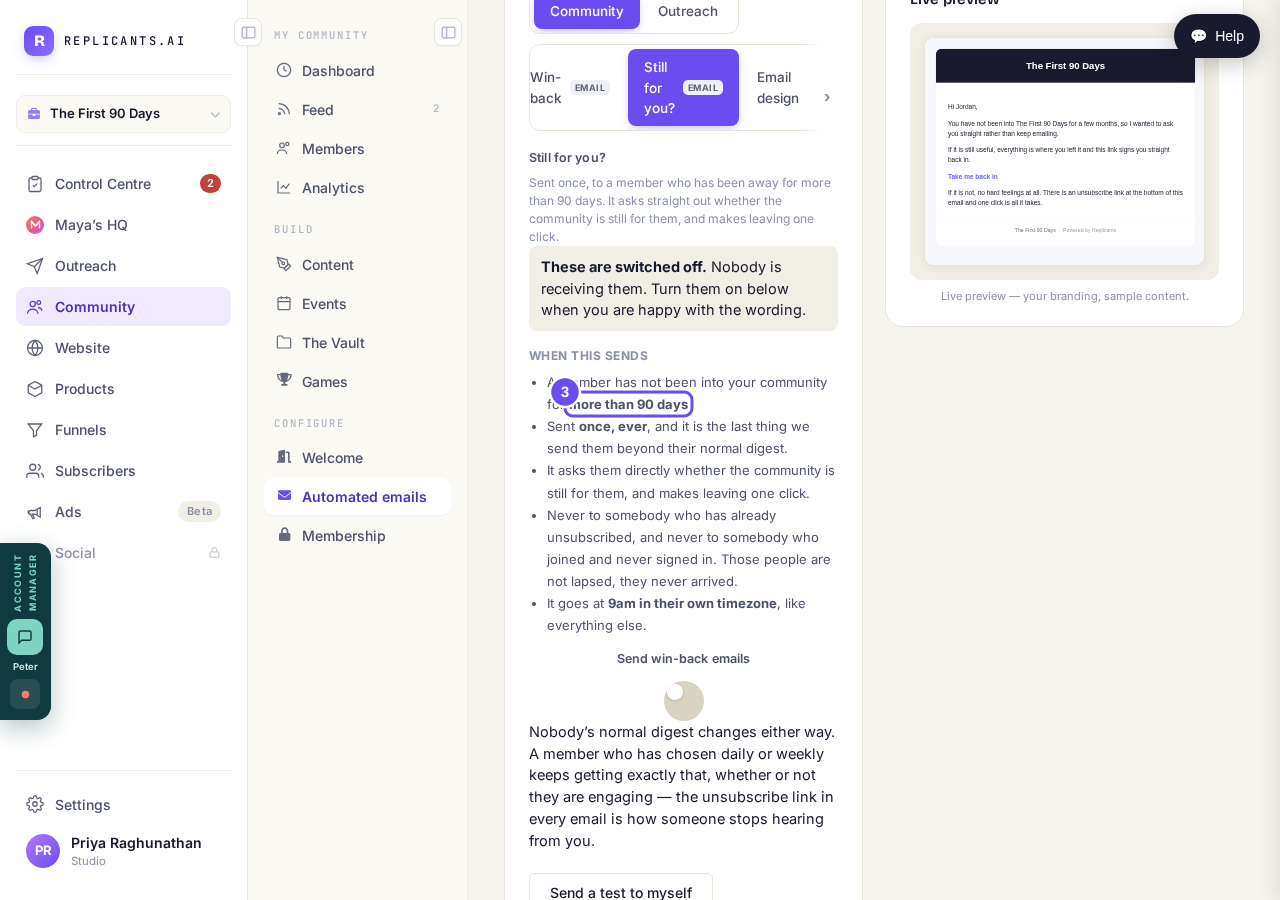
Off until you turn it on — and it makes leaving one click.
Take me there
How do I reply using a drafted message?
Related articles
Can I check comments before they go up?
Turn on comment approval and every member comment waits for you. It's a separate switch from the one for posts.
Can I message one member privately, and can members message each other?
Message one member from Community, then Members. Their reply comes back to that screen, not your email. Members messaging each other is a separate setting.
Can I read what members post before it goes up?
Yes — one setting. Off, member posts appear at once. On, nothing appears until you've read it. The waiting ones don't sit in the Feed.