
How do I reply using a drafted message?
Start a reply from a draft written off what your member actually said, then tell it what to change until it sounds like you.
Updated 15 September 2026
Open the post and find Your reply
Open post shows the whole conversation, so you can see what's already been said. The reply box is at the foot. Suggest a reply sits at its top right.
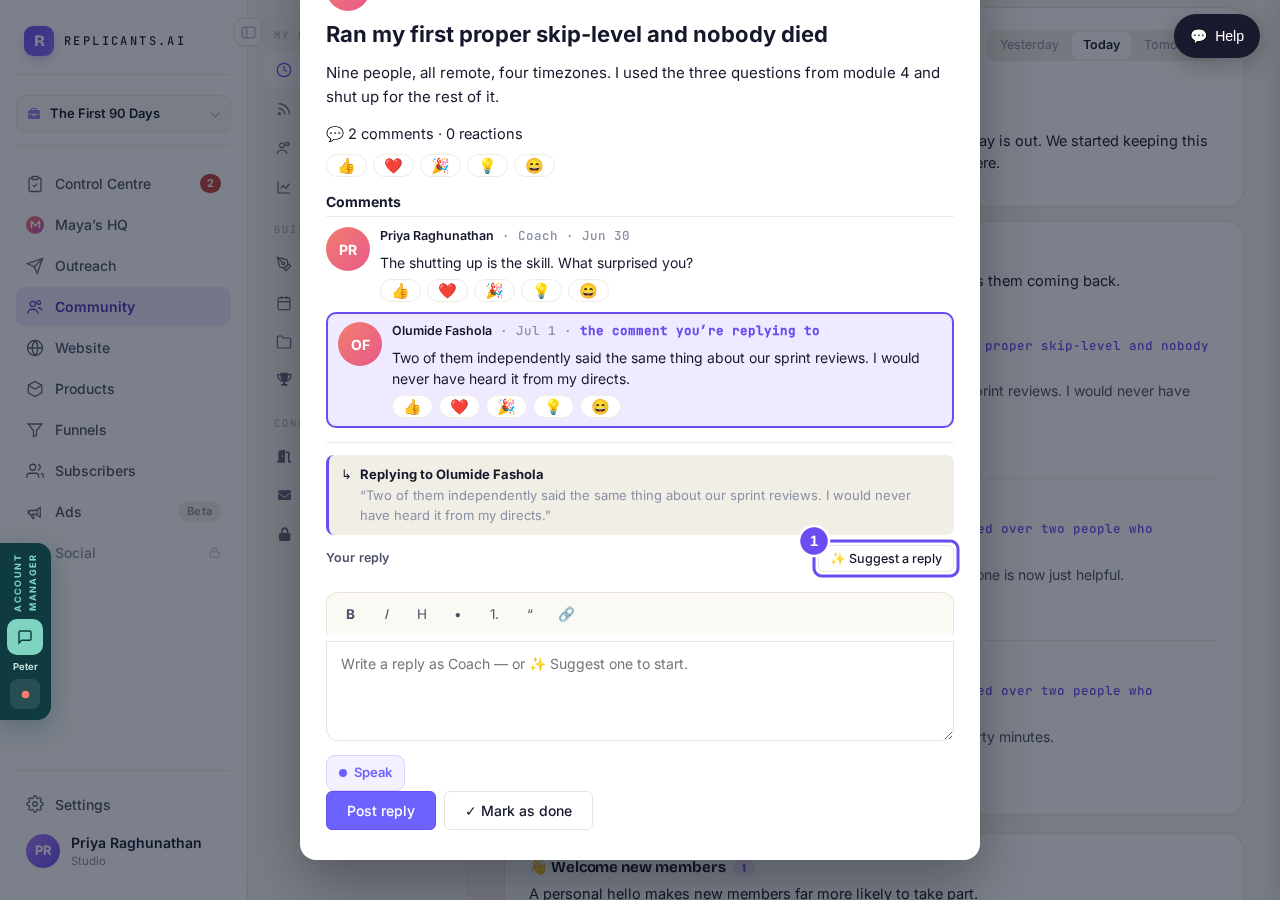
The whole conversation above, and your reply box at the foot of it.
Take me therePress Suggest a reply
A draft appears in the box, answering the actual comment rather than the general topic. Read it as your member will: if it would make them feel heard, it's doing its job.
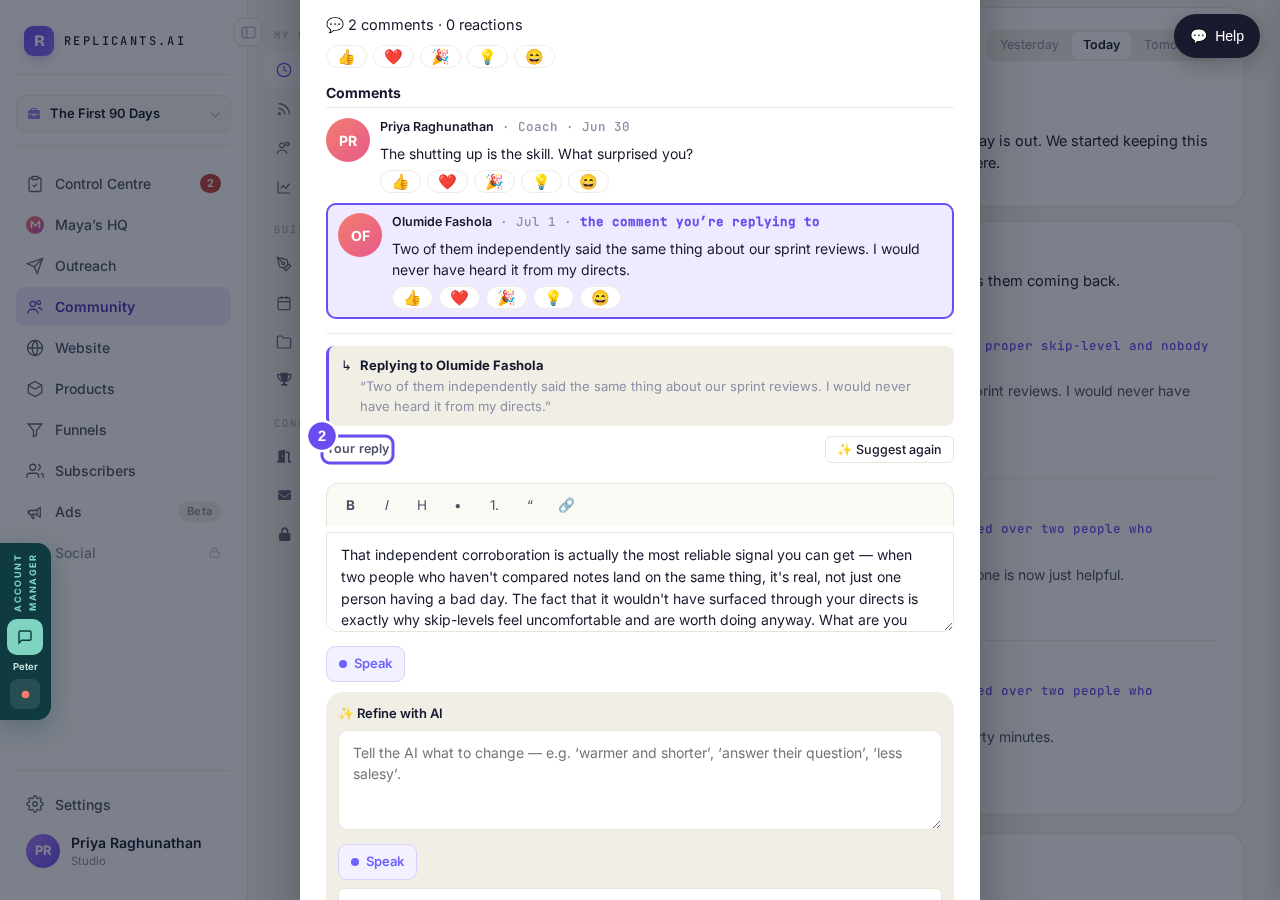
It answers what they actually said, not the general topic.
Take me thereTell it what to change
Under the draft, Refine with AI takes a sentence: warmer and shorter, mention Thursday's call, don't say journey. Press Regenerate. Go round as often as you like.
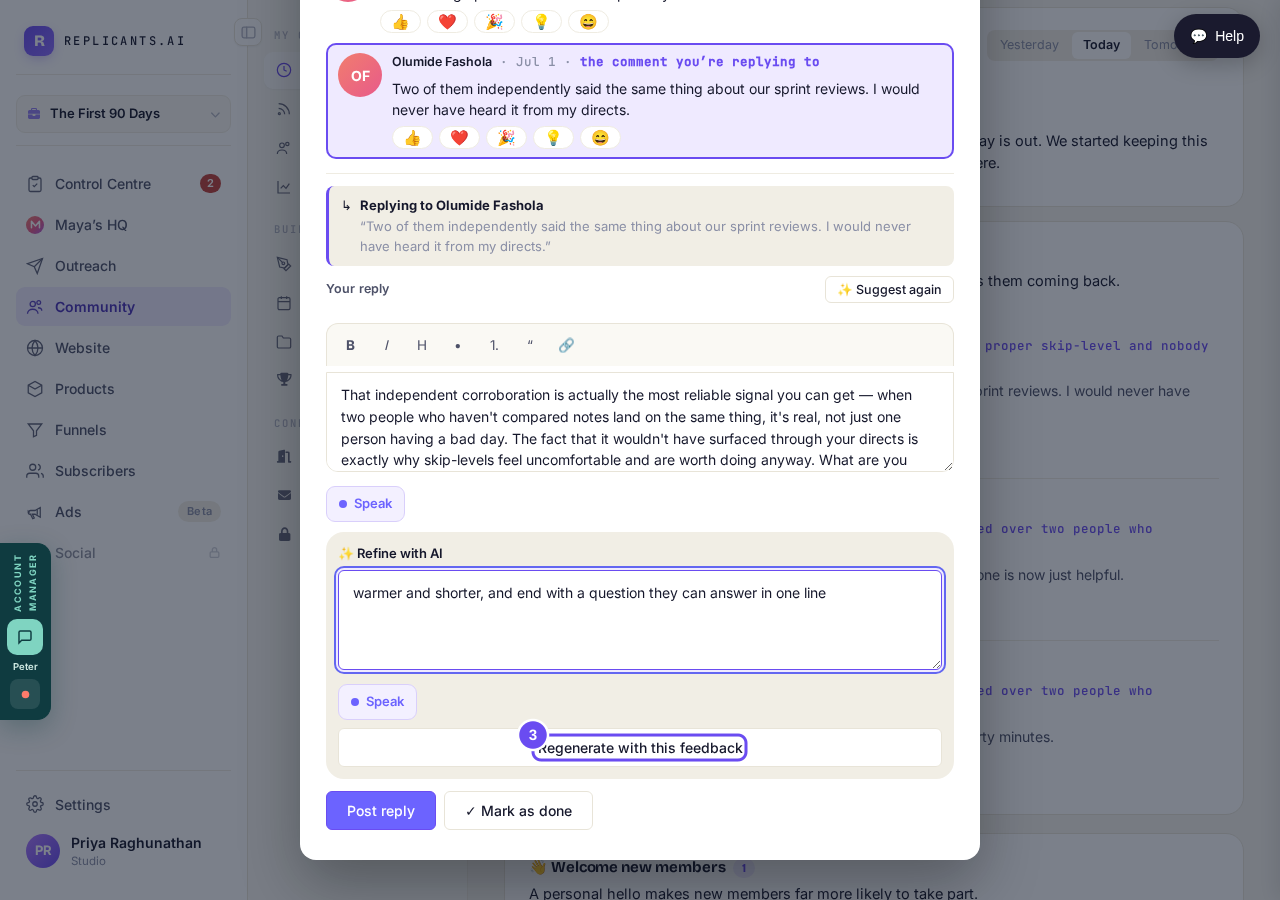
Tell it what to change in a sentence. It writes it again.
Take me therePost the reply when it reads right
Here's the same draft after one sentence of feedback. You can also type in the box yourself at any point. Post reply is what sends it.
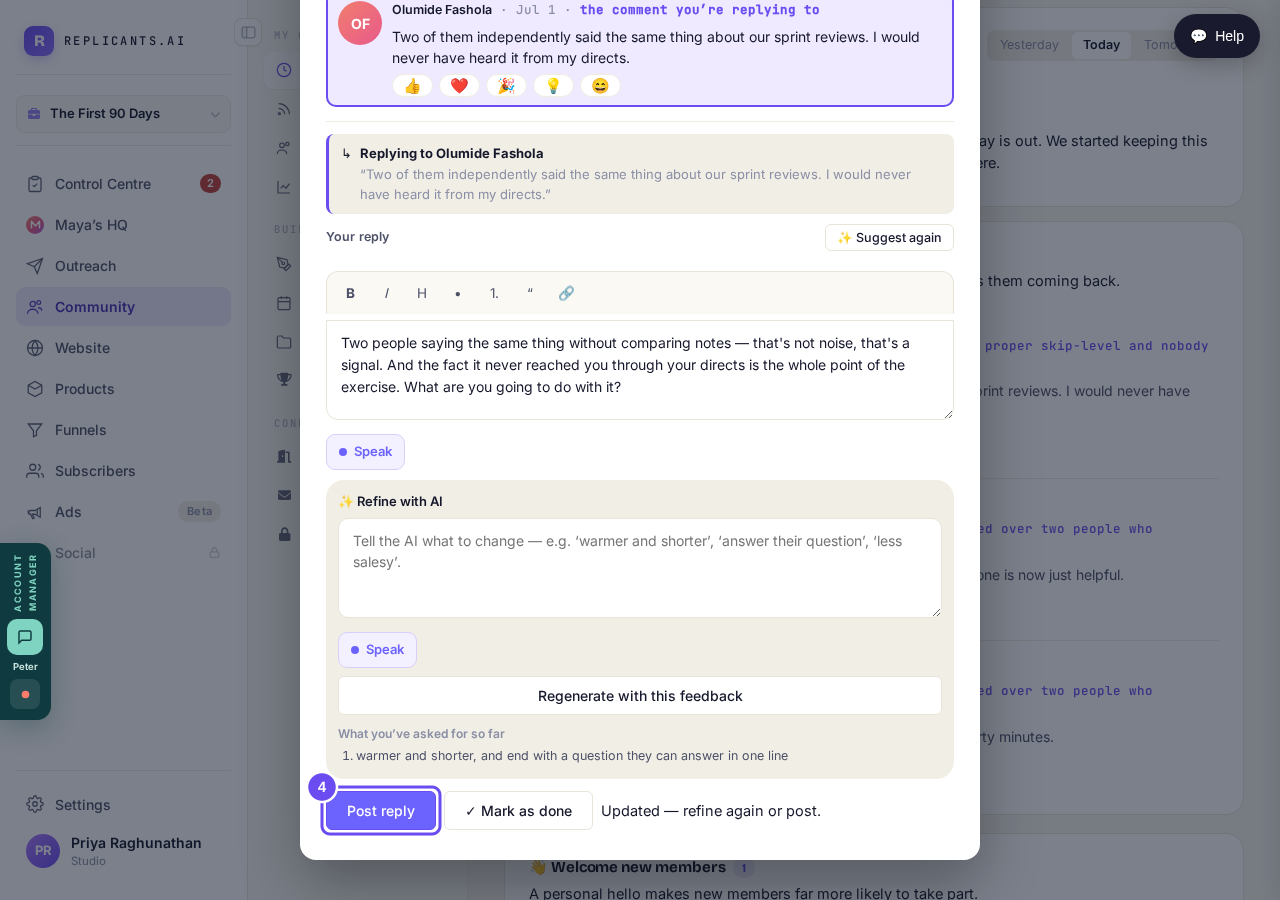
The same draft after one sentence of feedback: shorter, warmer, ending on a question.
Take me thereSave what you taught it
A panel asks to keep your feedback as reply rules, each one ticked. Save rules and the next draft is written that way. Correcting by hand fixes one reply; this fixes every reply after it.
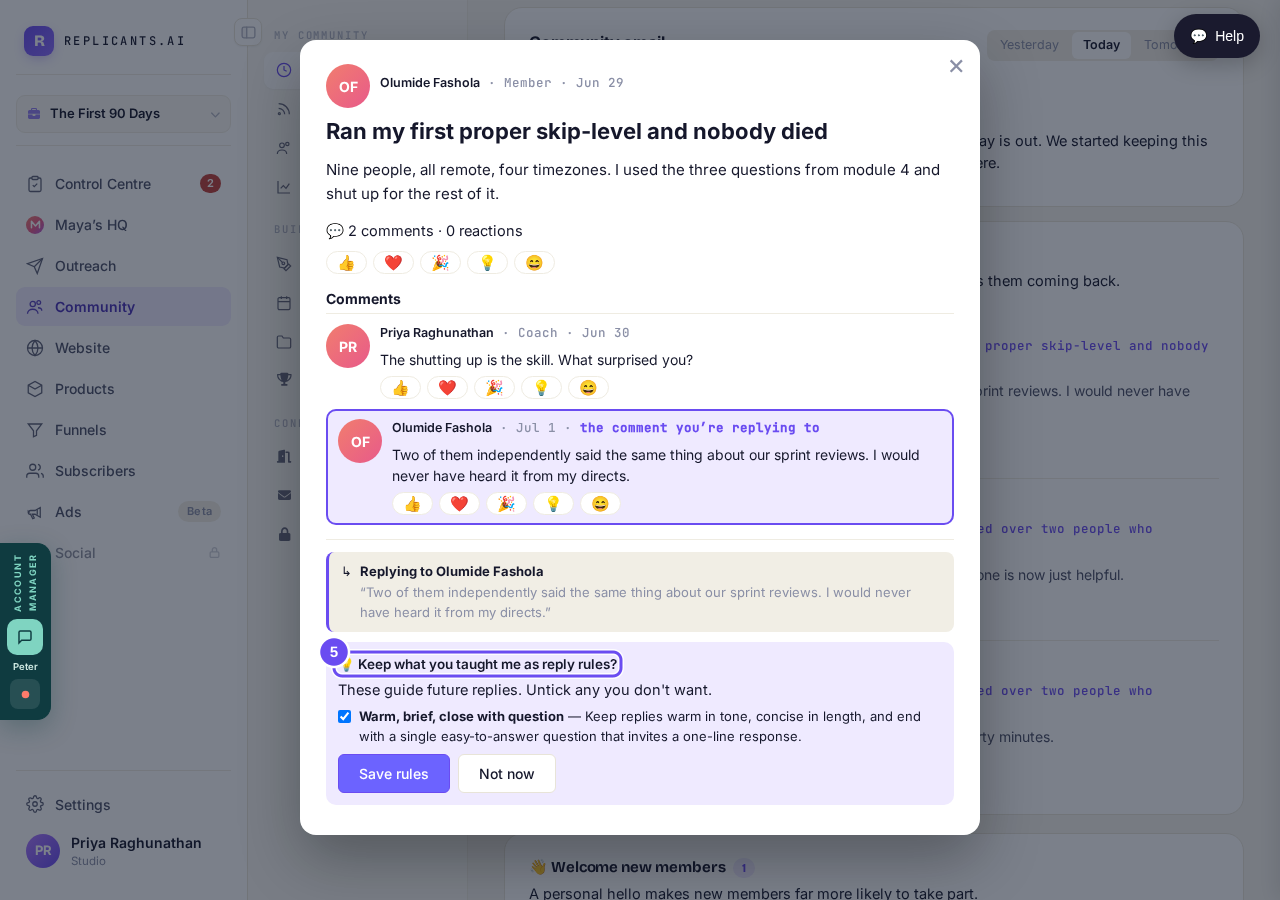
Your corrections become standing rules, if you want them to.
Take me there
How do I see who needs me today?
Related articles
Can I check comments before they go up?
Turn on comment approval and every member comment waits for you. It's a separate switch from the one for posts.
Can I message one member privately, and can members message each other?
Message one member from Community, then Members. Their reply comes back to that screen, not your email. Members messaging each other is a separate setting.
Can I read what members post before it goes up?
Yes — one setting. Off, member posts appear at once. On, nothing appears until you've read it. The waiting ones don't sit in the Feed.