
How do I charge for my community?
You can, and you can give people a free run first. It is one screen, called Membership. What you set there is saved as a draft, so nobody is charged and nothing your members see changes until you press Publish. About ten minutes.
Updated 19 September 2026
Open my payment settings
Open Membership
Press the button below. It opens Community, and Membership is down the left-hand list under the grey heading CONFIGURE, the last thing under it, with a small padlock beside the word.
The top of the screen tells you where you stand today. On a community that has never charged anyone it reads Right now, members meet Free, and underneath, Not published yet, nothing here is charging anyone.
There is an amber pill saying STRIPE TEST MODE. That is not a fault. It means no real card can be charged yet, so you are free to try the whole thing on yourself first.
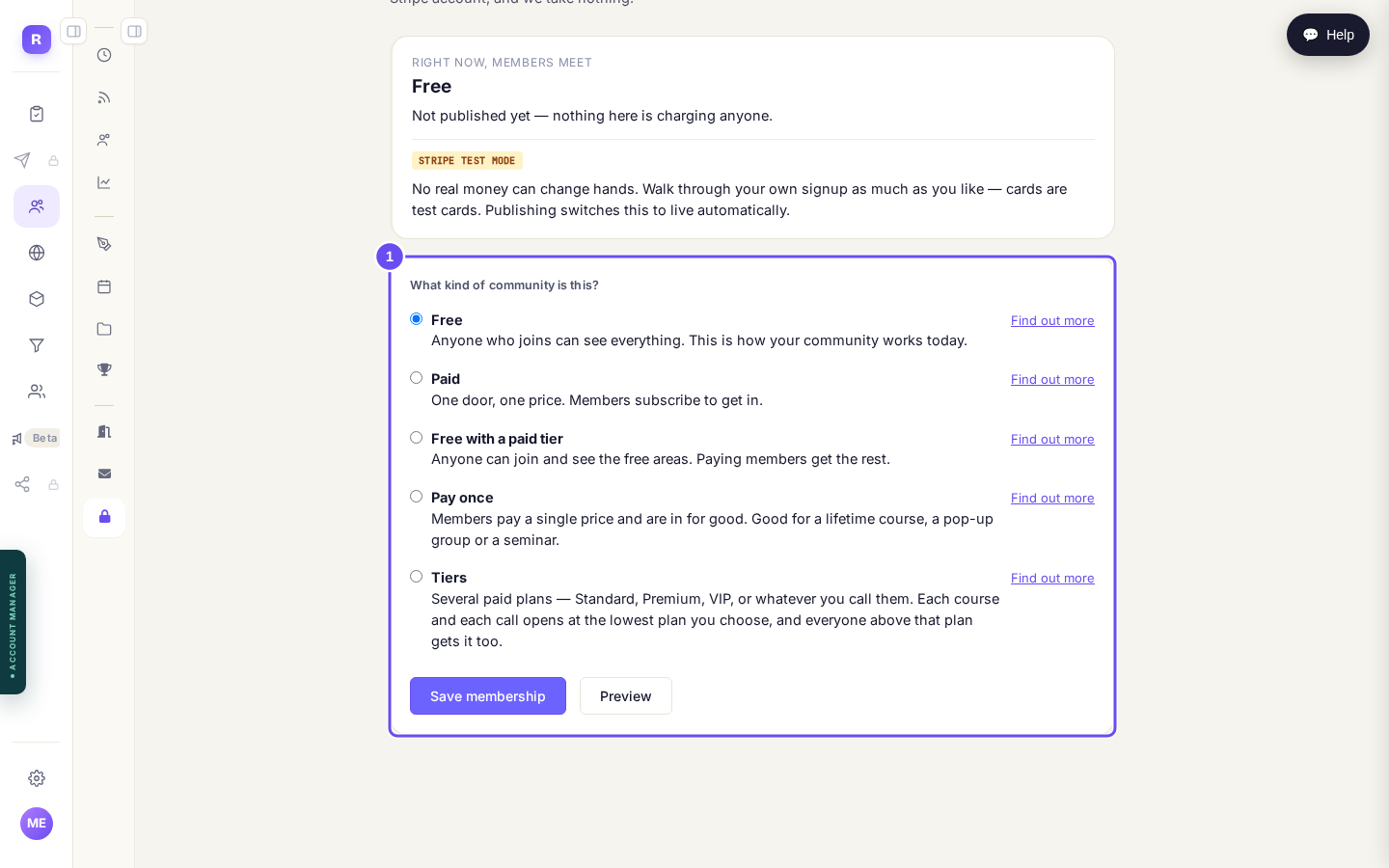
The Membership screen, showing what members meet today.
Open MembershipMake the thing people pay for, before you change anything else
This is out of order on purpose, and it is the part of this page worth reading twice.
Pick Paid for a moment so the price boxes appear, then press + Create a new package. Give it a name your members will see at checkout, choose Monthly or Annual, and type the price. There is a tick box offering an annual price as well, which you can leave alone for now. Press Create this package.
The screen redraws itself once the package is made, and the redraw puts the kind back to Free. That is not something you did. Expect it, and set the kind afterwards rather than before, which is the next step.
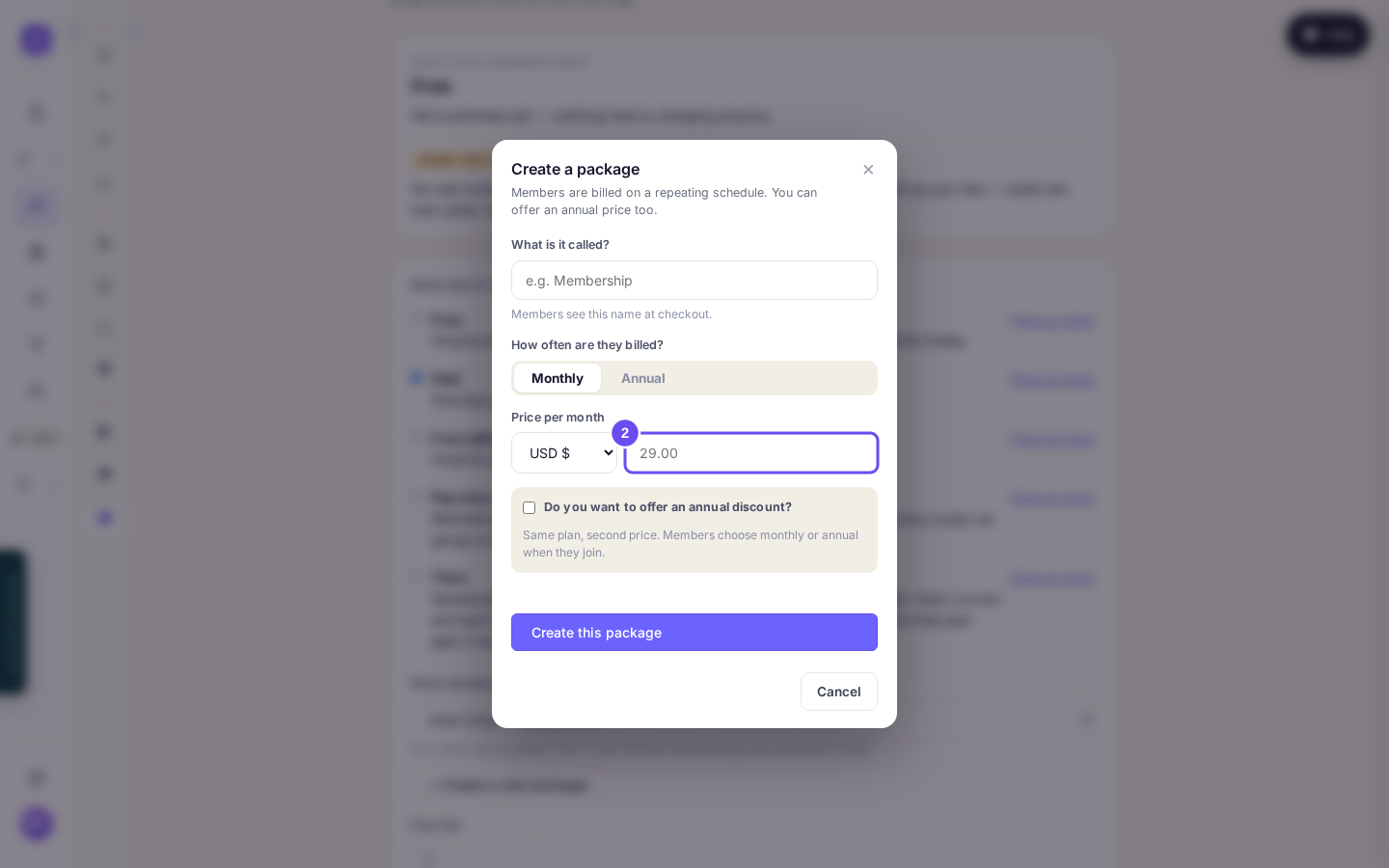
Name it, choose Monthly or Annual, and set the price.
Now choose how it charges
Five choices, and most people need only the first two.
Free is how your community works today. Paid is one door and one price, and members subscribe to get in. Free with a paid tier lets anyone join and read the open areas, and paying members get the rest. Pay once takes a single payment and they are in for good. Tiers is several paid plans at different prices, where every paying member sees the same community.
Beside each one is Find out more, which draws what a visitor, a signed up member and a paying member would each see. It is worth opening before you decide.
Pick yours, then check that What members pay underneath is showing the package you made in the step before.
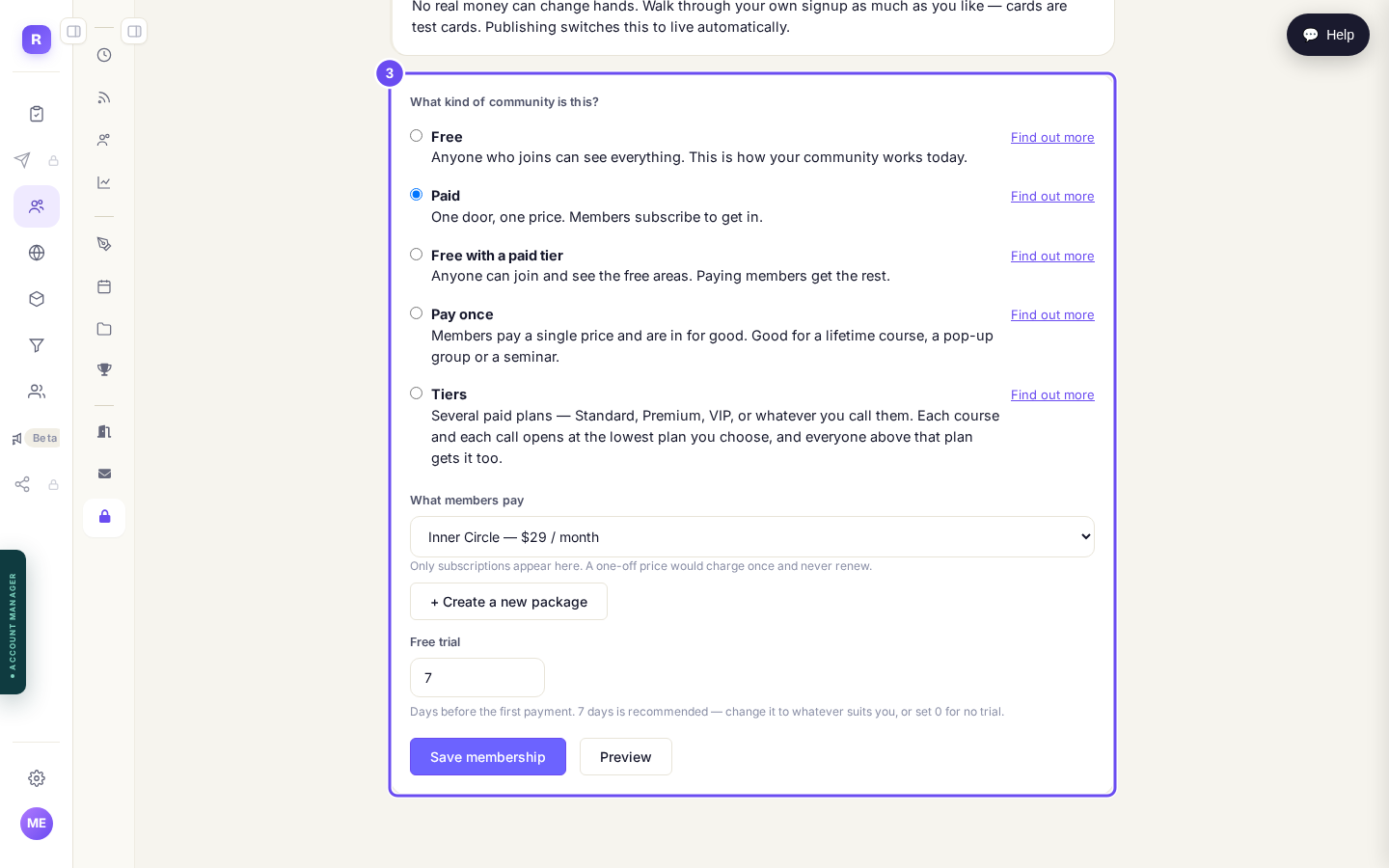
The five kinds, with Paid picked and the package showing underneath.
Set the free trial
Free trial is a number of days. It arrives set to 7, and 0 means no trial at all.
Whatever you put in, the screen tells you in plain words what it means for a member. With 7 days it reads: they choose to join, then get 7 days free, the first charge lands on day 8, and it renews from there. Put 14 in and it says day 15. It follows whatever you type.
A trial takes card details at the start and charges nothing on the day. Say that in your own words wherever you invite people, because being charged by surprise is the complaint that follows a trial nobody explained.
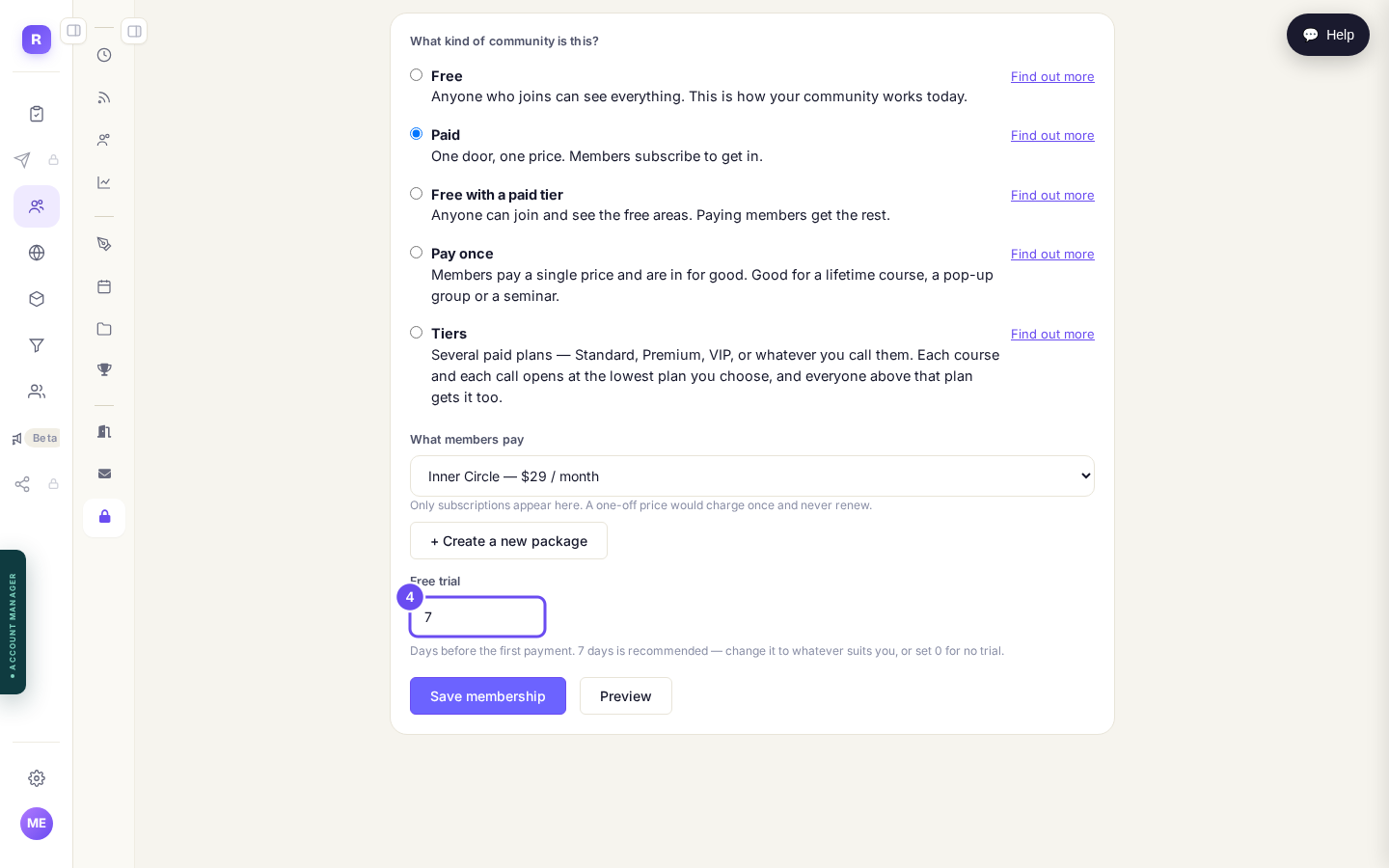
Free trial, in days. Seven to begin with, or zero for none.
Save it, look at it as a member would, then publish
Press Save membership. Nothing is live yet. The top of the screen now carries a second block reading Saved as a draft, with the kind you chose and the line Members will not see this until you publish it.
If you already have members, a question appears just above Save asking what happens to them. It starts on They keep their access, which changes nothing for anyone already in and asks only new members to pay. The other choice shuts everyone out until they pay, and the screen says so in red.
Under the draft is See it as a member does, with three buttons: View as a guest, As a registered member, As a paying member. Each opens your real community in a new tab as a simulation, and nothing in it can take a payment or change anything. Use them.
When it reads the way you want it, press Publish these changes. A small panel asks you to confirm, because this is the moment it becomes real.
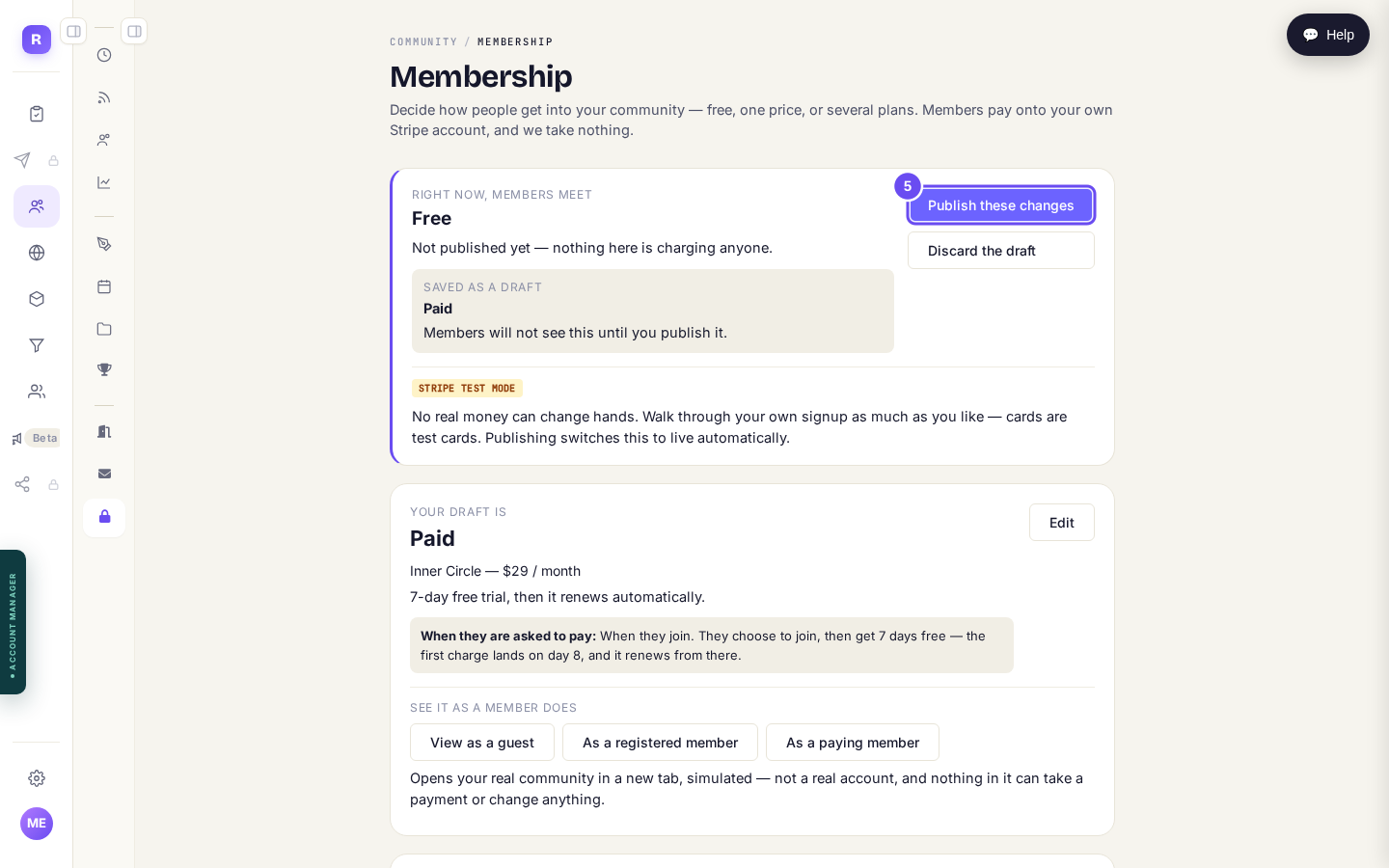
Saved as a draft. Publish these changes is the press that makes it real.
Once people are actually paying you, the price and the trial are still yours to change, but changing how the community charges is not something the screen will let you do alone. It asks you to contact support instead, so that nobody's billing is disturbed halfway through a month.
The amber STRIPE TEST MODE pill turns to STRIPE LIVE only when two separate things are true: this community is published, and your Stripe account itself is finished and live. If you have published and it still says test, what is left to finish is inside Stripe rather than here, and no real money can arrive until it is done.
How do I make money from the community I already have?
Related articles
Can I check comments before they go up?
Turn on comment approval and every member comment waits for you. It's a separate switch from the one for posts.
Can I message one member privately, and can members message each other?
Message one member from Community, then Members. Their reply comes back to that screen, not your email. Members messaging each other is a separate setting.
Can I read what members post before it goes up?
Yes — one setting. Off, member posts appear at once. On, nothing appears until you've read it. The waiting ones don't sit in the Feed.