
How do I make money from the community I already have?
You do not have to close the door to charge. Keep your community free to join, and put the thing worth paying for behind a tier, so the room still brings people in while it starts earning.
Updated 16 September 2026
Open Community, then Membership
It is the last row in the Configure group, with a small padlock beside it.
The page opens on a summary of what members meet right now. For almost everybody that reads Free, and underneath, "Not published yet. Nothing here is charging anyone."
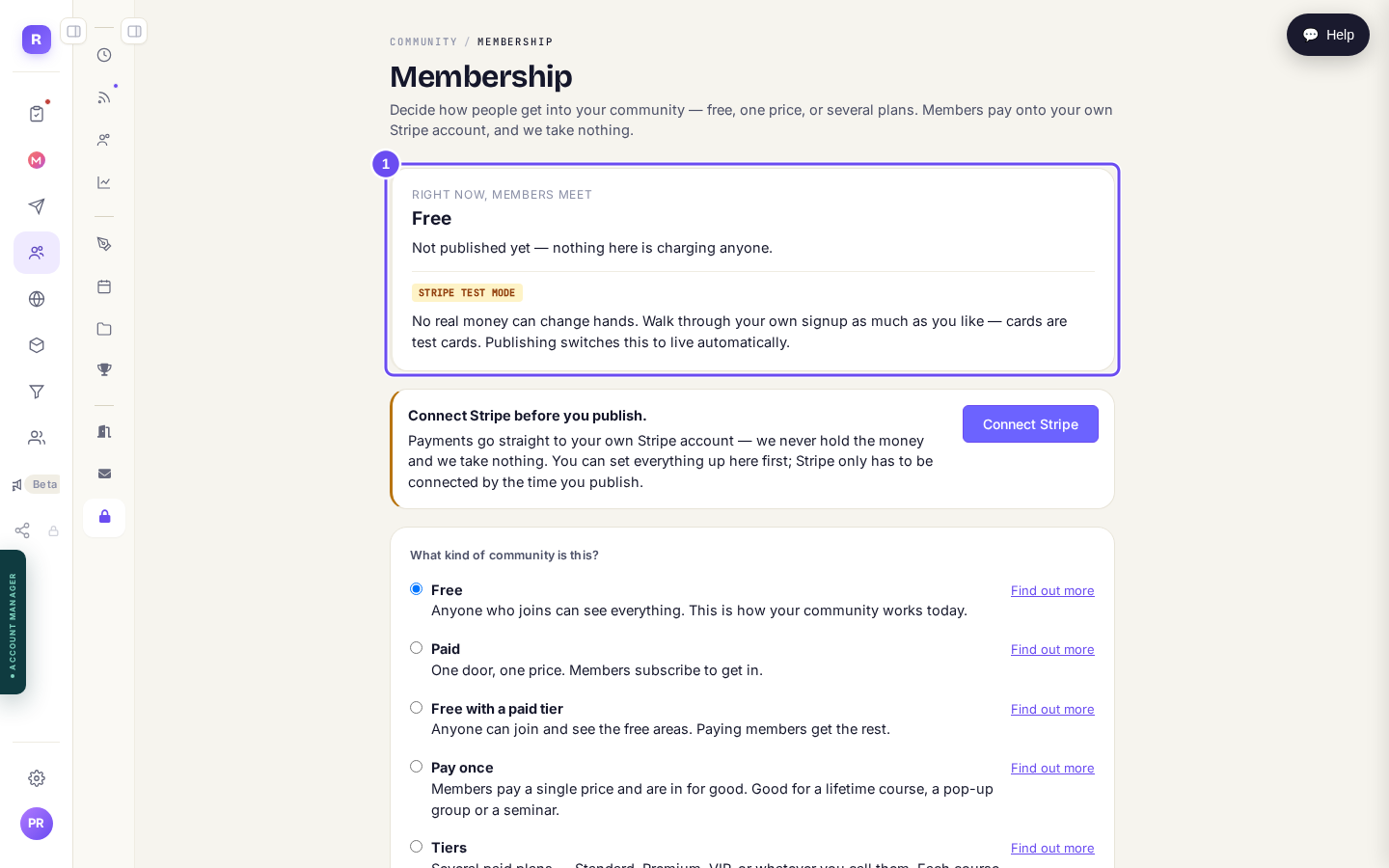
What members meet today, and the line that says nothing is charging anyone yet.
Open my communityChoose "Free with a paid tier"
Five shapes, and the screen explains each in a line. The one you want says "Anyone can join and see the free areas. Paying members get the rest."
Worth knowing what the others do before you pick. Paid is one door and one price. Pay once is a single payment, in for good, which suits a lifetime course or a seminar. Tiers is several plans, where each course and each call opens at the lowest plan you choose and everyone above it gets in too.
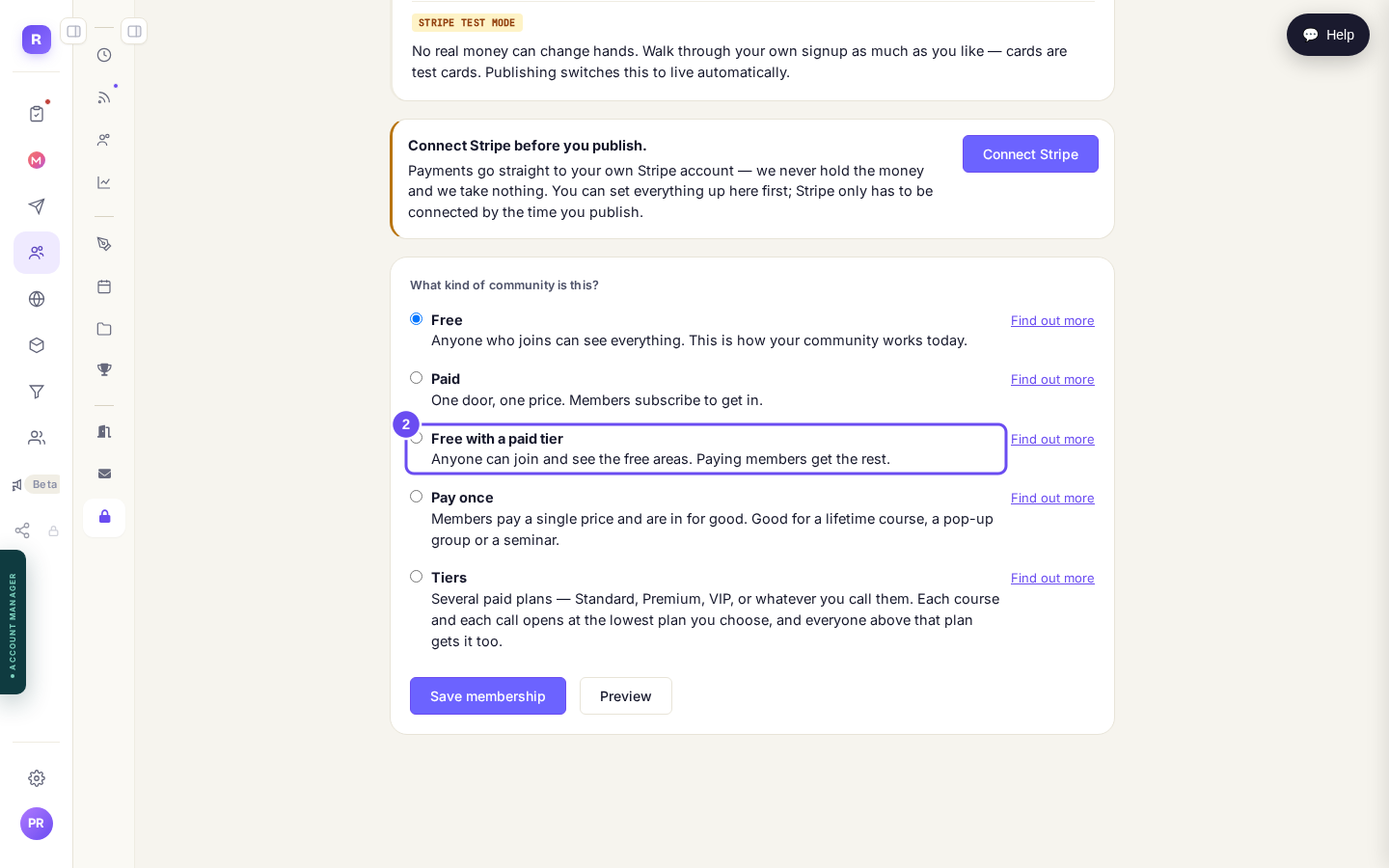
Five shapes. This one keeps the door open.
Make the package your members pay for
Choosing the shape reveals What members pay. If you have never sold anything here it will say so, and tell you why: a membership has to renew, so a one-off price cannot be used.
Press Create a new package and give it a price. Price it at what one useful hour with you is worth, monthly. You can change it later, and the people already paying keep the price they joined on.
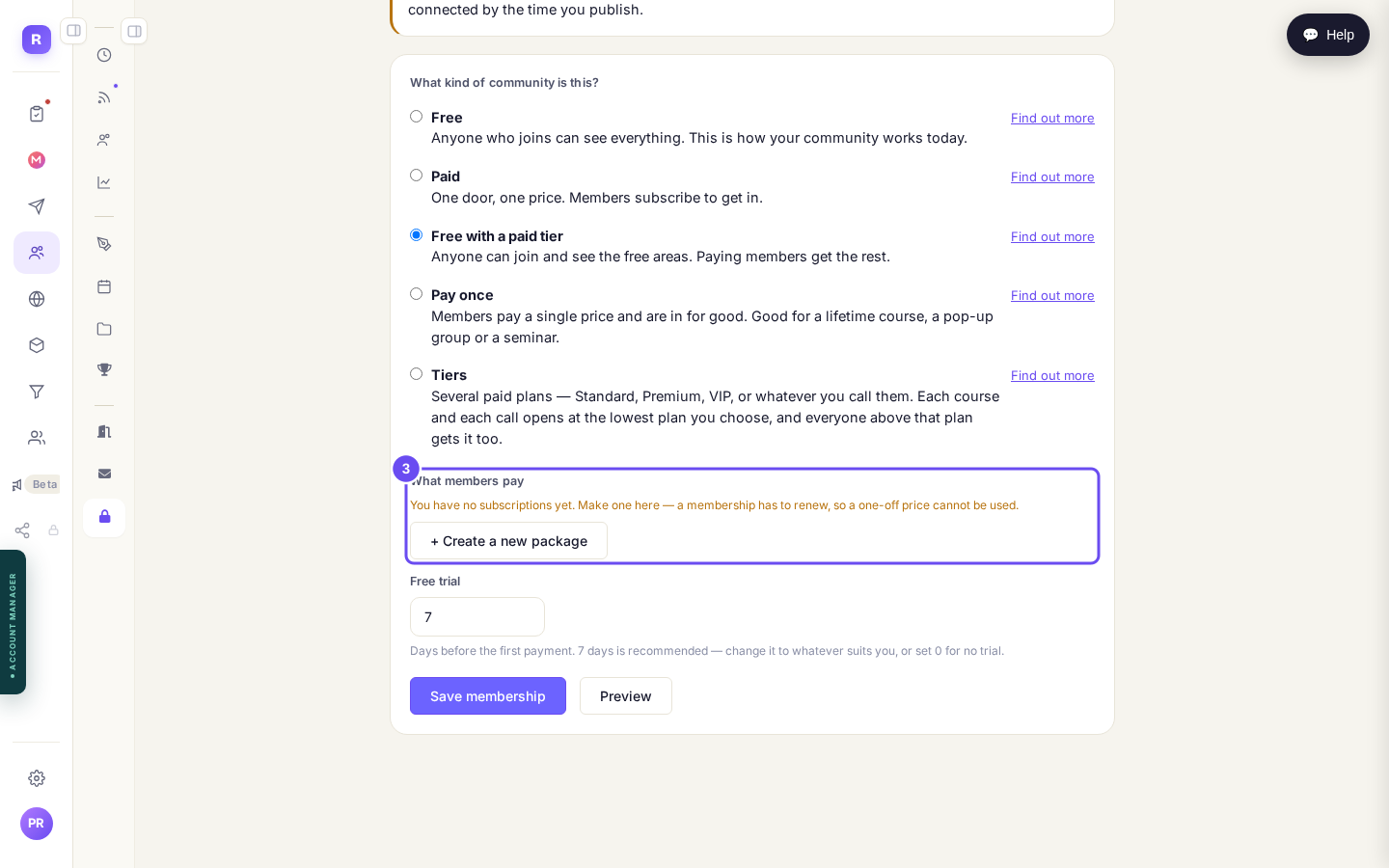
No subscriptions yet, and the button that fixes that.
Decide the free trial
It arrives set to 7, and the line underneath tells you exactly what that means: "Days before the first payment. 7 days is recommended, change it to whatever suits you, or set 0 for no trial."
This is the number worth thinking about rather than accepting, because it is often what decides whether somebody joins at all. If you are unsure, leave it at seven.
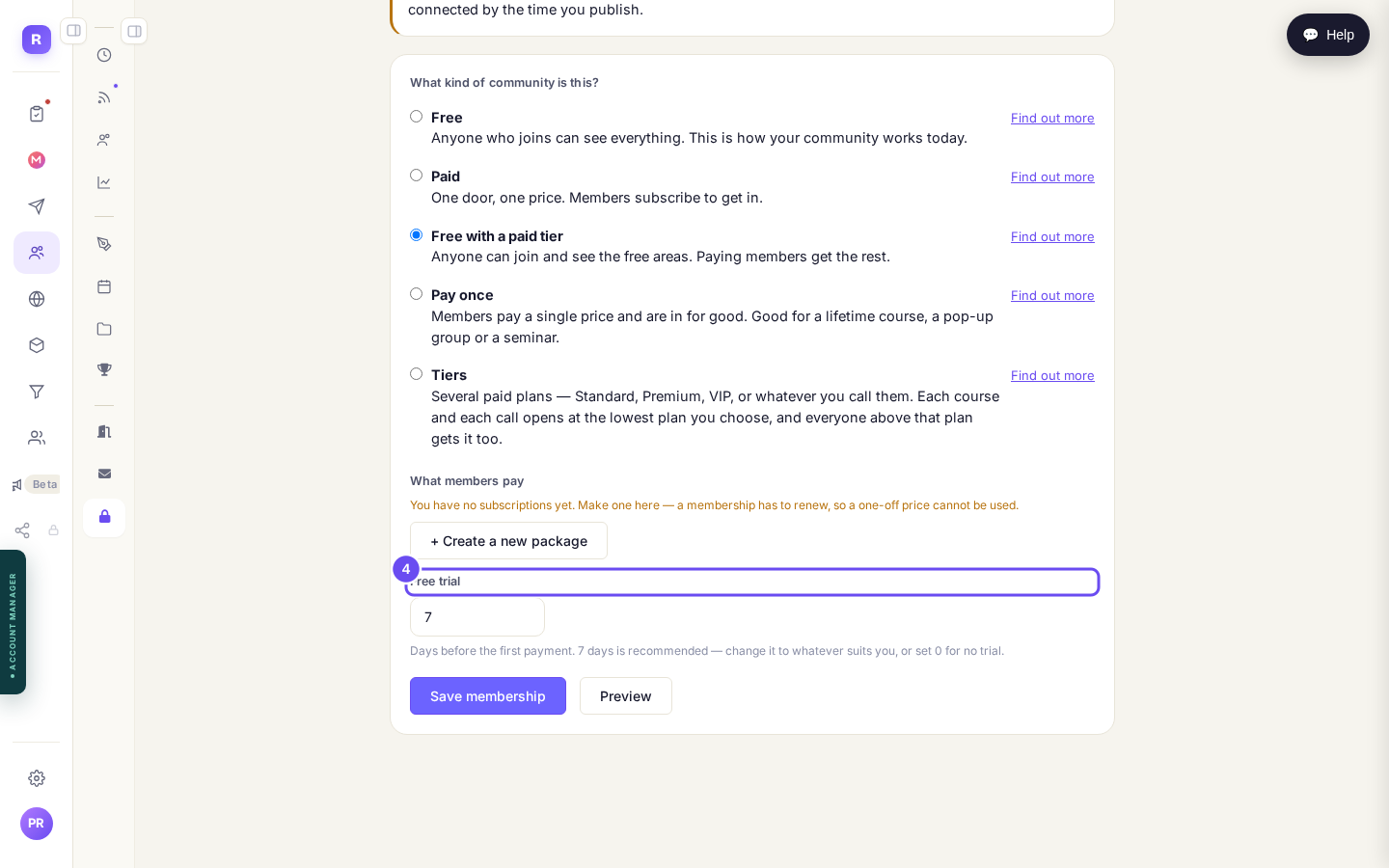
Seven days, and the sentence that says what happens on day eight.
Connect Stripe, then publish
The bar at the top of the page has been waiting for this: "You can set everything up here first; Stripe only has to be connected by the time you publish."
Press Connect Stripe and follow it through. It is your own account, and the money lands there. Then Save membership. Publishing is what switches test mode off, and it is the only moment anything becomes real.
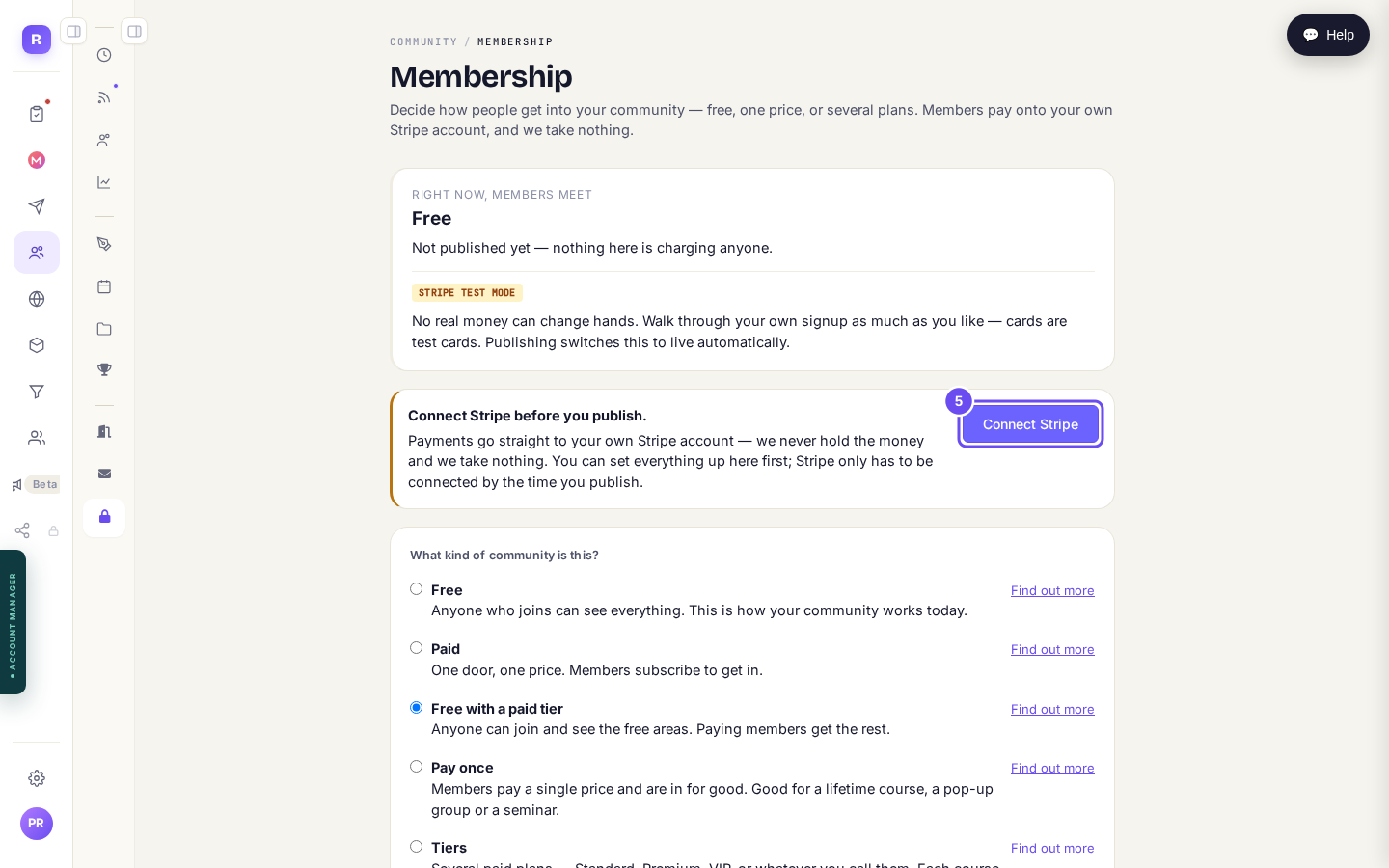
Set it all up first. Stripe only has to be there by the time you publish.
Connect Stripe
Switching the whole community to Paid, Pay once or Tiers puts a paywall across the front door. Members already inside keep their access, but strangers stop being able to look.
If your room is how people find you, that is a real cost, and it is why this guide points at the free-with-a-paid-tier shape instead.
Related articles
Can I just tell Claude to do it?
Everything in these guides is a screen you can click. This is the other way in: connect your own Claude to your account and describe what you want instead of building it.
Can I sell the community itself?
Guide 1 puts a price on part of the room and keeps the door open. This one is the other decision: making the room itself the thing somebody buys. Pick the shape before you build anything, because the shape decides what a stranger sees.
How do I run a community when I have no time?
Most of it already runs without you. This is what is switched on, what you can hand over, and the fifteen minutes twice a week that actually need a person.