
Who can see my community, and can I keep it private?
Your community has one address you share, and a separate setting for how much a stranger who follows it can read.
Updated 15 September 2026
Find the link under Public address
At the top of Community Settings. Anyone holding it can reach your community; nobody without it can stumble on you. It's filled in automatically — the picture shows a rare blank one, which has its own page.
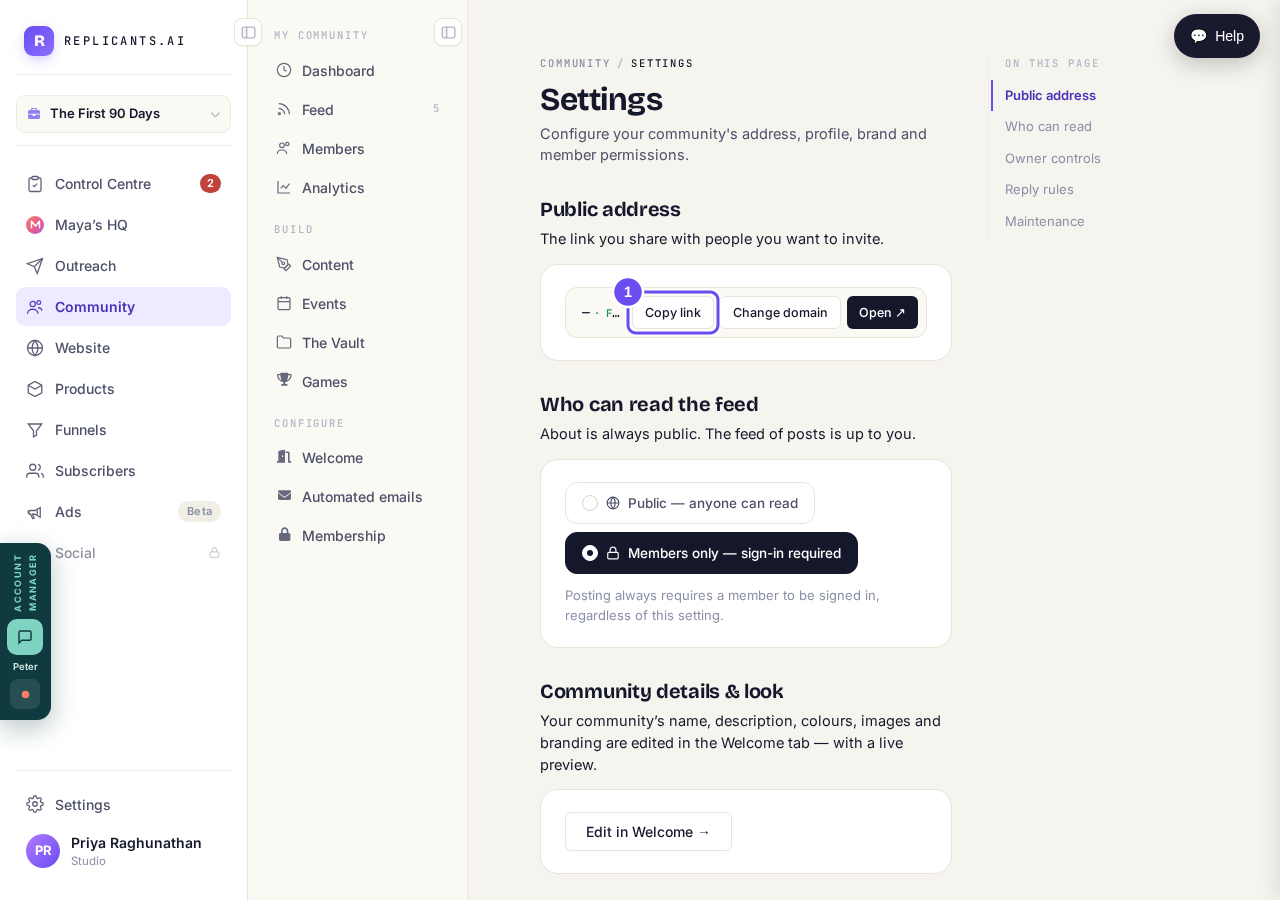
One link, and everyone you invite gets this one.
Take me therePick Public or Members only
Public means anyone with the link reads the posts without signing in. Members only means they sign in first and see nothing until they do. Your About page stays public either way, and posting always needs a sign-in.
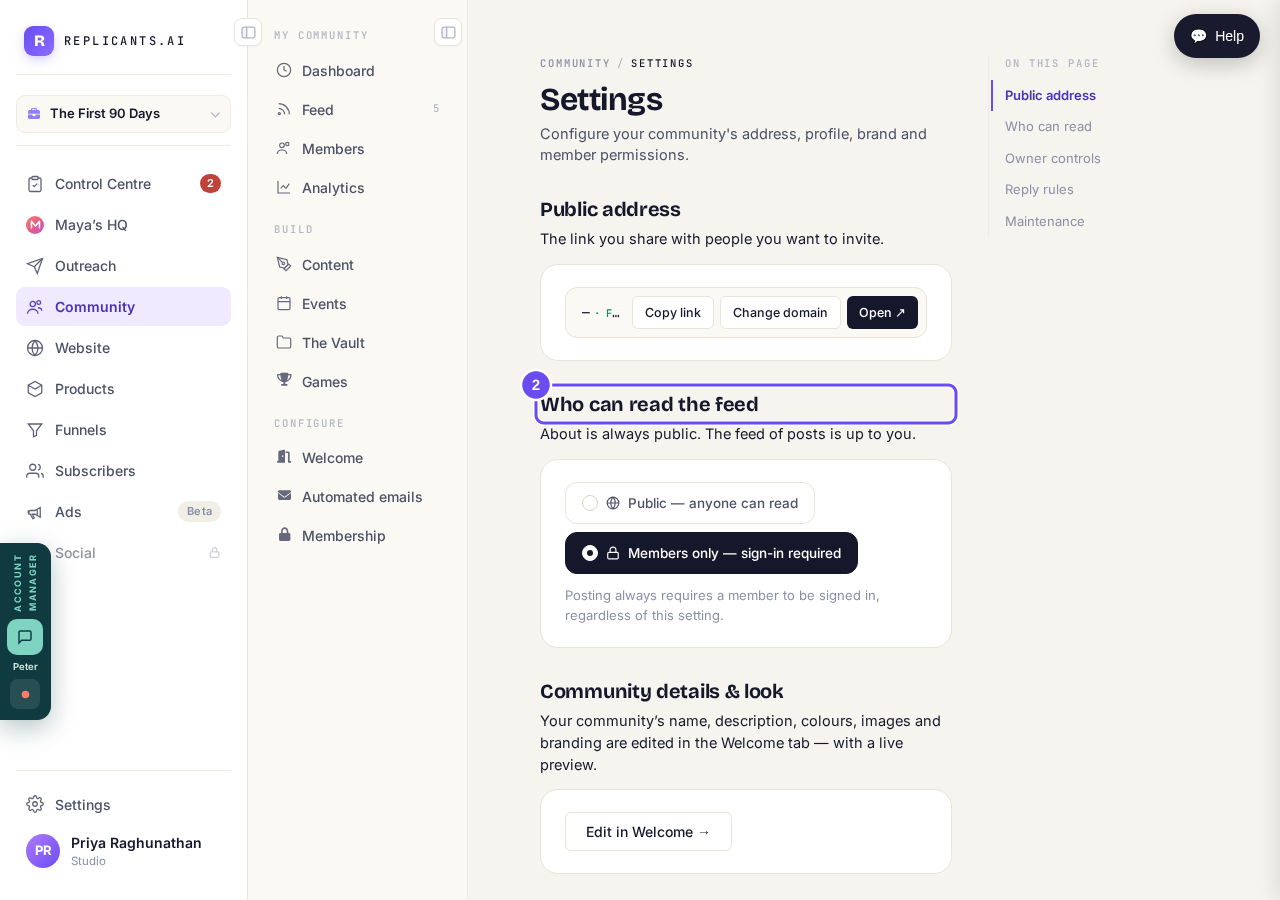
Public feed, or members only. About stays public either way.
Take me thereRead the small print under Anti-poaching
Under Owner controls, three settings: member-to-member messages, browsing the member list, and whether people join on the link alone. Only the first works today. The other two carry a line saying they'll work when the rest of that feature ships.
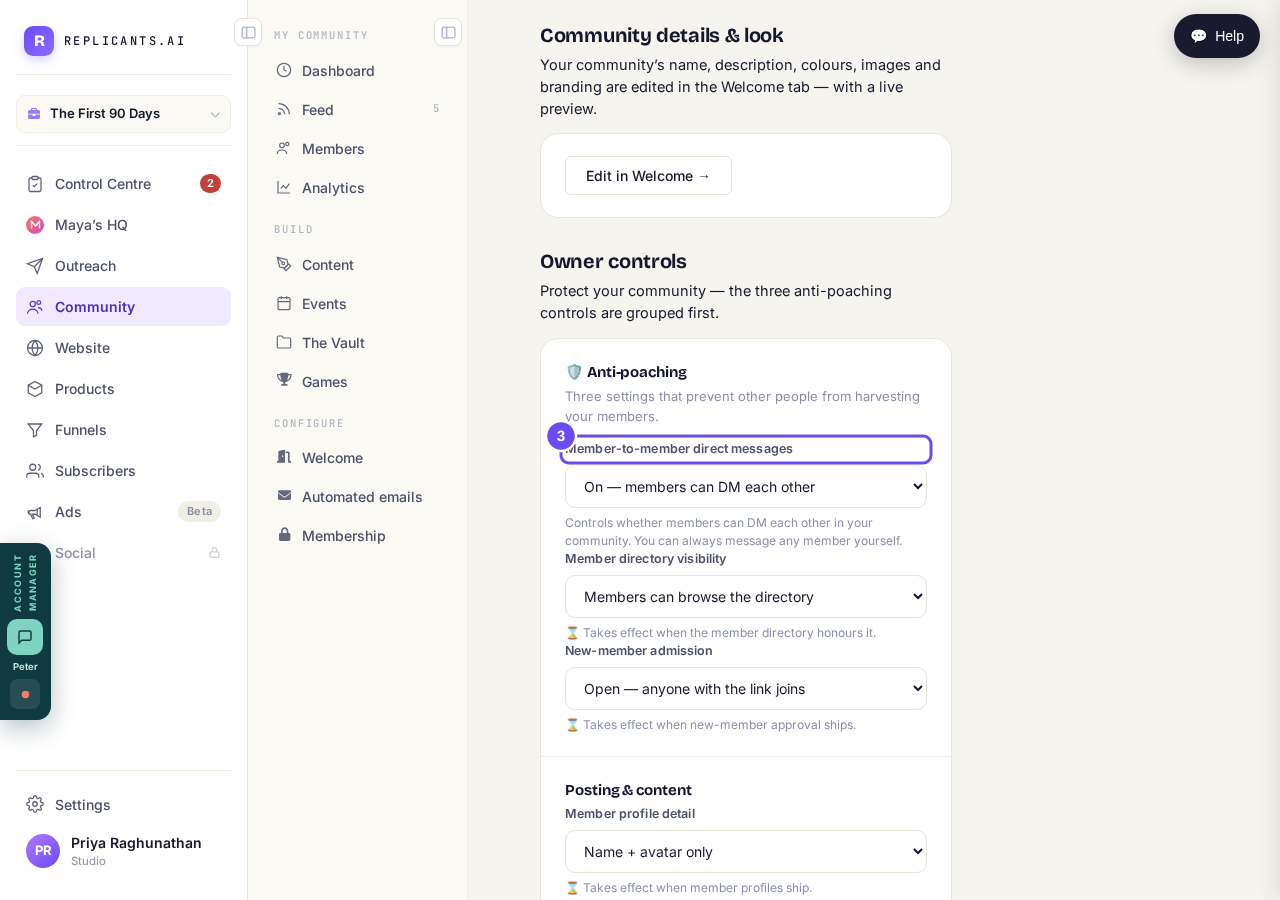
Three settings. Read the small print: only direct messages is in effect today.
Take me there
Where is my community link, and how do I share it?
Related articles
Can I check comments before they go up?
Turn on comment approval and every member comment waits for you. It's a separate switch from the one for posts.
Can I message one member privately, and can members message each other?
Message one member from Community, then Members. Their reply comes back to that screen, not your email. Members messaging each other is a separate setting.
Can I read what members post before it goes up?
Yes — one setting. Off, member posts appear at once. On, nothing appears until you've read it. The waiting ones don't sit in the Feed.