
There are points and badges in my community — where did those come from?
You didn't switch these on. Every community has points, levels and badges running from the day it exists, and they're live for your members now.
Updated 16 September 2026
Take me there
Open Community, then Games
The first tile isn't a game. The page it opens says this one is always running and can't be deleted — that's where your points came from. Press Open.
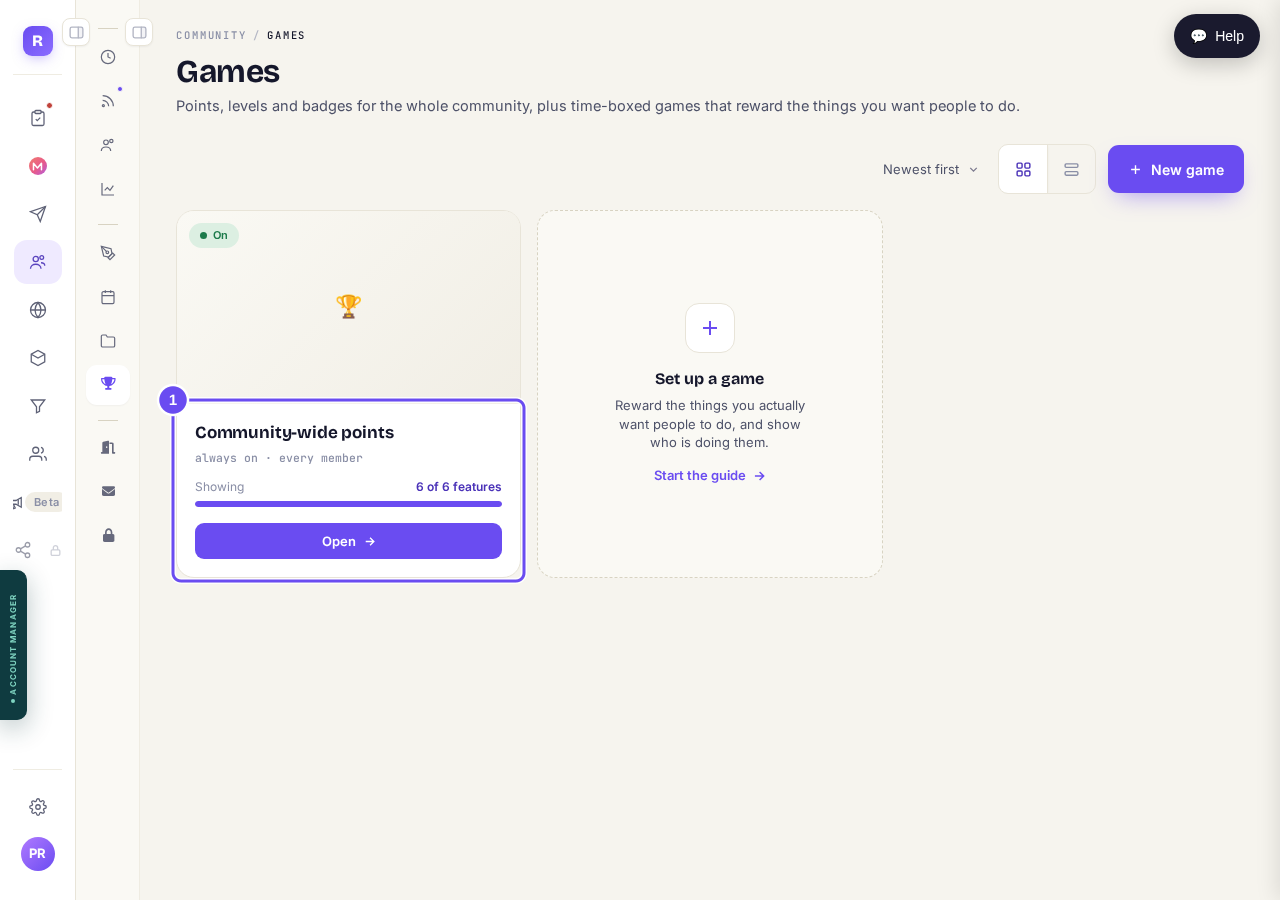
Community-wide points — always on, every member, 6 of 6 features.
Take me thereChoose what members see, and set the ladder
Six switches under What members see, each saying what it puts on screen. Below them sits the points table, which is fixed. Then the level ladder — 0, 50, 150, 400, 1000 — which you can type over.
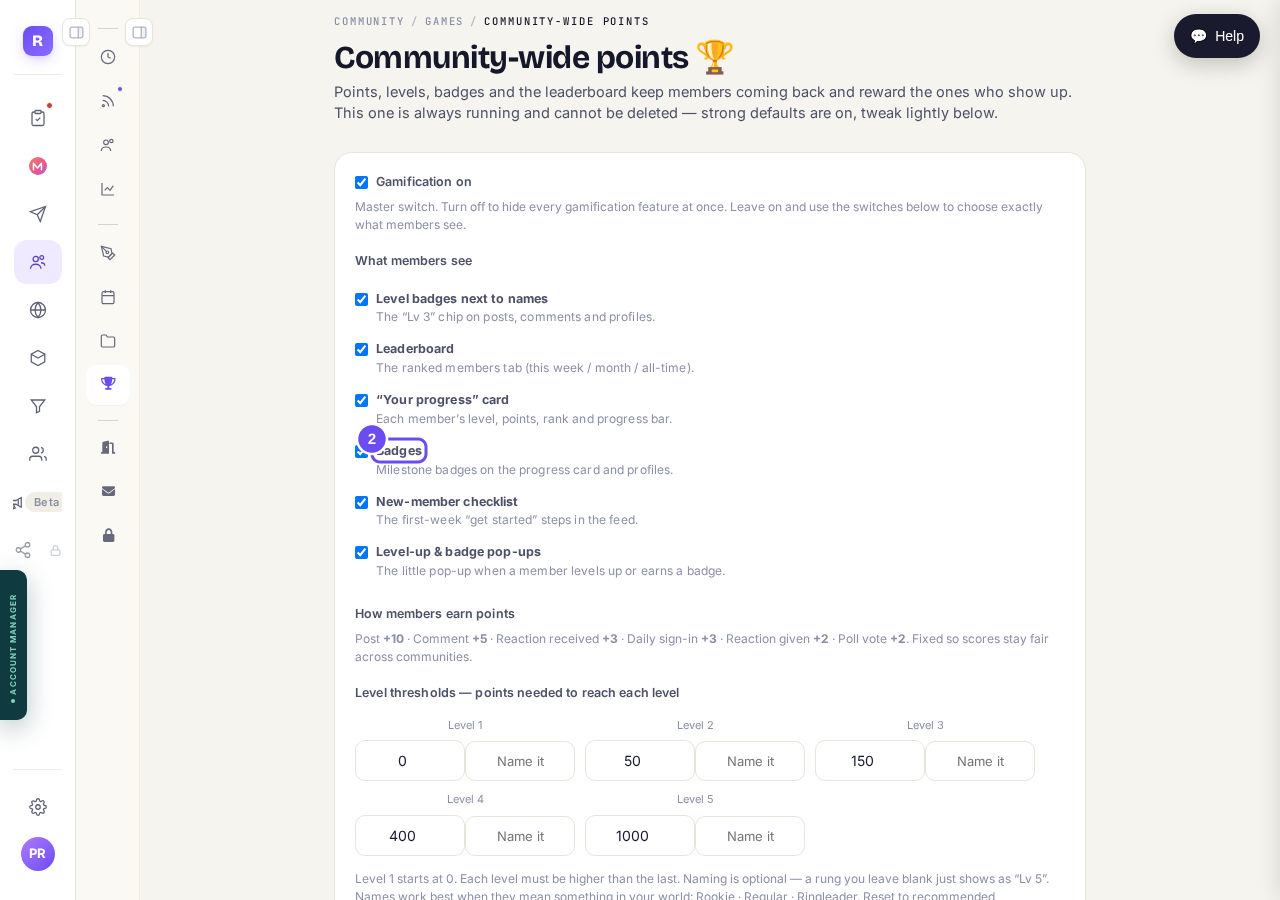
The switches, the fixed points table, and the levels you can edit.
Take me there
How do I run a short challenge in my community?
Related articles
Can I check comments before they go up?
Turn on comment approval and every member comment waits for you. It's a separate switch from the one for posts.
Can I message one member privately, and can members message each other?
Message one member from Community, then Members. Their reply comes back to that screen, not your email. Members messaging each other is a separate setting.
Can I read what members post before it goes up?
Yes — one setting. Off, member posts appear at once. On, nothing appears until you've read it. The waiting ones don't sit in the Feed.