
Can I write a post now and have it go out later?
Yes — it's the same composer. The choice sits at the bottom, under When. Events, for live sessions, is a different row and isn't open yet.
Updated 15 September 2026
Write the post, then look under When
Two choices side by side; take Schedule for later. It sits with the other before-you-publish decisions — which channel, whether members are emailed. There's no separate planner.
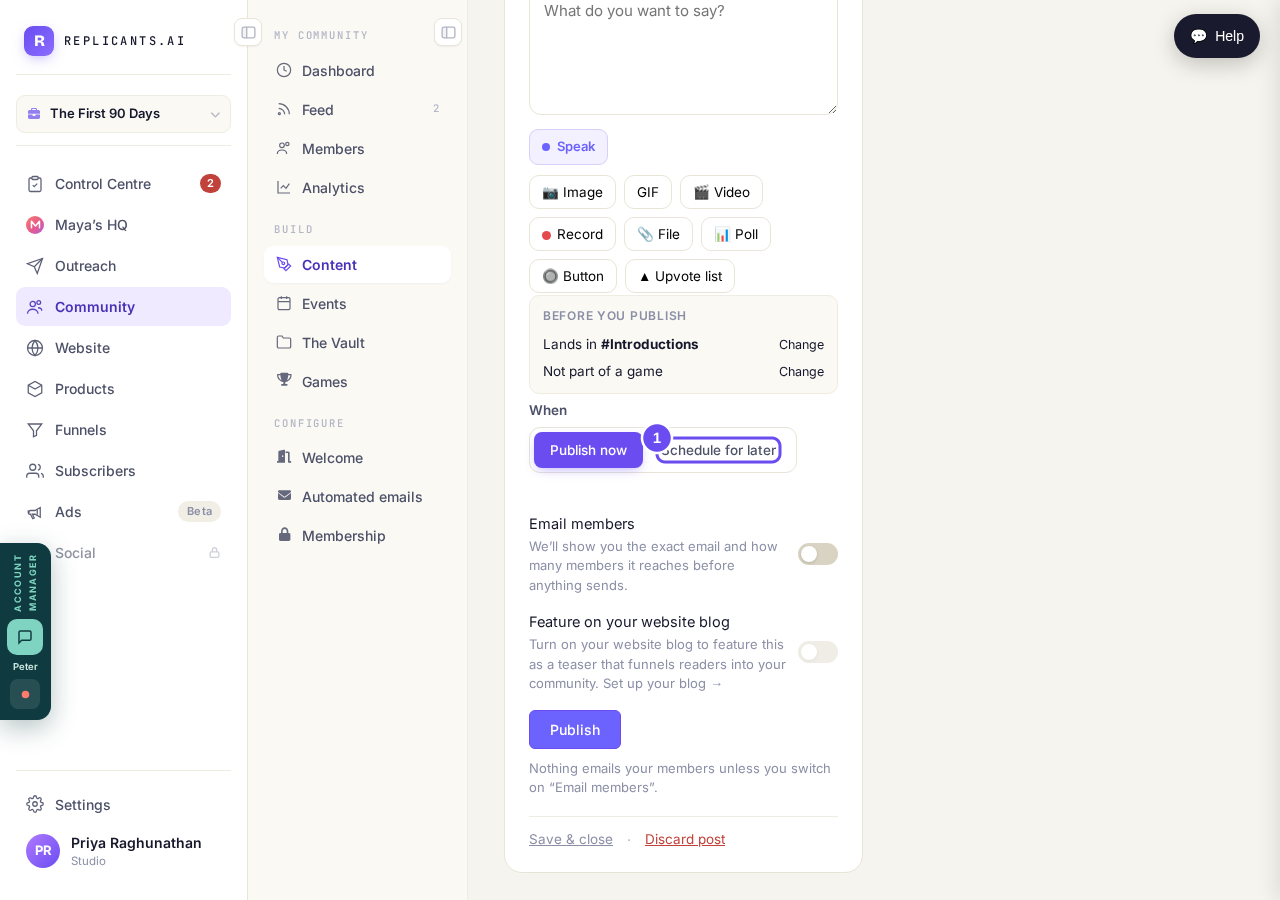
Under When, at the bottom of the composer.
Take me therePick the date and time
One box holds both. Underneath, the platform names the timezone it's using — yours, the one your computer is set to. Read that line before you pick the hour.
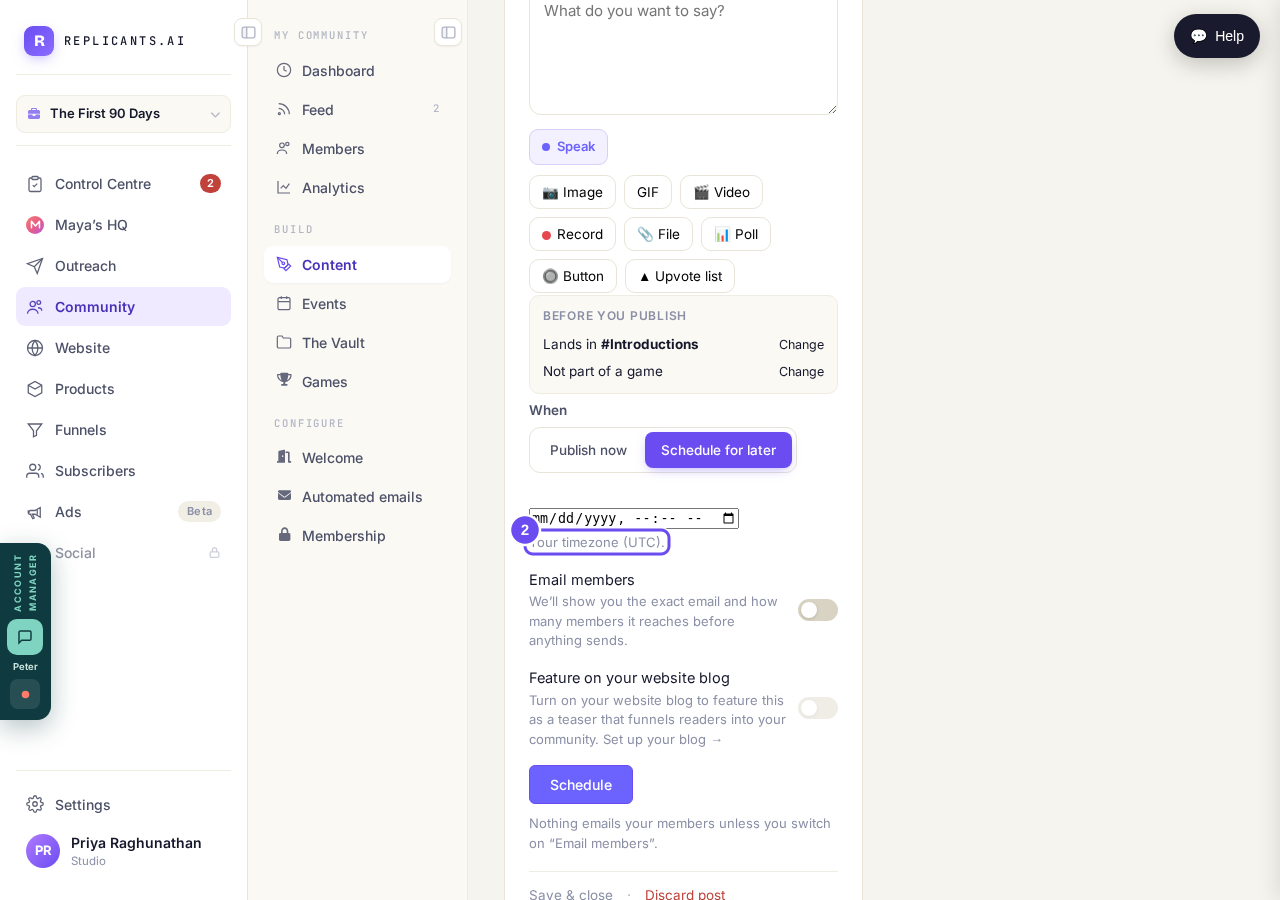
Your timezone is named under the box. Read it before picking.
Check Sending soon on your Control Centre
Everything planned ahead gathers there — posts and emails together — with the week above it, day by day. It reads empty until you schedule something.
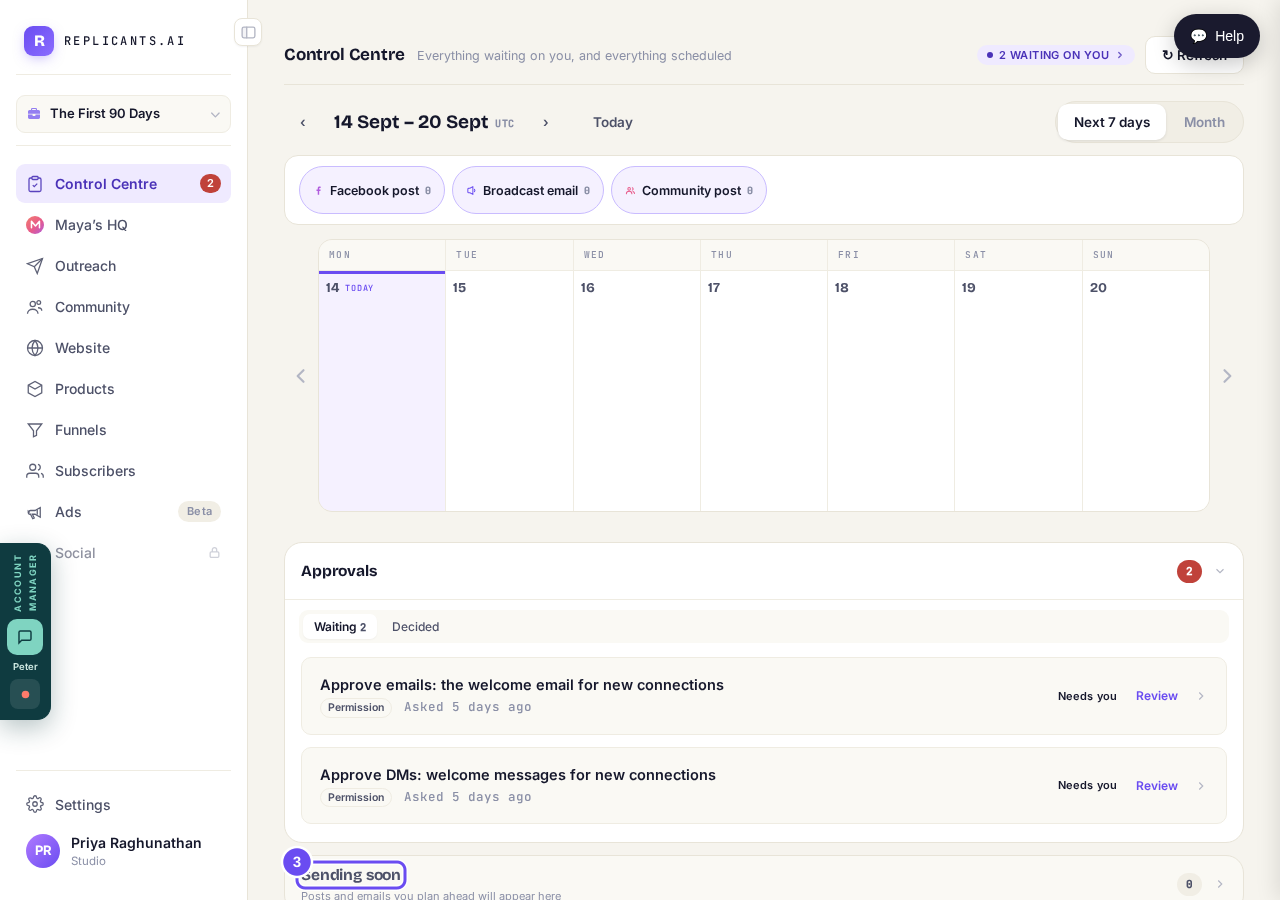
Posts and emails you plan ahead, on one screen.
Press Events to see where it stands
A box says it's in beta, opening a few coaches at a time, and offers Yes, add me to the list. Until then, announce a session as a scheduled post with the joining link.
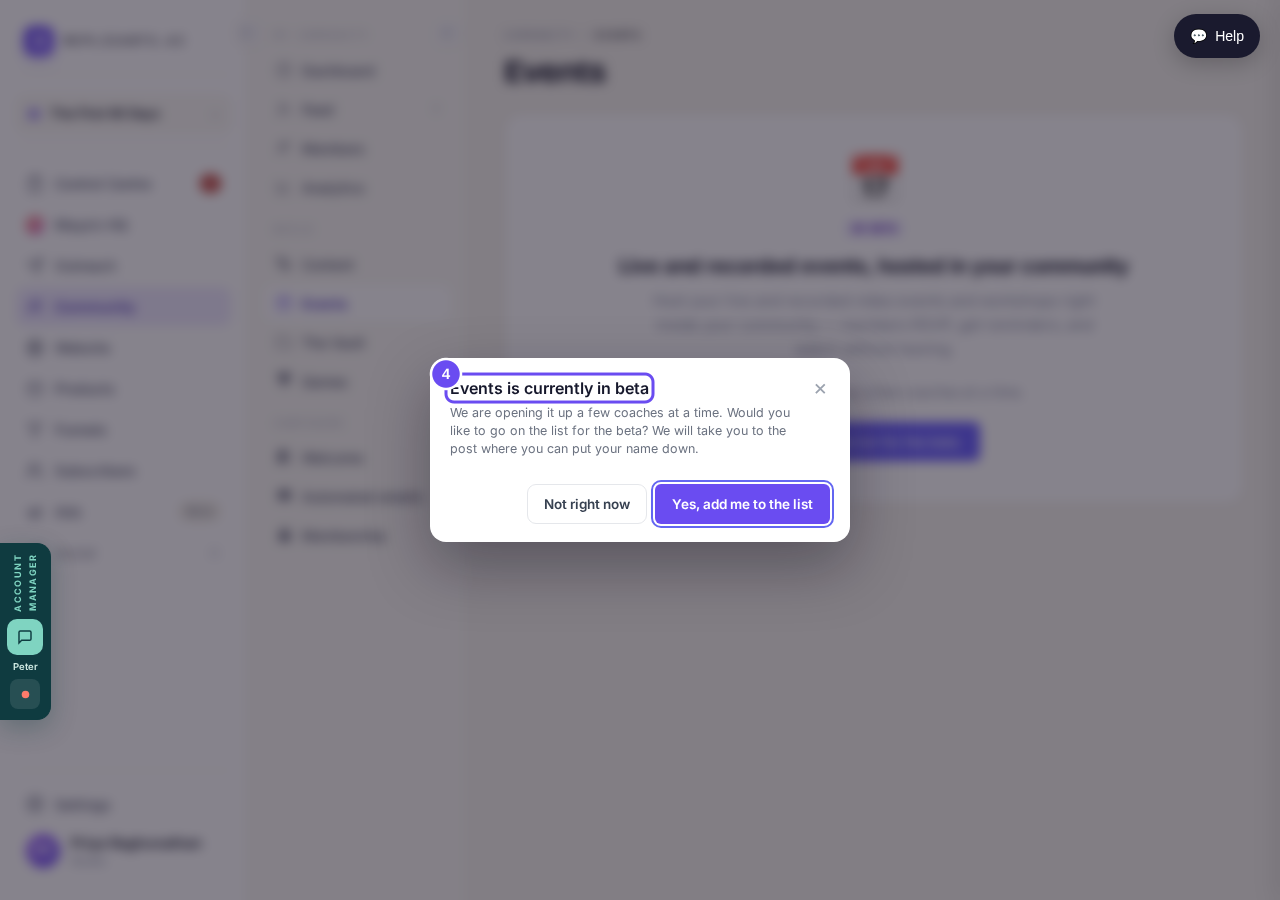
In beta, a few coaches at a time. Join the list, or not right now.
How do I make sure new members see the right post first?
Related articles
Can I check comments before they go up?
Turn on comment approval and every member comment waits for you. It's a separate switch from the one for posts.
Can I message one member privately, and can members message each other?
Message one member from Community, then Members. Their reply comes back to that screen, not your email. Members messaging each other is a separate setting.
Can I read what members post before it goes up?
Yes — one setting. Off, member posts appear at once. On, nothing appears until you've read it. The waiting ones don't sit in the Feed.