
My community has gone quiet. How bad is it really, and what do I do first?
A quiet room is normal, not a verdict. Three screens tell you how quiet it really is, and who to write to today.
Updated 15 September 2026
Take me there
Check what Quiet 30 days counts
Posts this week, Comments and New members all count the last seven days. Quiet 30 days counts people, not days: members who haven't posted or commented in a month. The 6 is all six members.
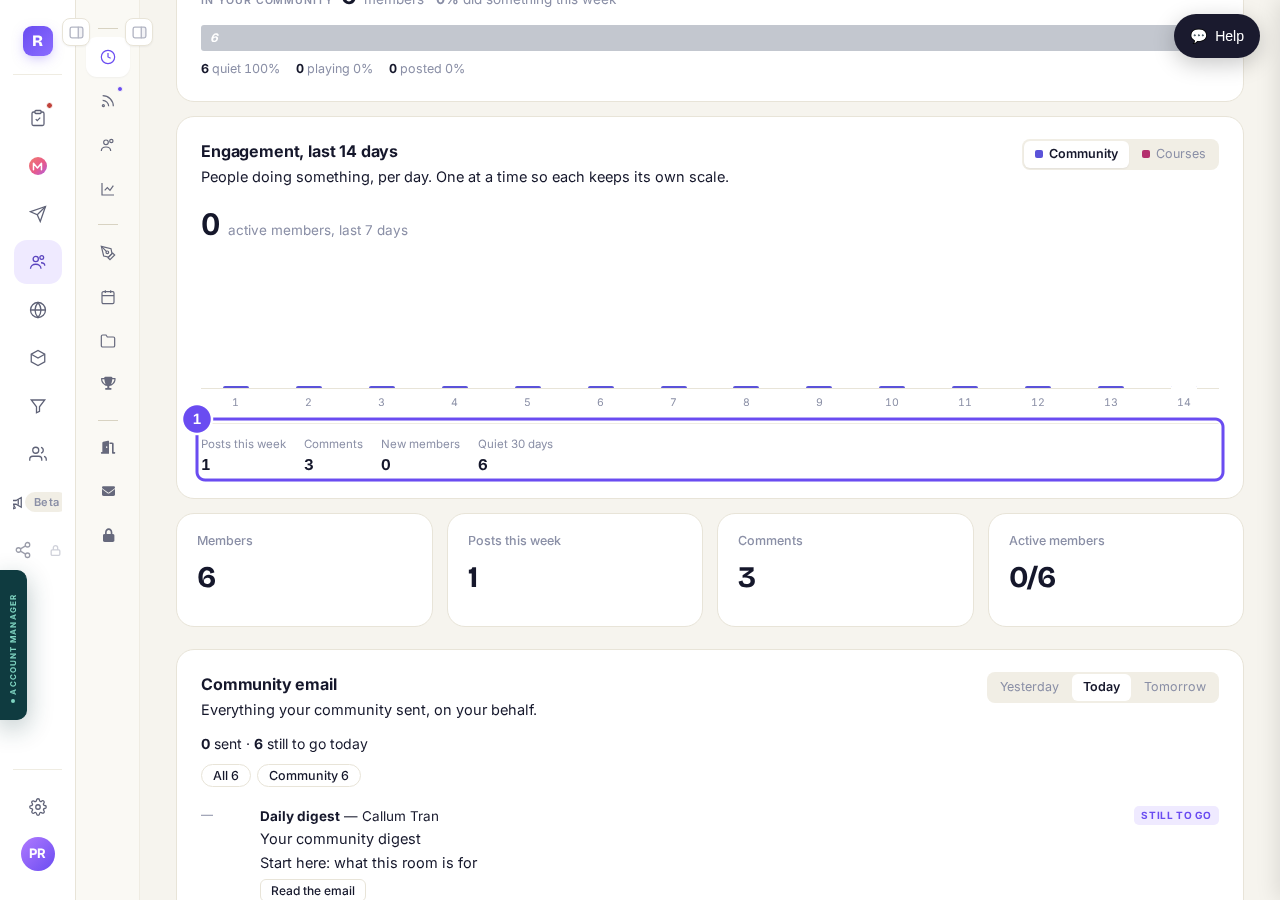
Posts, comments, new members — and Quiet 30 days, which counts people.
Take me thereRead the dates, not the totals
Read the dates down the column, not the totals. A total can never go down, so All 6 tells you what the room once was, not what happened this month.
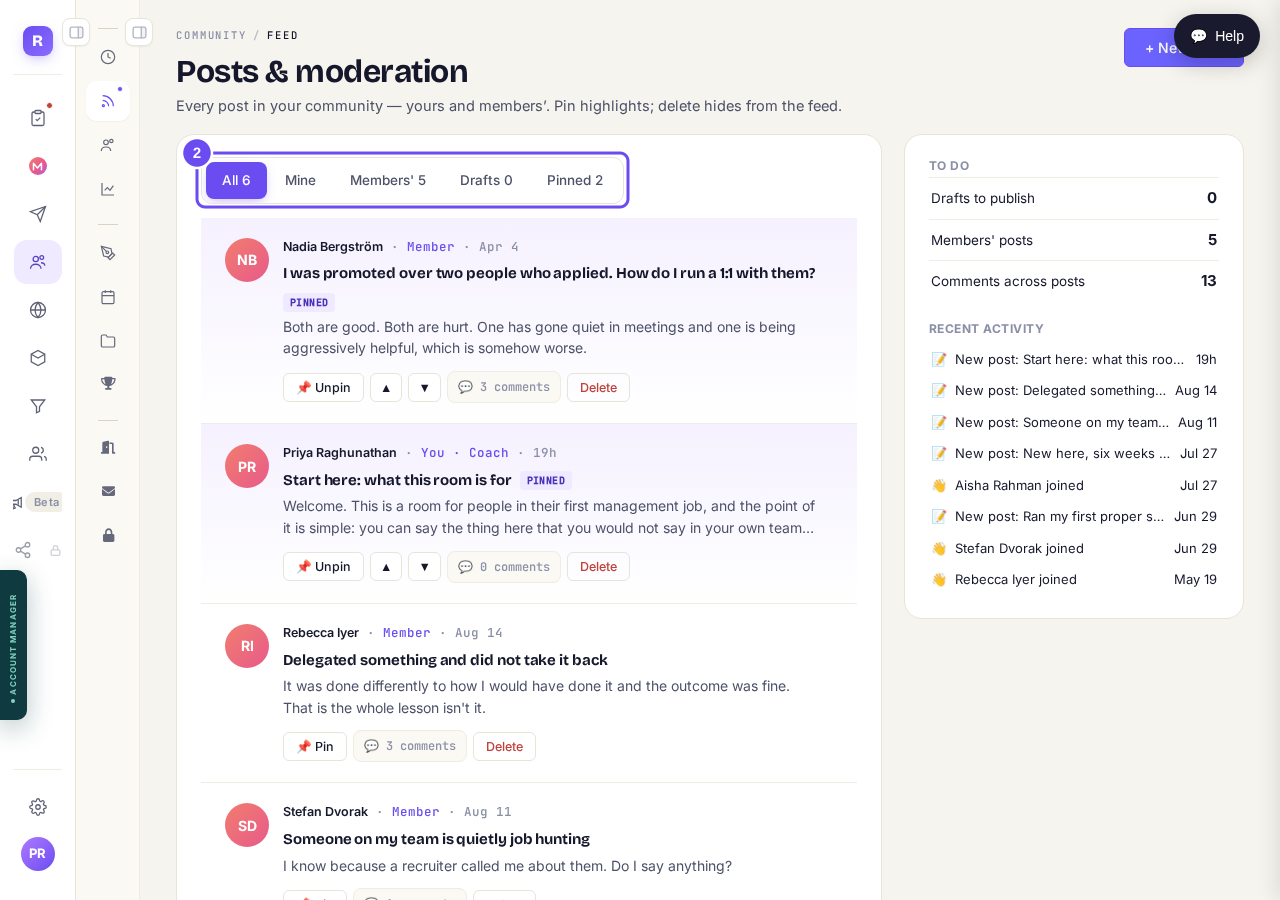
All 6, Members' 5 — and every member post weeks old.
Take me thereOpen Members and write to one person
Not visited yet, months after joining, means they never really arrived — an invitation problem rather than a posting one. Message sits beside every row.
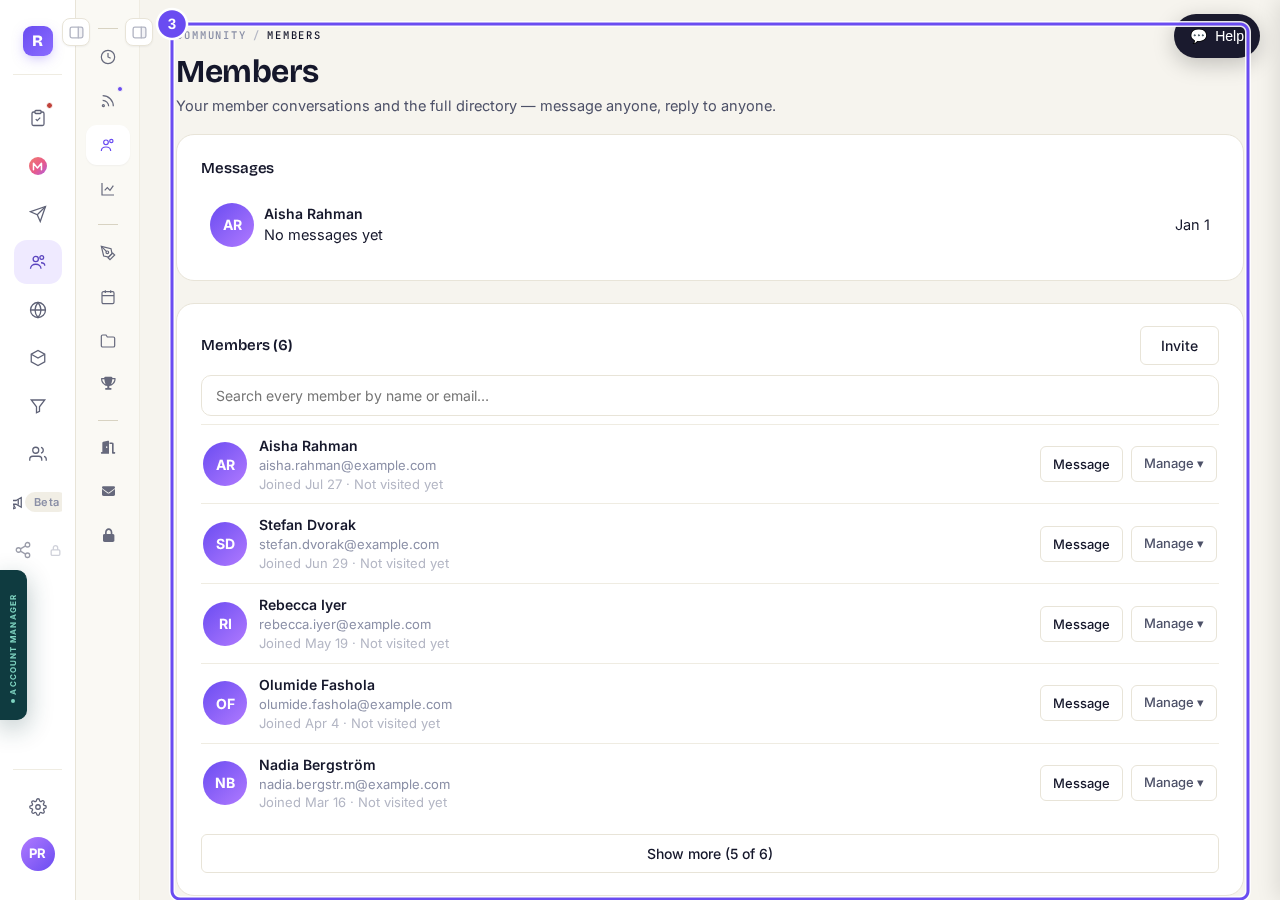
Each member with when they joined, whether they came back, and Message.
Take me there
How do I run a short challenge in my community?
Related articles
Can I check comments before they go up?
Turn on comment approval and every member comment waits for you. It's a separate switch from the one for posts.
Can I message one member privately, and can members message each other?
Message one member from Community, then Members. Their reply comes back to that screen, not your email. Members messaging each other is a separate setting.
Can I read what members post before it goes up?
Yes — one setting. Off, member posts appear at once. On, nothing appears until you've read it. The waiting ones don't sit in the Feed.