
How do I change my name, login email or password?
Your name, the email you sign in with and your password each have their own page under Account. About a minute each.
Updated 6 October 2026
Open Account
Your name is at the bottom of the menu on the left. Press it, then Account. On a phone, press the menu button at the top right, then your name at the top of the menu.
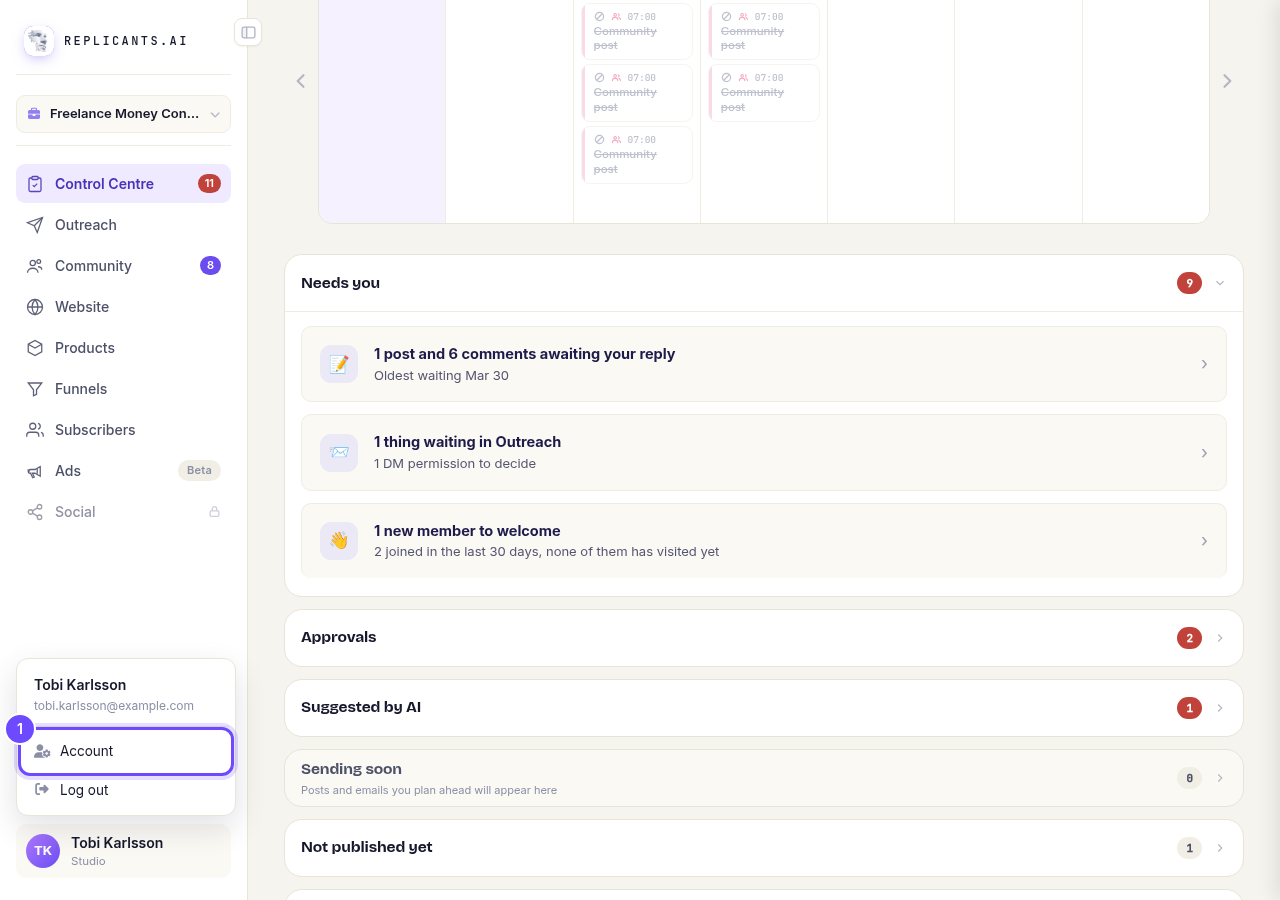
Account, above Log out.
Type your name and press Save name
Account opens on Your name. Type your name as you want it to show, then press Save name.
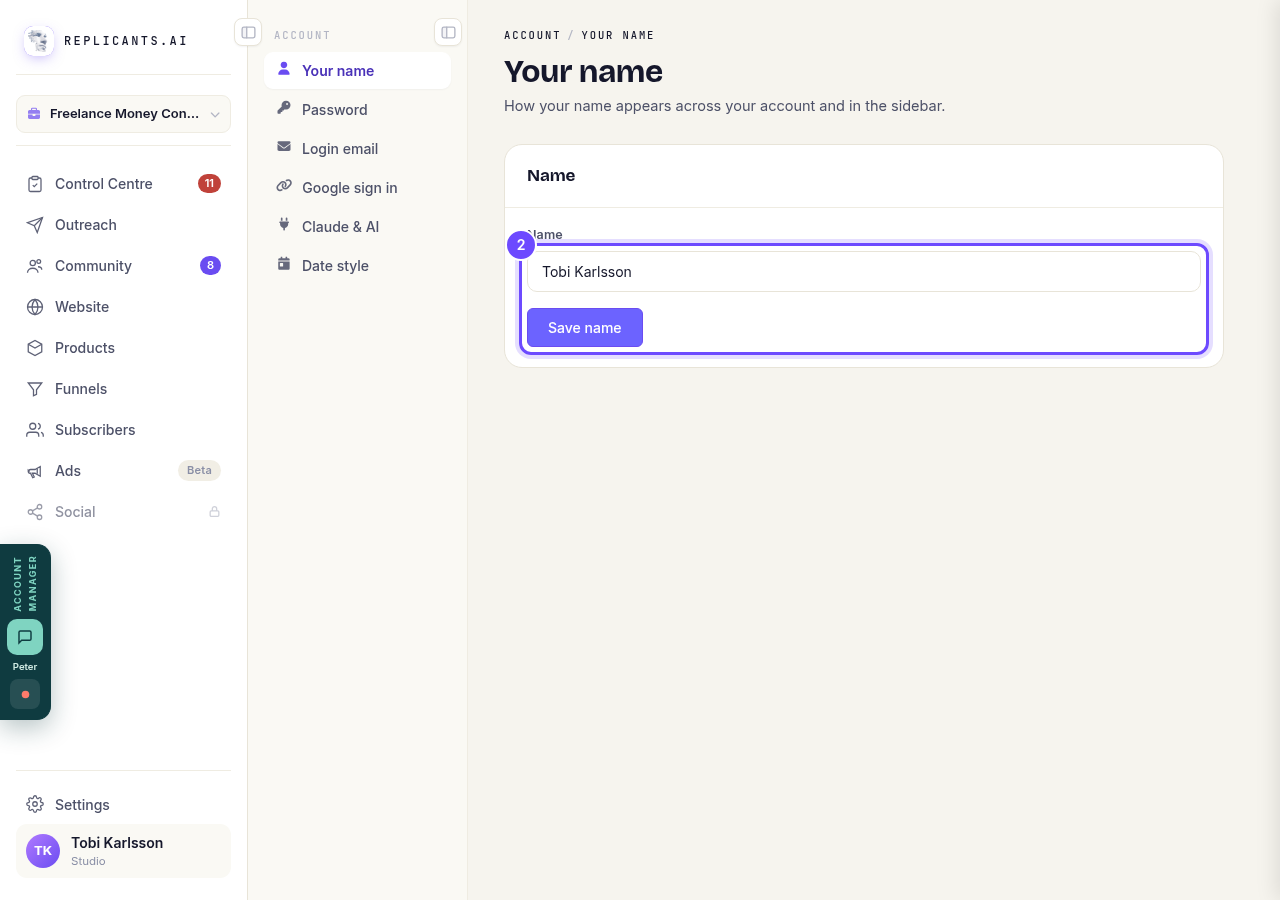
Name, and Save name.
Press Login email
It is in the Account menu, under Password. On a phone it is in the menu under Account.
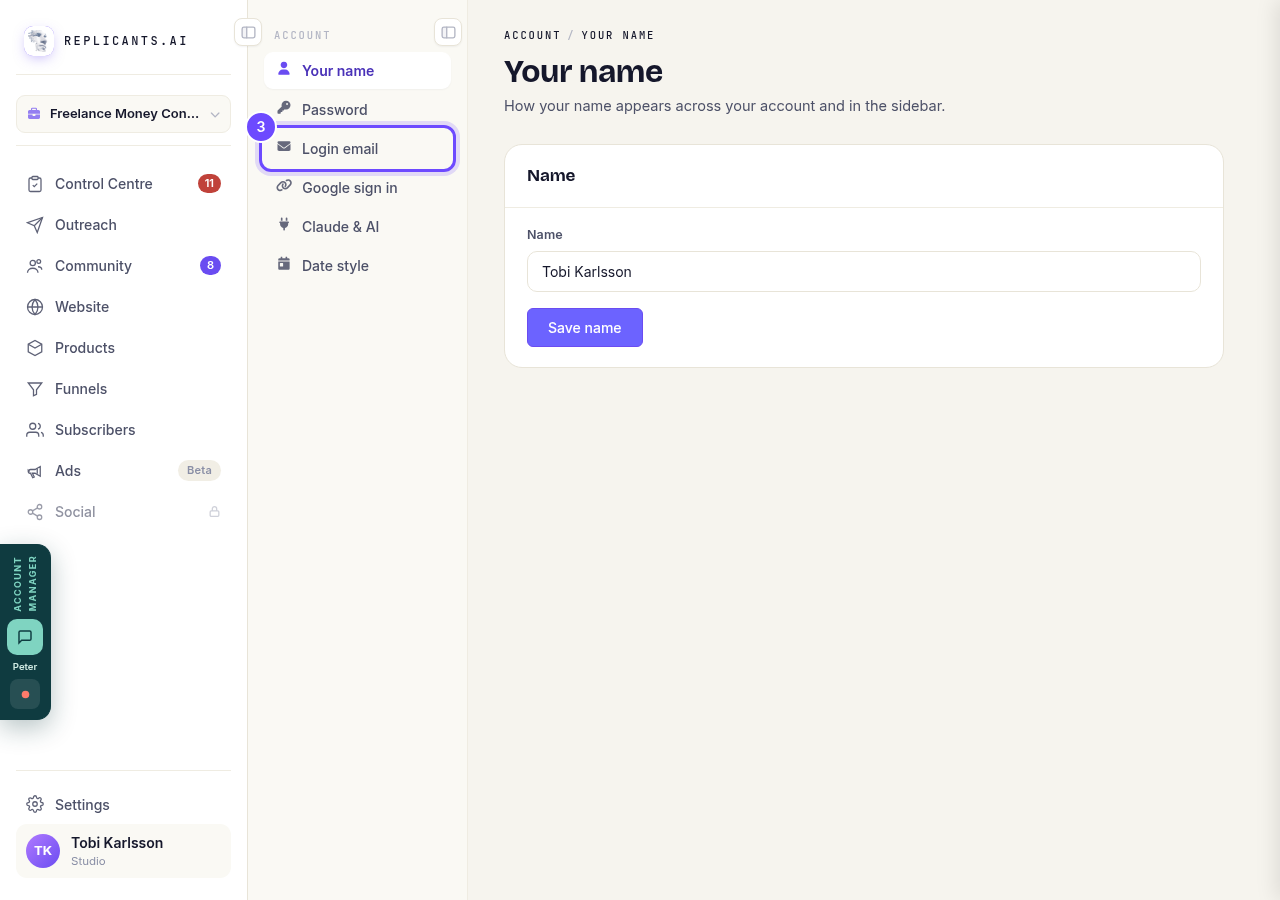
Login email, in the Account menu.
Type the new address and press Send confirmation link
Type your current password and the new email address, then press Send confirmation link. We send a link to the new address, and your login email changes only once you press it.
If you signed in with Google and have no password yet, set one first under Password.
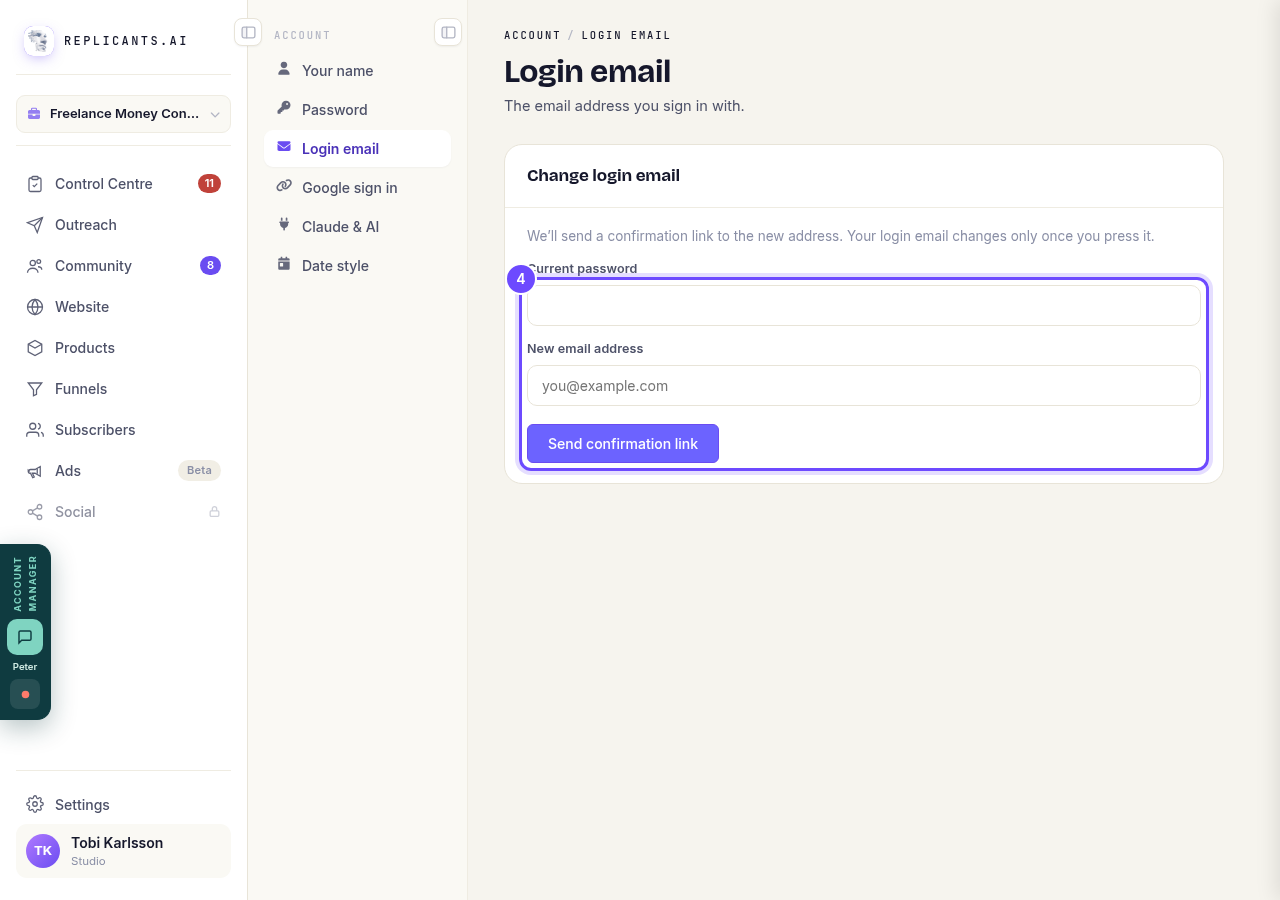
Current password, New email address, and Send confirmation link.
Press Password
It is in the Account menu, under Your name.
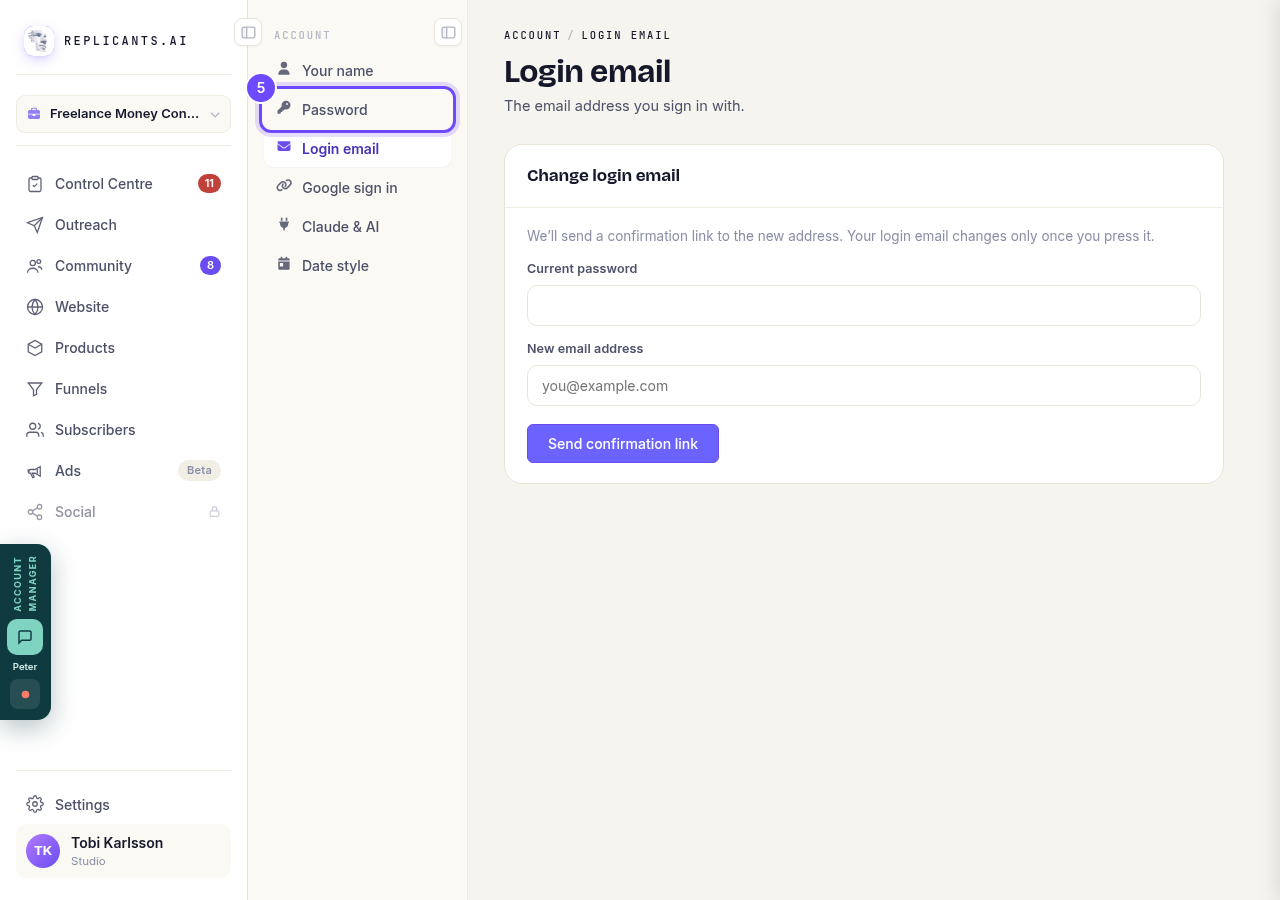
Password, in the Account menu.
Type your passwords and press Update password
Type your current password, then the new one twice, at least 6 characters. Press Update password.
If you signed in with Google, the box says Set a password and asks only for the new one; the button says Set password.
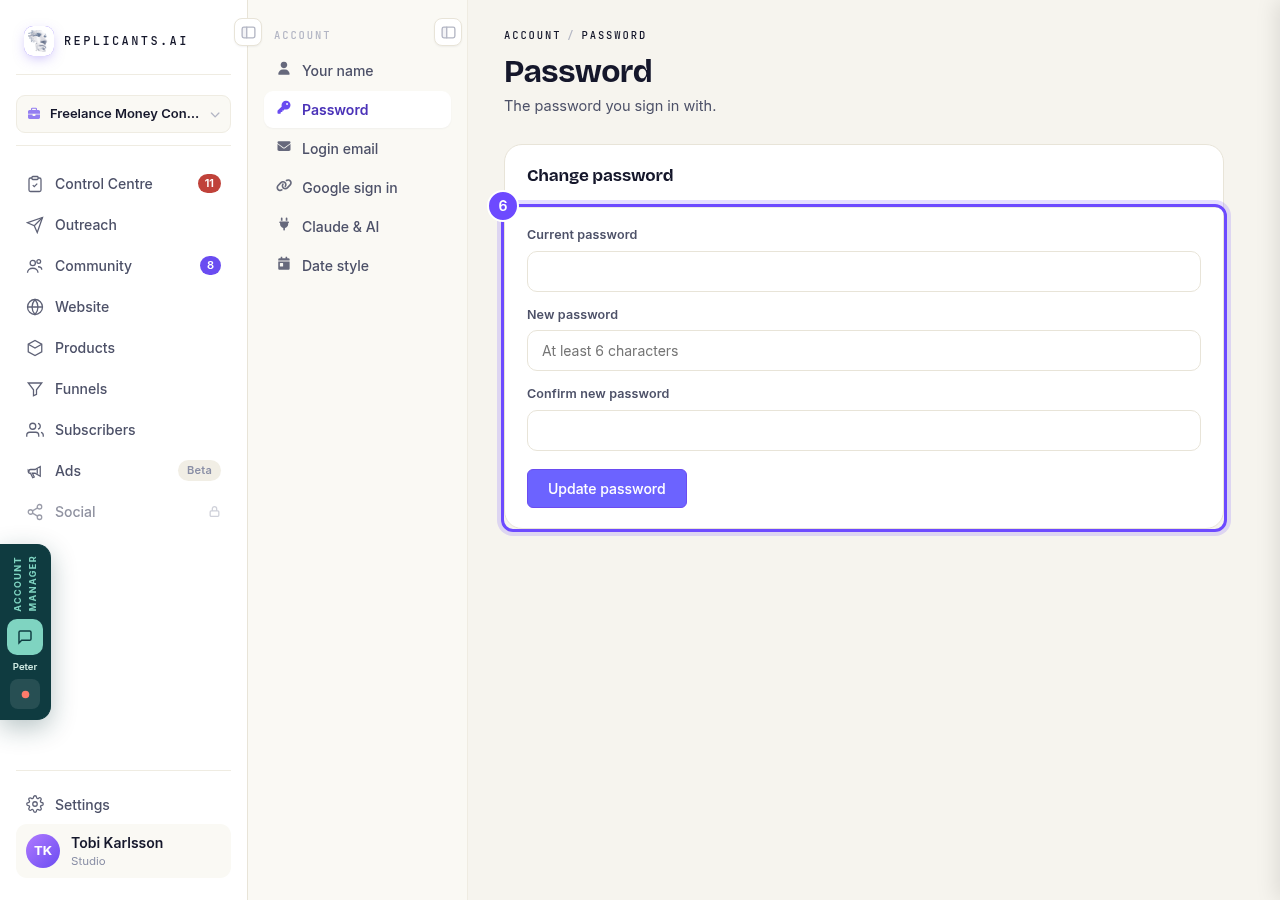
Change password, and Update password.


How do I sign in, and set a password?
Related articles
Can I talk instead of typing?
Under the boxes you type into there is a **Speak** button. Press it, talk, press **Stop**, and your words are typed into the box for you. It works on a laptop and on a phone.
Do I have to decide on the leads offer right now?
No. Your community is free and works without it. The price for leads is Outreach, a separate paid tool that finds people for your community, and you can say no and carry on building.
How do I ask for help, and where do I see the reply?
Your account manager is one press away on every screen. You write, add a screenshot or leave a voice note, and the reply comes back to the same place. About a minute to send.