
How do I change the name of my community?
Your community's name is the top box on the Welcome page, in the Community menu. Type the new name there, check the welcome words underneath, press Save changes, and it is live.
Updated 24 September 2026
Open Community, then Welcome
Open Community in the menu (on a phone, the three lines at the top right). Welcome is near the bottom of the Community list, just below Games. If a yellow box about a platform update is on screen, you don't need it for this: the name goes live when you save.
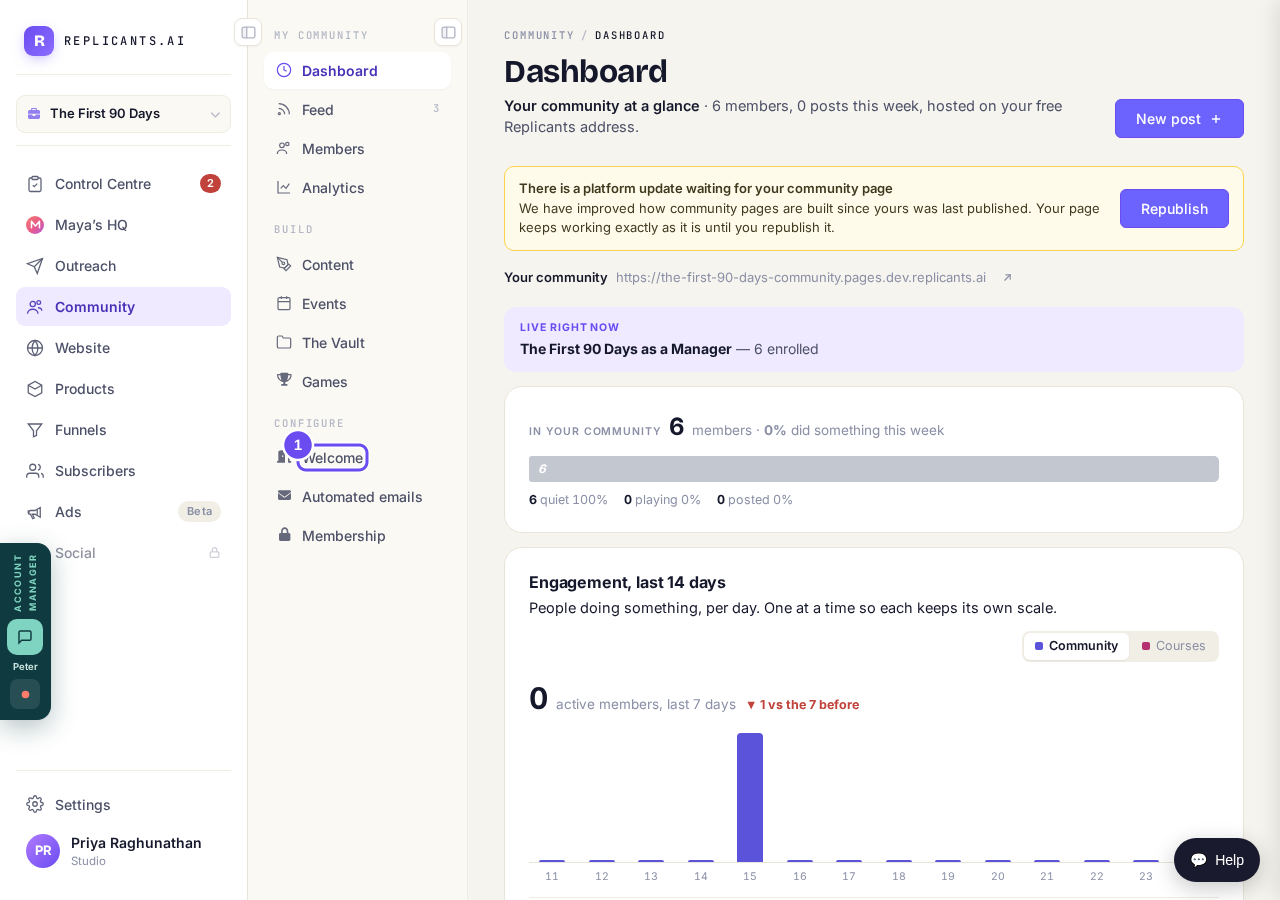
Welcome, below Games in the Community menu.
Take me thereType the new name in the top box
The top box, Community name, is the name your members see. Type the new one over it. The label on the preview changes to Unsaved changes, and Discard changes appears if you want to go back. Open live is hidden until you save.
Then read the box underneath, What your community is about. It does not change with the name, so if its first line still says the old one, change it there too.
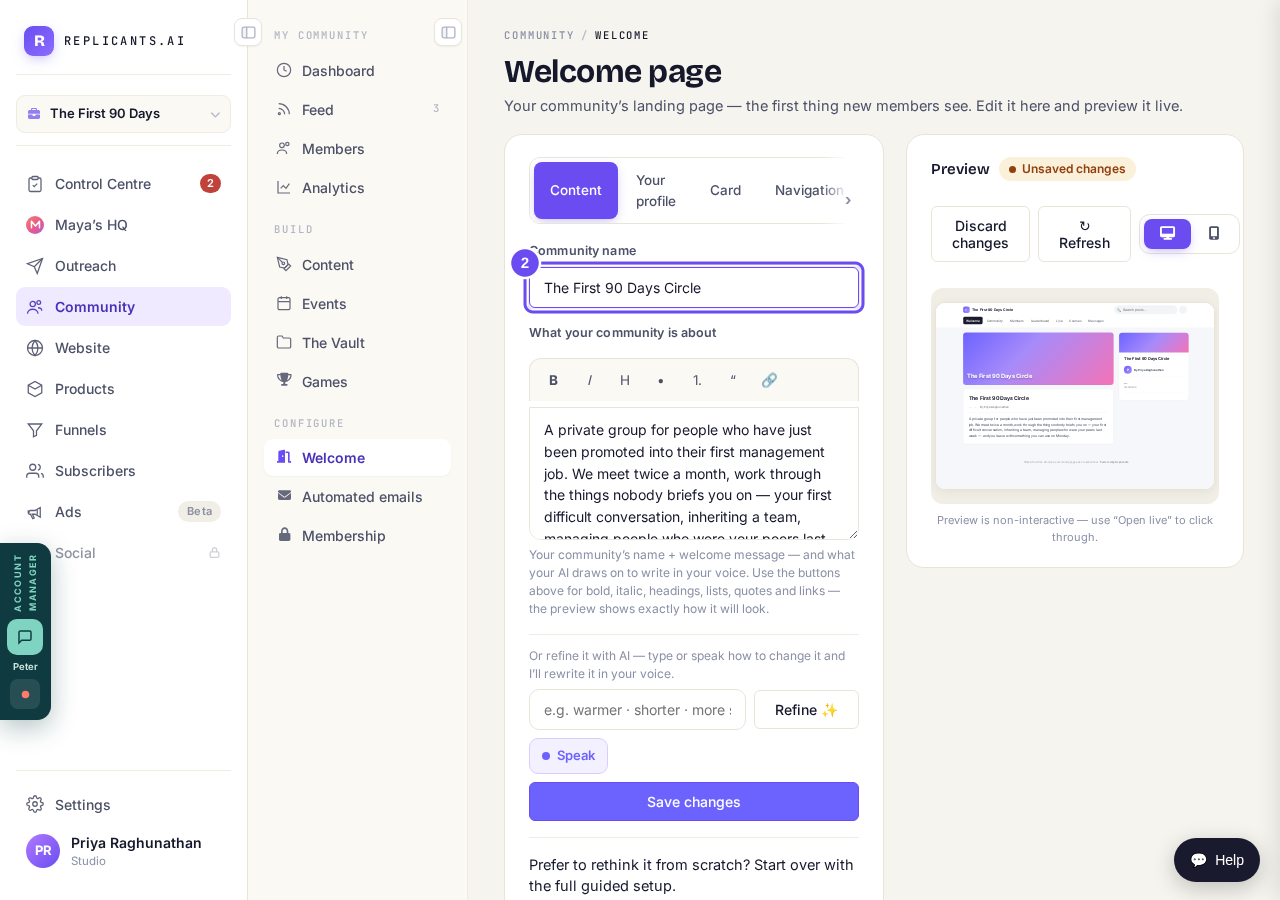
The top box is the name. The words underneath don't change with it.
Press Save changes
Press Save changes, under the boxes (Refine is something else: it rewrites your words with AI). Nothing reaches your members until you save. The label on the preview then changes from Unsaved changes to Live.
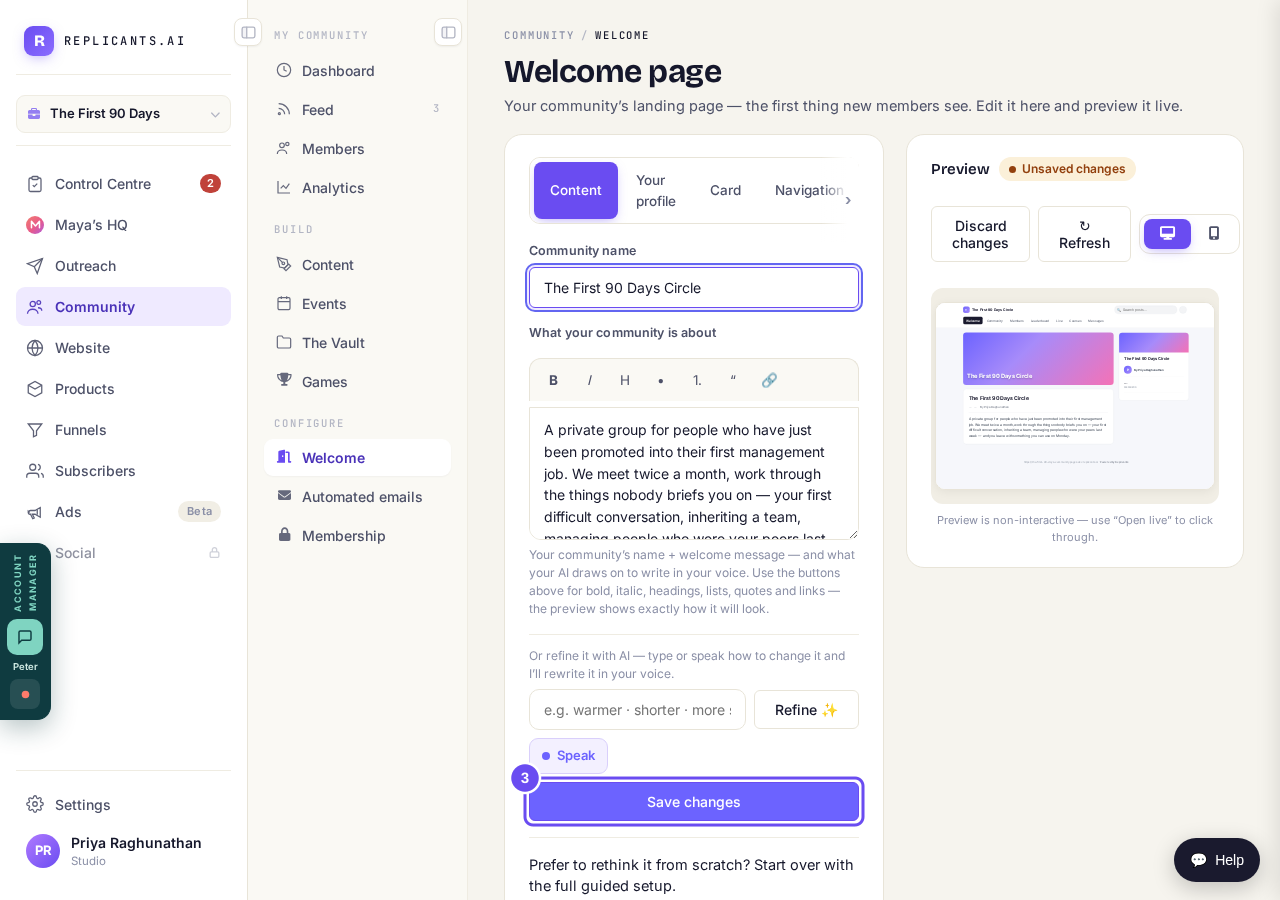
Nothing is live until you press Save changes.
Check it on your live page
Press Open live ↗, at the top of the preview next to Refresh (on a phone the preview is below the boxes). It shows the page a visitor gets, with the new name at the top.
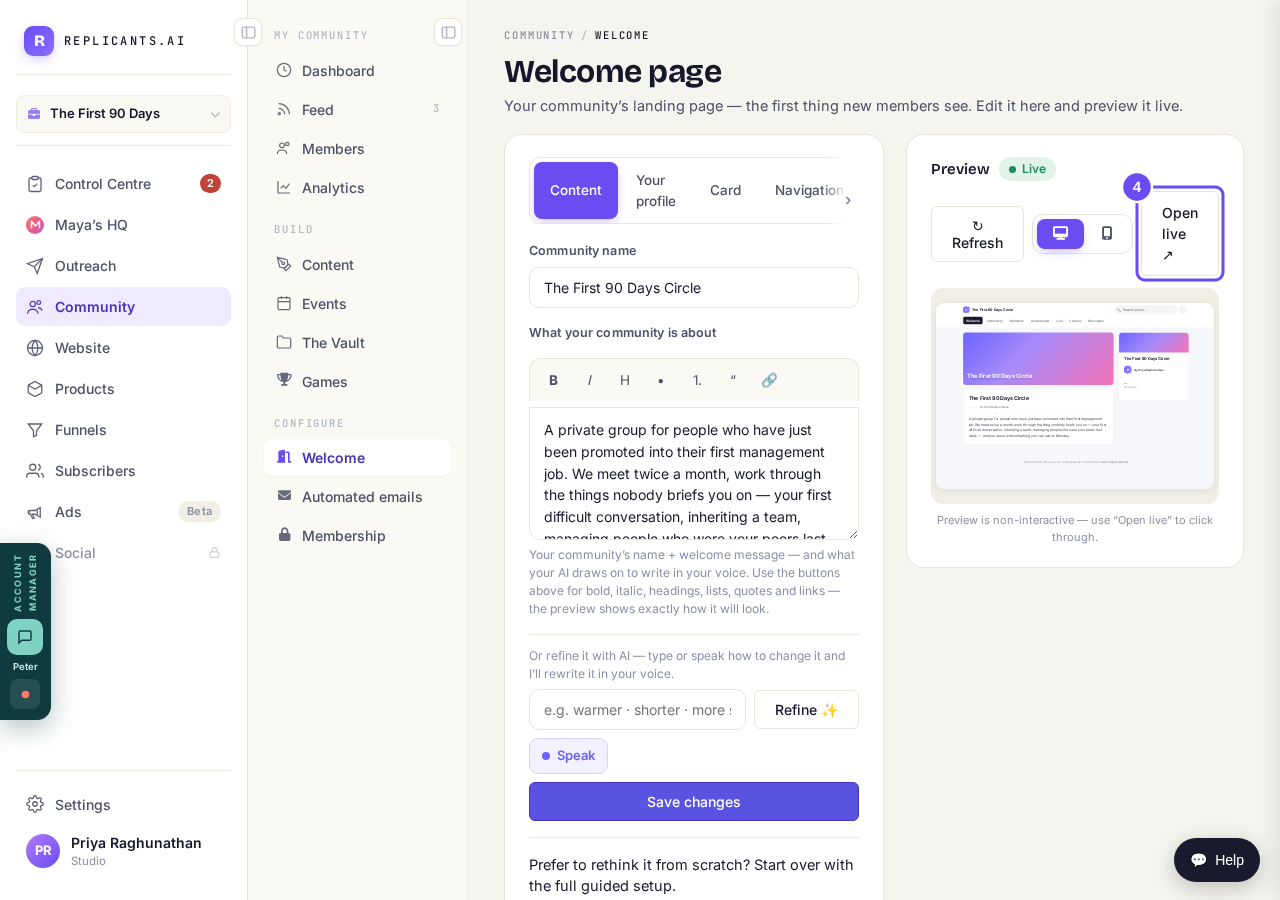
Live on the preview, and Open live next to Refresh.
What is my community's web address, and can I change it?
Related articles
Can I approve new members before they get into my community?
Yes. Switch on approval and anyone who asks to join waits in a Requests list in Members until you let them in, the way a private LinkedIn or Facebook group works. People you invite, and people who pay, still go straight in. About five minutes to set up.
Can I check comments before they go up?
Turn on comment approval and every member comment waits for you. It's a separate switch from the one for posts.
Can I message one member privately, and can members message each other?
Message one member from Community, then Members. Their reply comes back to that screen, not your email. Members messaging each other is a separate setting.