
I already have a course on Kajabi, Teachable or Thinkific. How do I bring it across?
Type your course's name, module names and lesson names into a few short cards, and your course is built here, ready to fill. Then add each video and download to its lesson.
Updated 18 October 2026
Why you type it in
Replicants does not copy courses from other platforms for you. You bring the names across by typing them into the cards, and your videos and files by uploading them from your computer.
Keep Bring my course across ticked, then press Continue
Press New course under Products, keep Bring my course across ticked, and press Continue →.
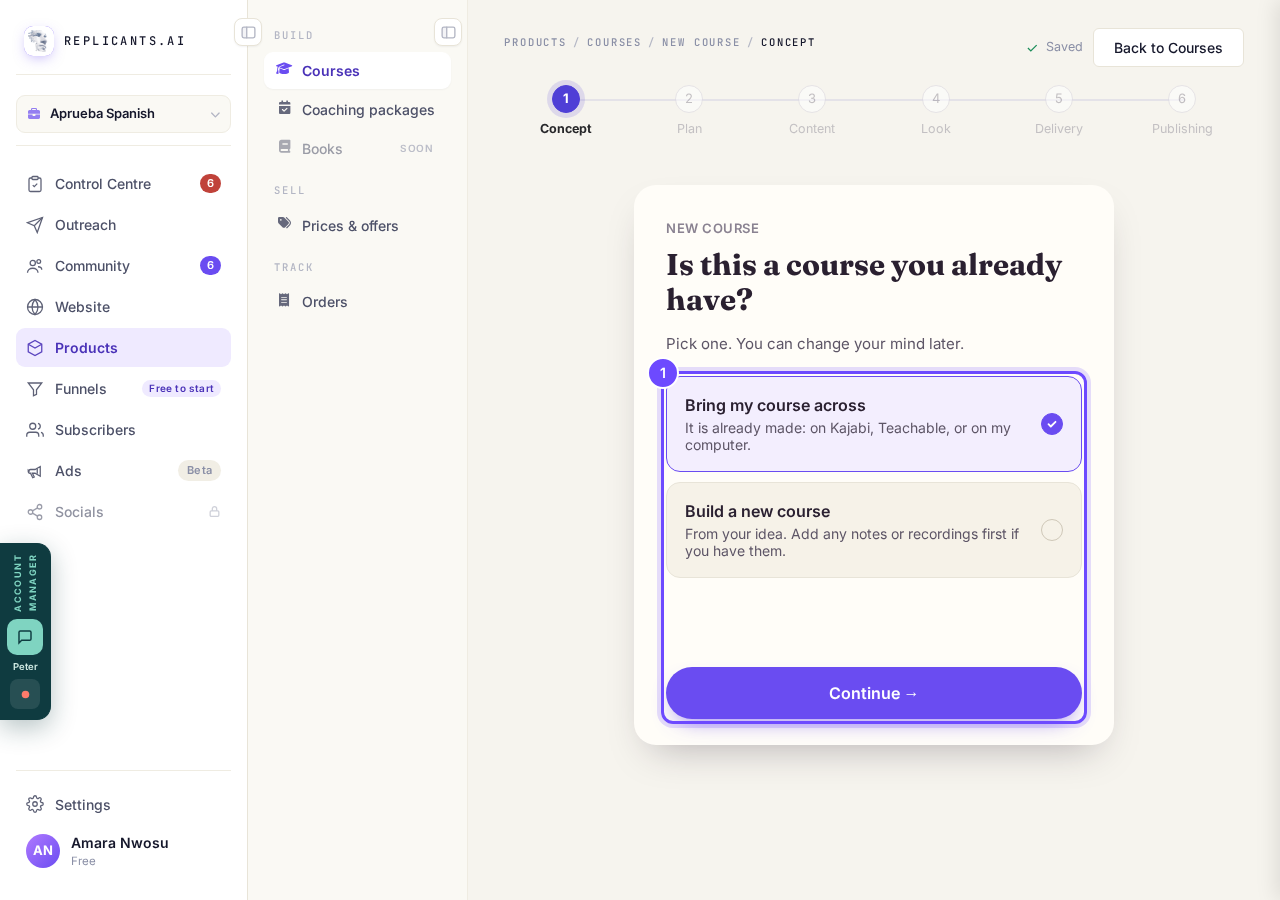
Bring my course across is ticked. Continue.
Type your course's name, then a line about it
Type the name it has now, press Continue →, then say or type what it helps people do.
Press Yes, that’s right and the next card opens by itself.
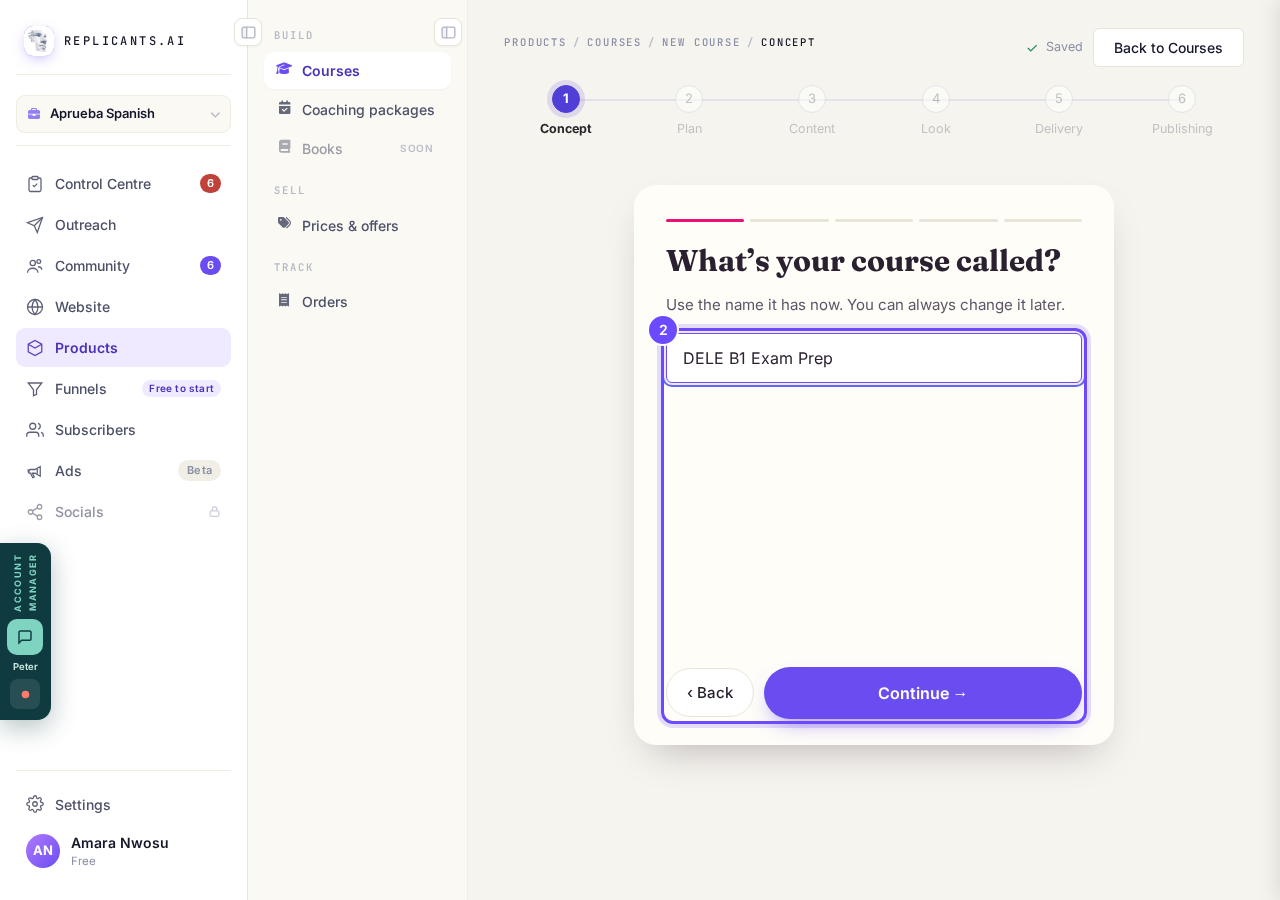
What’s your course called?
Type your modules, then the lessons in each
Type each name and press Enter, then press Now the lessons → and add each module's lessons.
Drag the ⋮⋮ handle to move one, and press × to remove one.
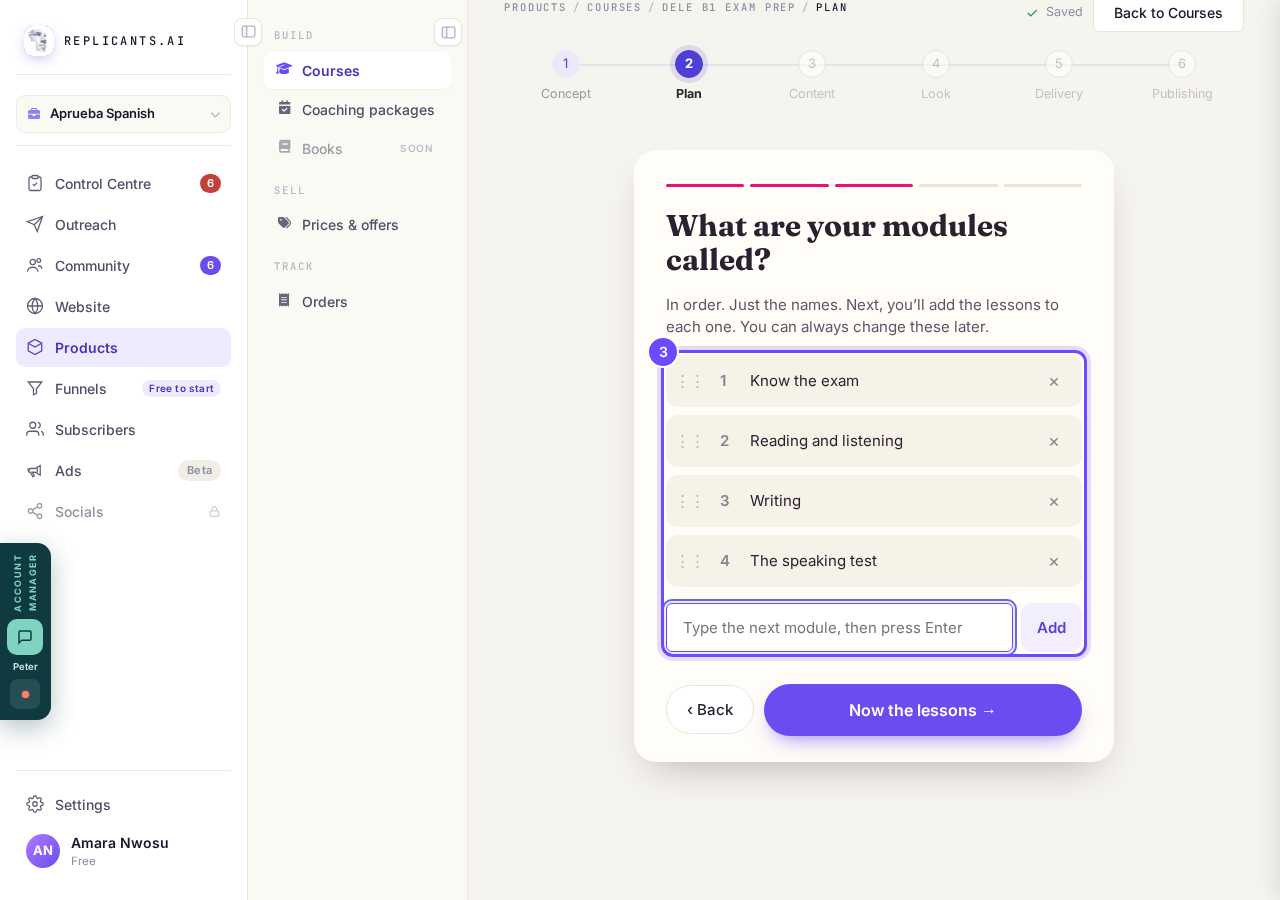
What are your modules called?
Press Start filling in
Check the list on Your course plan is done., then press Start filling in →.
Your course is built in a few seconds and Your course opens.
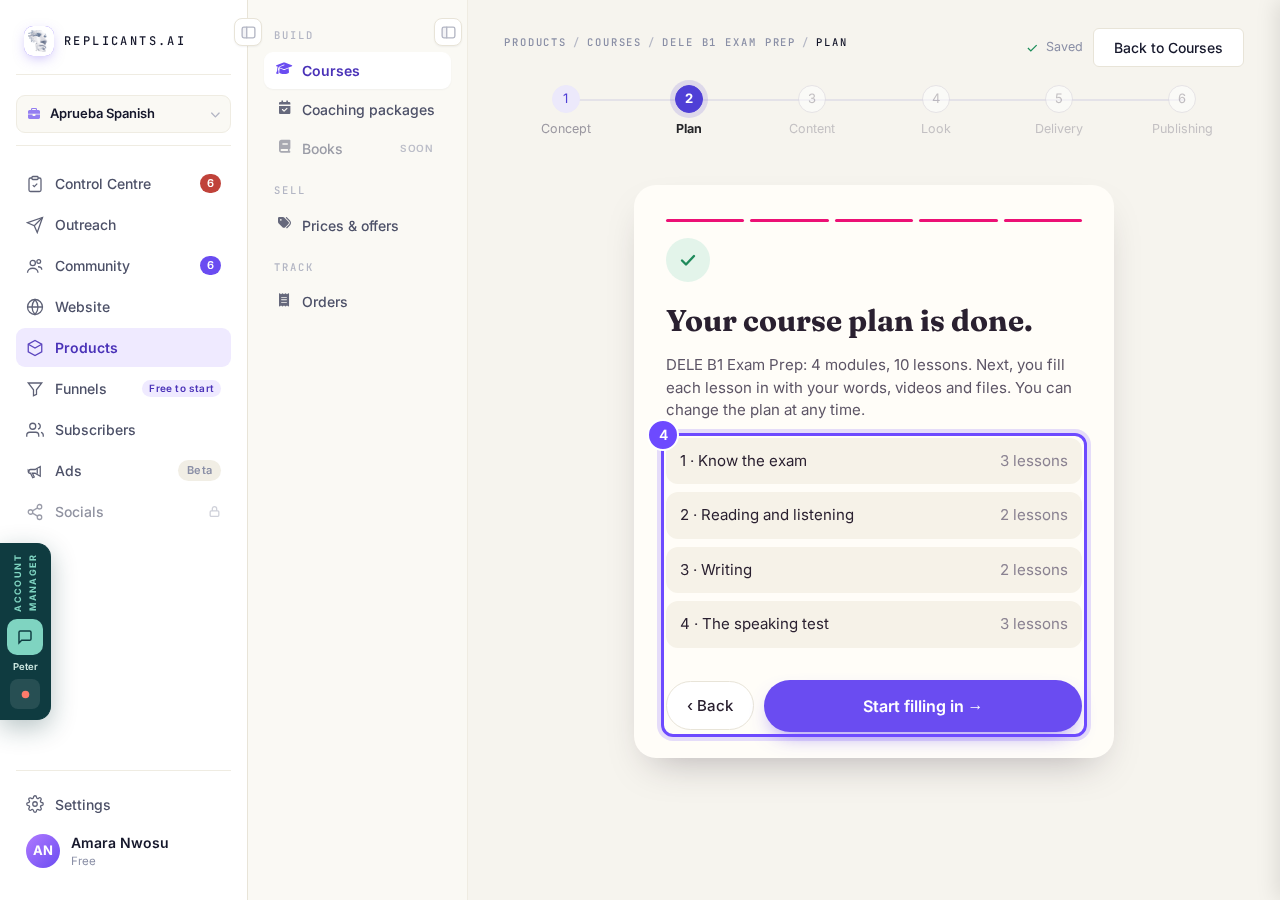
Your course plan is done. Start filling in.
Add each lesson's video
Press Add content on a lesson, + Add beside Video, then Choose a video.
On a phone, slide the row of parts sideways to see them all.
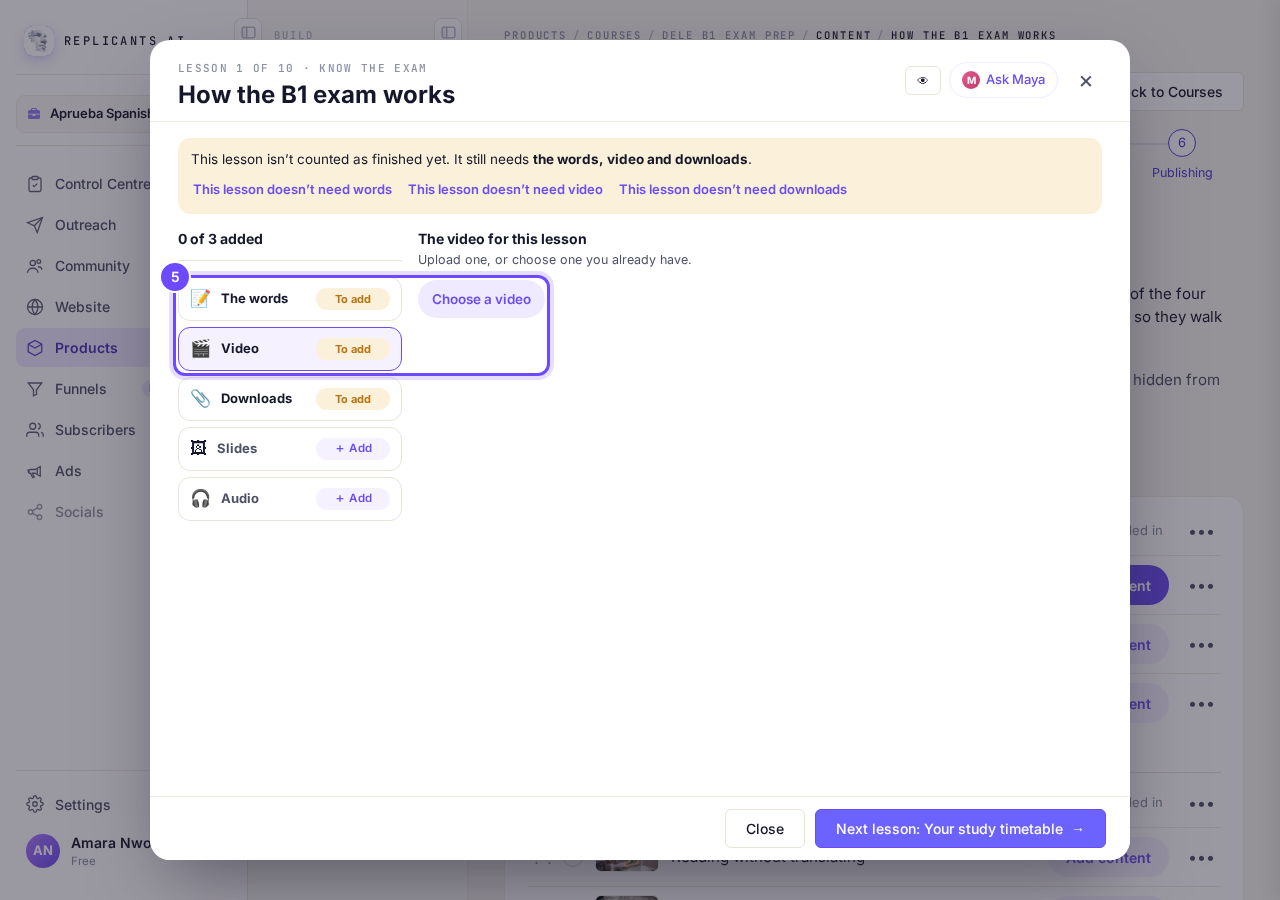
Video, then Choose a video.
Add each lesson's download
Press + Add beside Downloads, then Choose a file, or or paste a link.
To take a part off, point at its label on a computer or tap it on a phone; you are asked first.
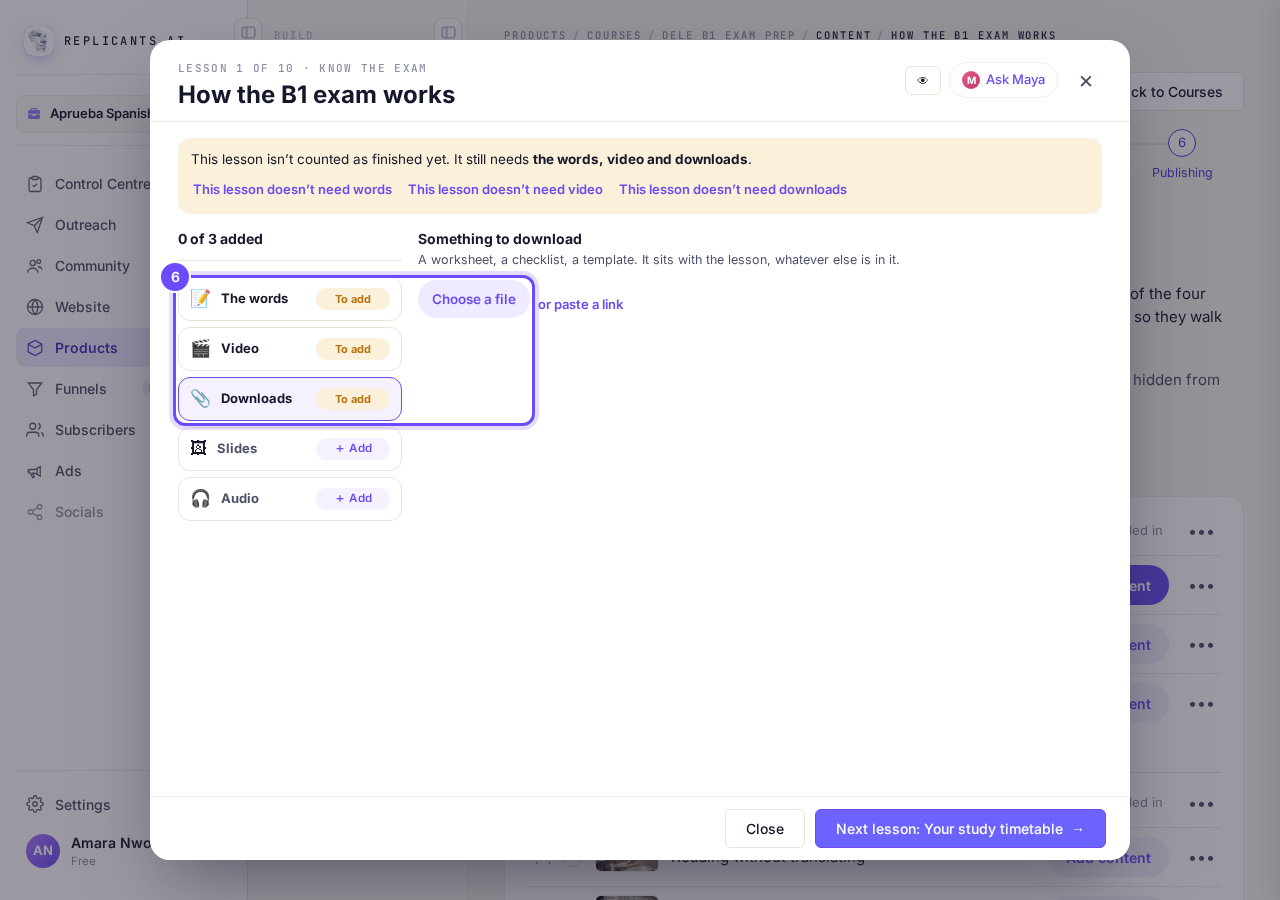
Downloads, then Choose a file.


That draft stays a course you are bringing across, so Maya will not write it a plan. To start the other way, go to Courses, press Delete this draft on that course, and press New course again. Once it is built, you switch on the tutor, study plans and the rest under Delivery; read helping students finish and selling it.
How do I add a video, a download, slides or audio to a lesson?
Related articles
Can I see a real course before I build mine?
Yes. Claire's free course, Small Steps, is a real course you can join as a student in about five minutes.
Can I turn my workbook, notes or recordings into a course?
Yes. Add your workbook, notes, slides or recordings at the start of a new course and Maya reads them; the questions arrive already answered, and your plan is built from them.
How does my course help students finish?
Your course has a tool for students who drift off, get stuck or feel alone, and you switch them all on or off in one place: Delivery, at the top of your course. Looking through them takes about five minutes.