
Can I turn my workbook, notes or recordings into a course?
Yes. Add your workbook, notes, slides or recordings at the start of a new course and Maya reads them; the questions arrive already answered, and your plan is built from them.
Updated 18 October 2026
Tick what you have, then press Choose
Press New course, then Build a new course and Continue →, tick Documents (or Slides, Videos, Audio) and press Choose documents.
On a computer you can also drop files on the box.
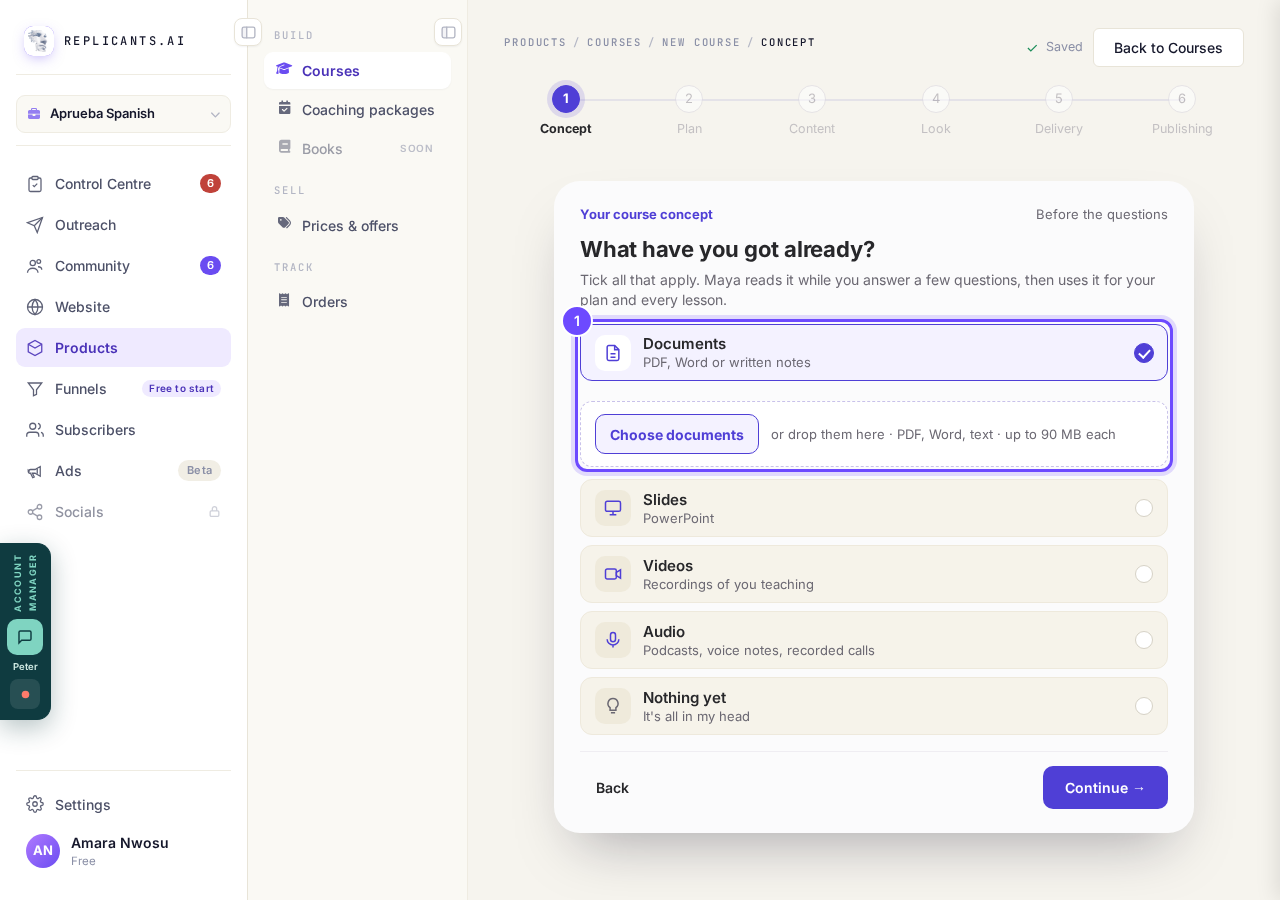
Documents, then Choose documents.
Pick your files, then press Continue
Pick your files, wait for each row to say how many words Maya read, then press Continue →.
Recordings take longer: if Maya is still listening when you press Write my plan →, you can wait or press Write my plan from what’s ready.
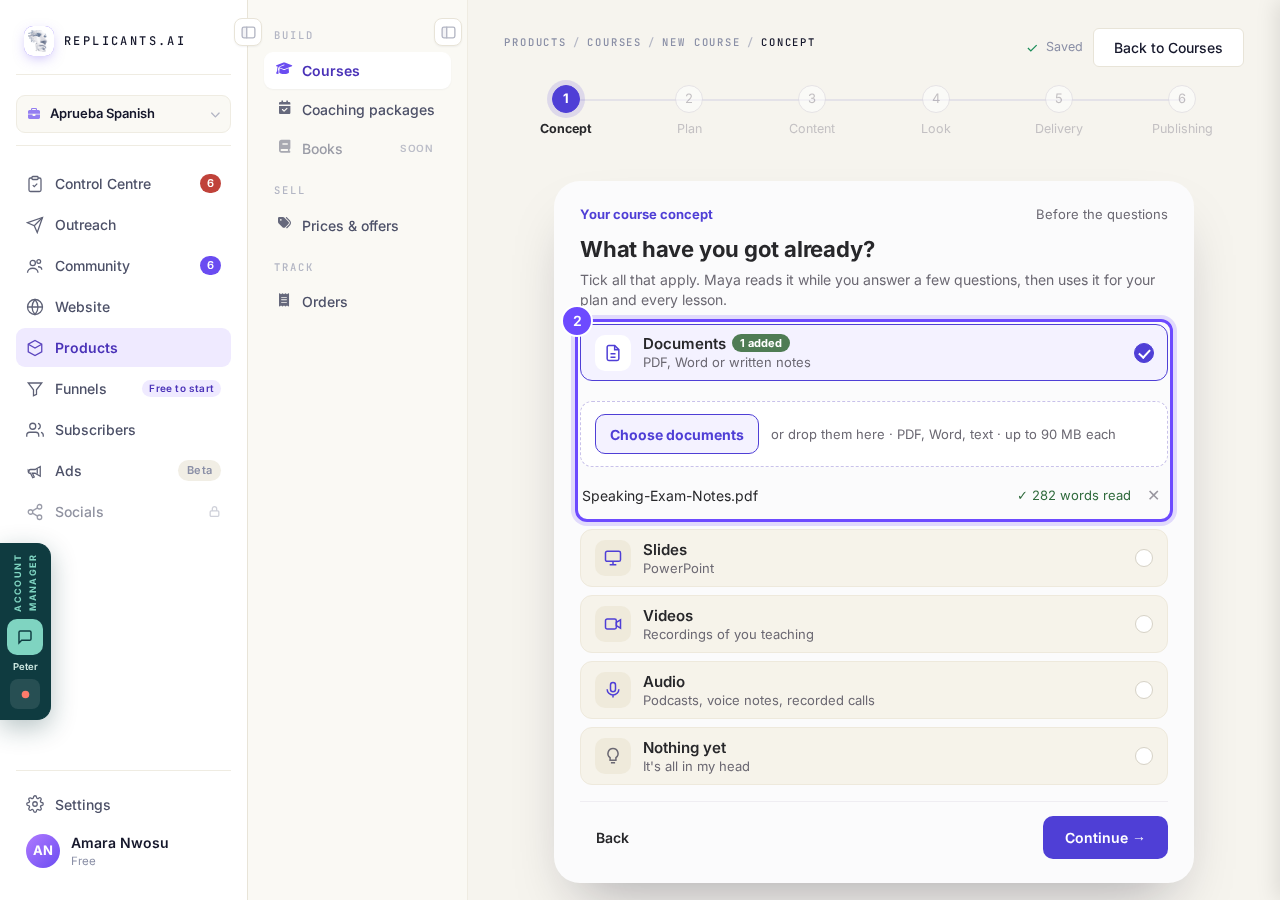
Your file is added: 1 added.
Check each answer, then press Yes, that's right
Press Yes, that’s right on each answer, or tap the words to change them.
Each question arrives already answered from your material, under Here’s what we understood.
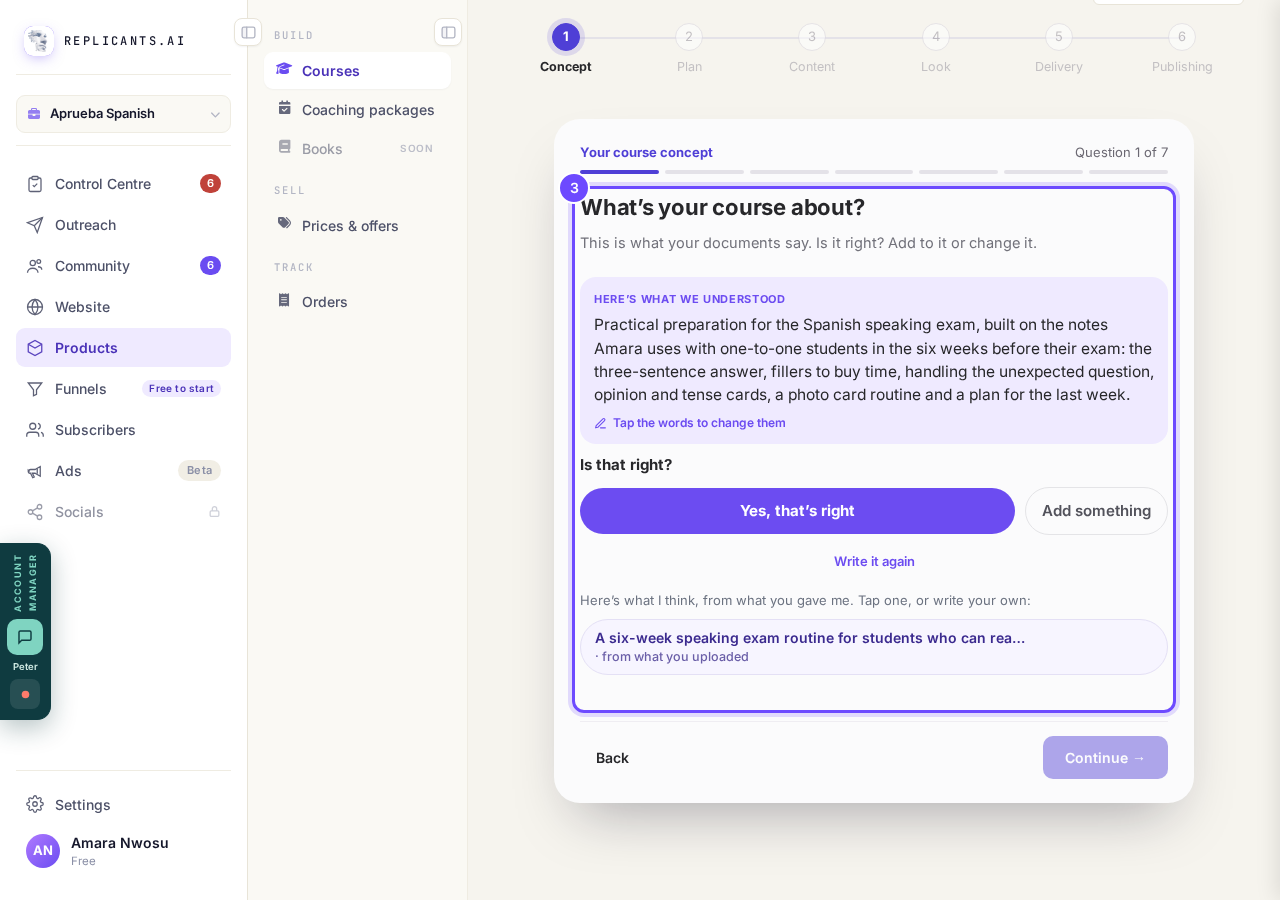
The first question, already answered from the notes.
Press Write my plan
Press Write my plan → on the last question.
Maya names your modules and lessons from your material, keeping your words where she can, in about a minute.
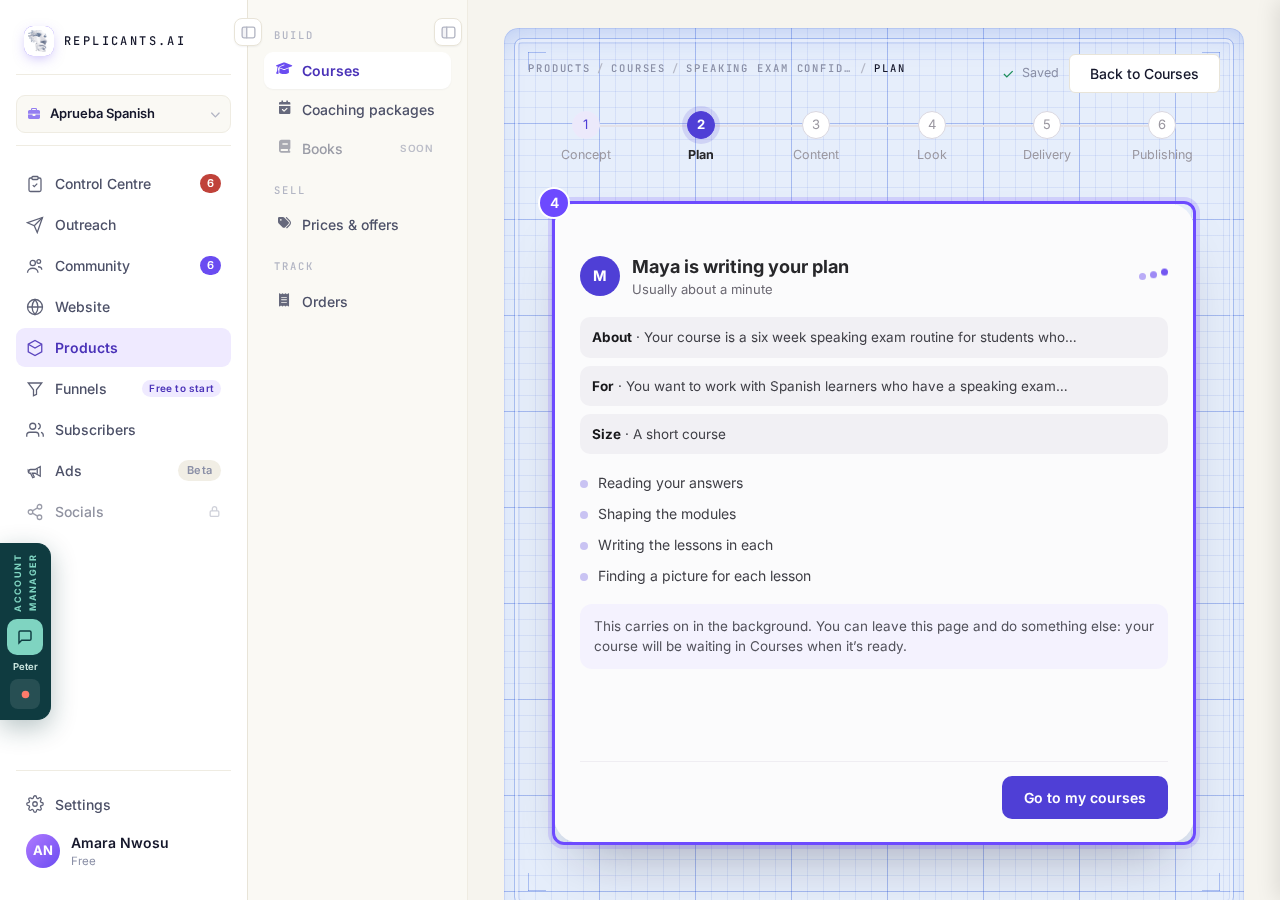
Maya is writing your plan from your material.
See which notes Maya writes each lesson from
Press Add content on a lesson, then See it beside Maya writes this from to read the points she will use, with your own lines quoted.
Press ✨ Ask Maya to write it when you are ready: she asks first, and her draft goes in only when you press Use this draft.
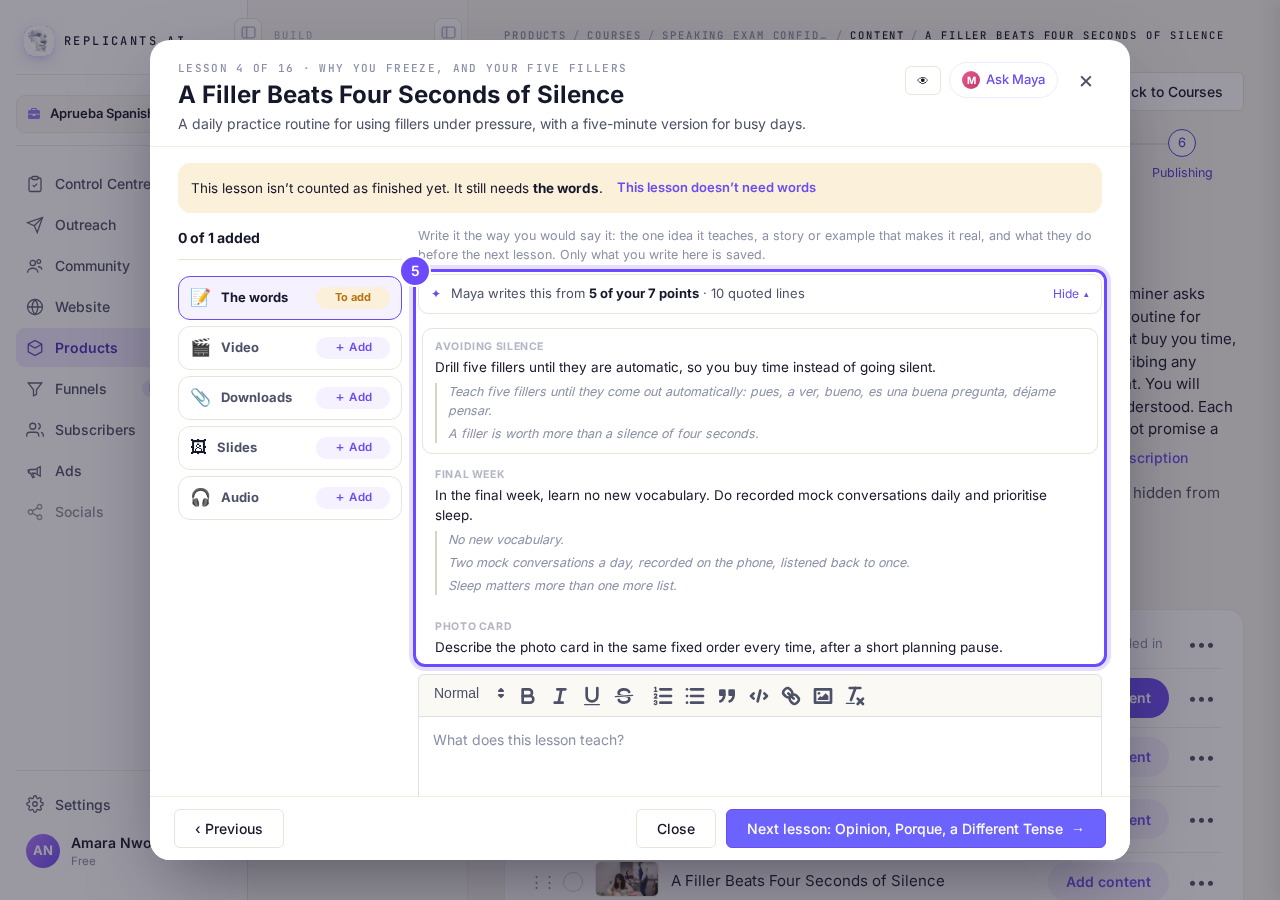
Maya writes this from your points: See it shows your own lines.


What you can add
| What you have | File types | Limit |
|---|---|---|
| Documents | PDF, Word (.docx), .txt, .md, .rtf, .csv | Up to 90 MB each |
| Slides | PowerPoint (.pptx) | Up to 90 MB each |
| Videos | .mp4, .mov, .m4v, .webm | Up to 90 minutes and 2 GB each. Maya uses the first 30 minutes. |
| Audio | .mp3, .m4a, .wav, .aac, .ogg | Up to 90 minutes and 2 GB each. Maya uses the first 30 minutes. |
One course takes up to 20 files. Up to 10 of them can be videos or audio, 5 hours of recordings in all.
Questions coaches ask
Can I copy and paste my course in instead?#
Yes, lesson by lesson: open the lesson and paste into The words, or paste into Ask Maya and she offers it as that lesson's words, kept when you press Use this draft.
Can Maya read a link to my course or website?#
No. Maya reads the files you add, not links: save the page or workbook as a PDF or Word file and add it under Documents.
Maya reads the words in your files: a scanned page with no text, or a recording with no speech, gives her nothing. Your videos are not put into lessons for you; add each one under Video. Typed a name on the bring-across card first? Go to Courses, press Delete this draft on that course, and start again.
How do I add a video, a download, slides or audio to a lesson?
Related articles
Can I see a real course before I build mine?
Yes. Claire's free course, Small Steps, is a real course you can join as a student in about five minutes.
How does my course help students finish?
Your course has a tool for students who drift off, get stuck or feel alone, and you switch them all on or off in one place: Delivery, at the top of your course. Looking through them takes about five minutes.
How does the AI tutor answer my students' questions?
A student stuck at 10pm has nobody to ask. Switch on the AI tutor on the Delivery screen and it answers them there and then, only from what you put in your course, naming the lesson it used.