
How do I set up an automation?
An automation does something when something happens, like adding everyone who gets a tag to a sequence. It's one straight line of steps.
Updated 27 September 2026
Press + New automation
Open Subscribers, then Automations. Press + New automation, type a name and press OK.
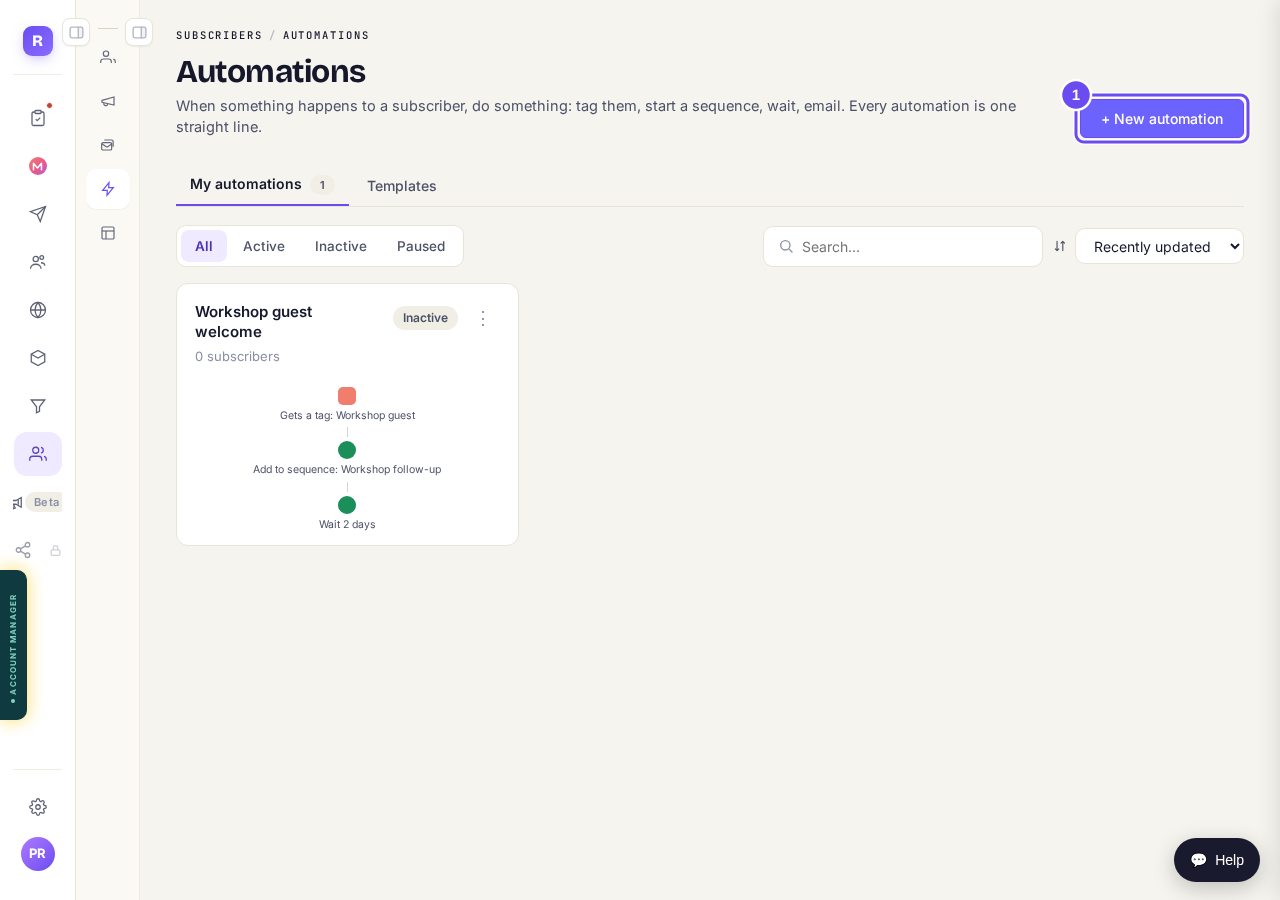
Your automations, and the + New automation button.
Take me thereChoose what starts it
Pick what starts it under When…, such as Gets a tag. Choose which tag or form, then press Save.
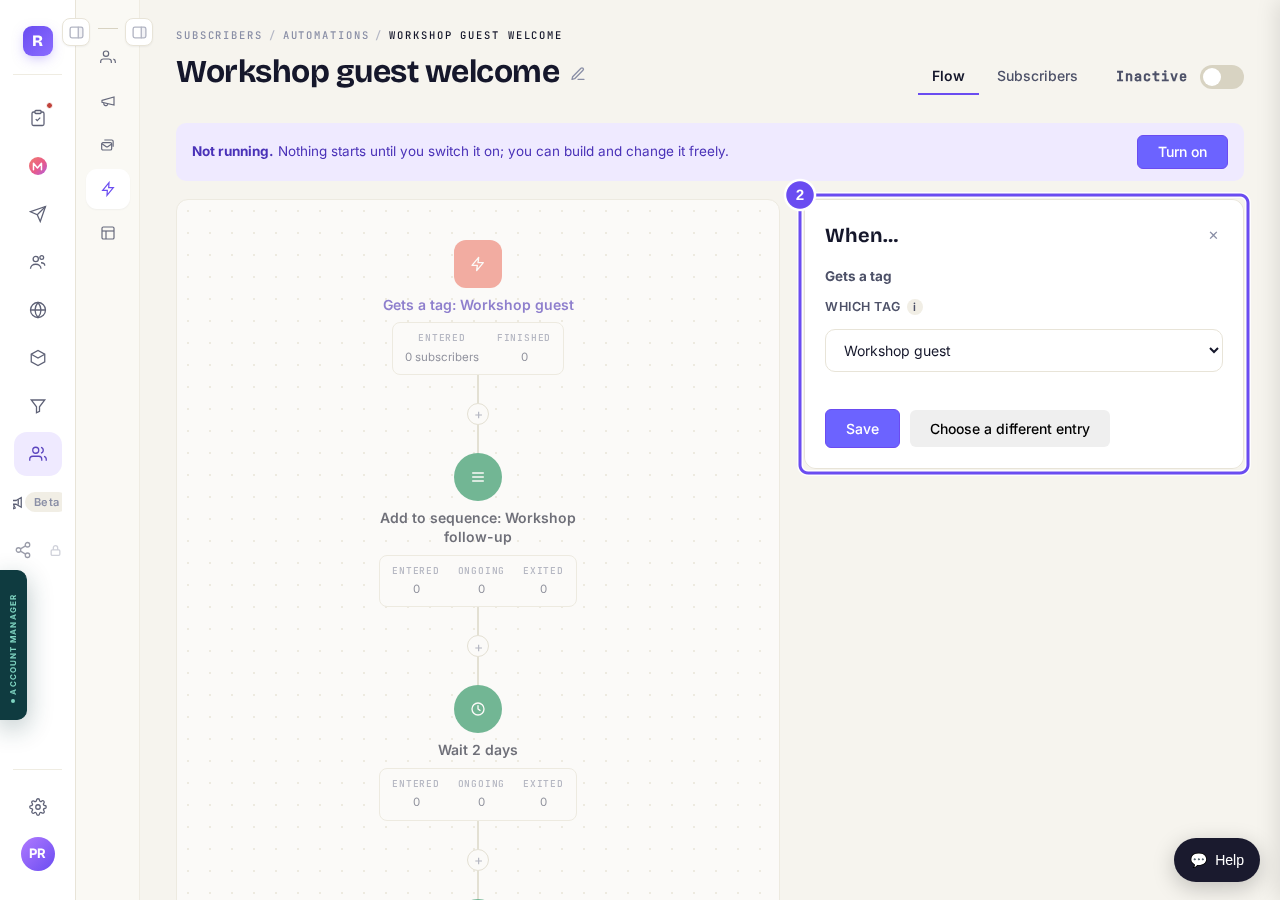
What starts it: here, getting the tag Workshop guest.
Add the steps that follow
Press the + under a step. Pick one, like Add to sequence or Wait, fill it in and press Add step.
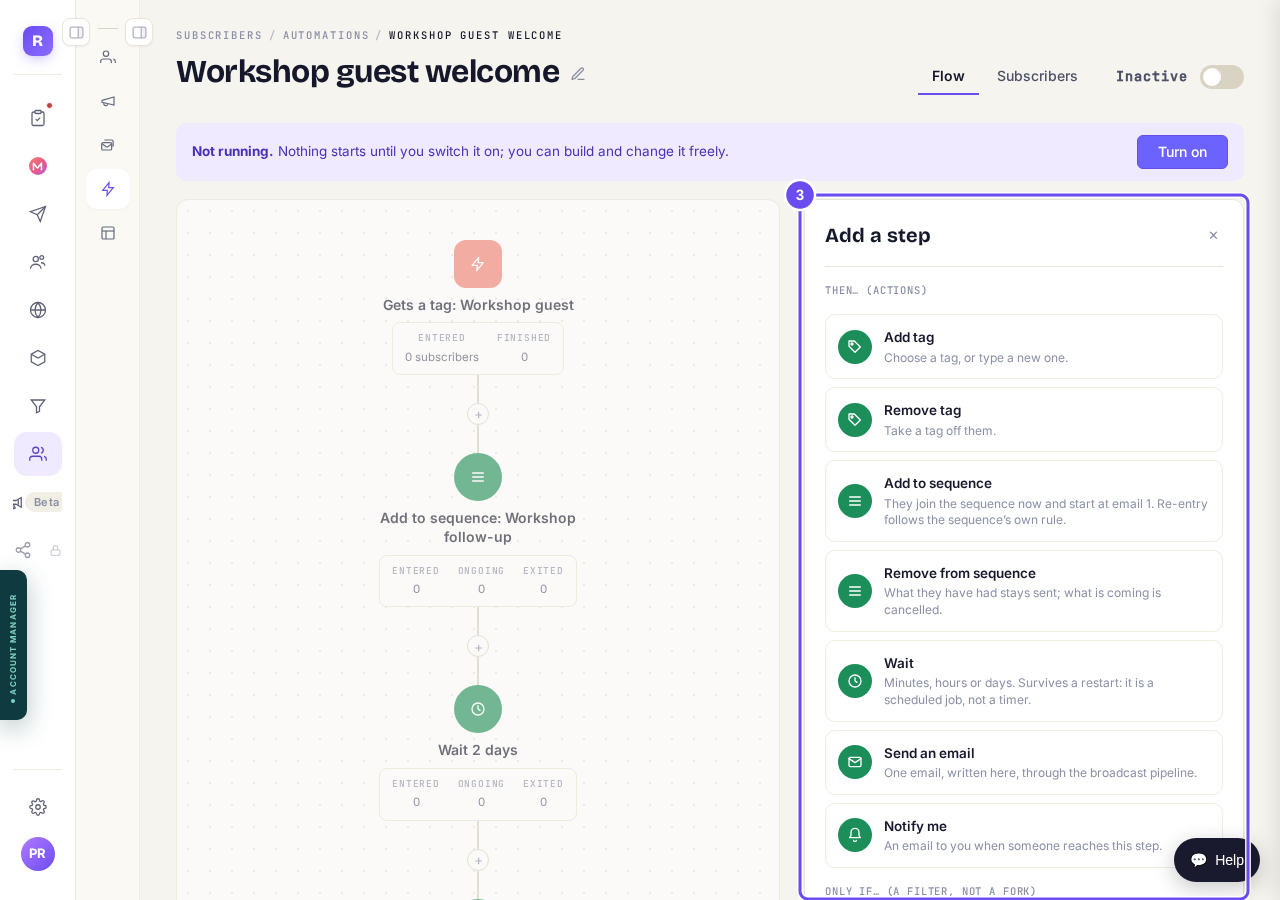
The steps you can add.
Check the line of steps
Read it from top to bottom. Press any step to change it.
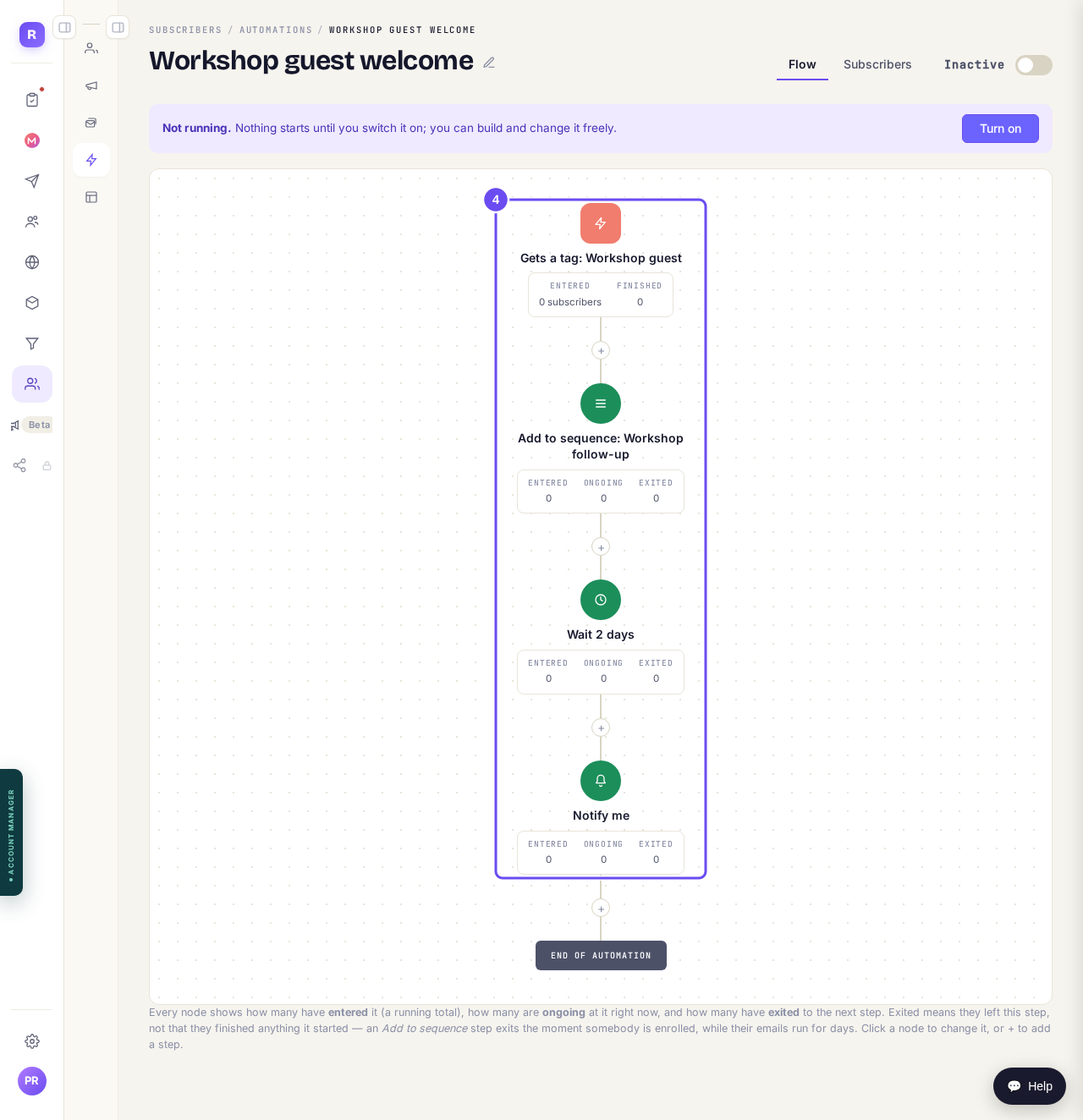
Each step, in the order it happens.
Press Turn on
It's at the top of the automation. From then on it runs for everyone who does what starts it.

Turn on, on an automation that's still off.
Take me there


How do I set up an email sequence?
Related articles
How do I create a new tag?
A tag is a label you put on people so you can find them again. You make one by ticking the people it belongs on and naming it, in Subscribers, on the Contacts page.
How do I send a broadcast to my list?
One email to your whole list, sent now or later. Nothing sends until the last of four steps.
How do I set up an email sequence?
A sequence sends emails one after another to everyone who gets a tag. Write them, approve them, then switch it on.