
How do I run more than one business from one login?
Add a second business to your login. It gets its own website, community and subscribers, and you switch between them from the business menu.
Updated 27 September 2026
Open the business menu
Press your business name at the top of the menu, then press Add a business profile. On a phone, press ☰ first.
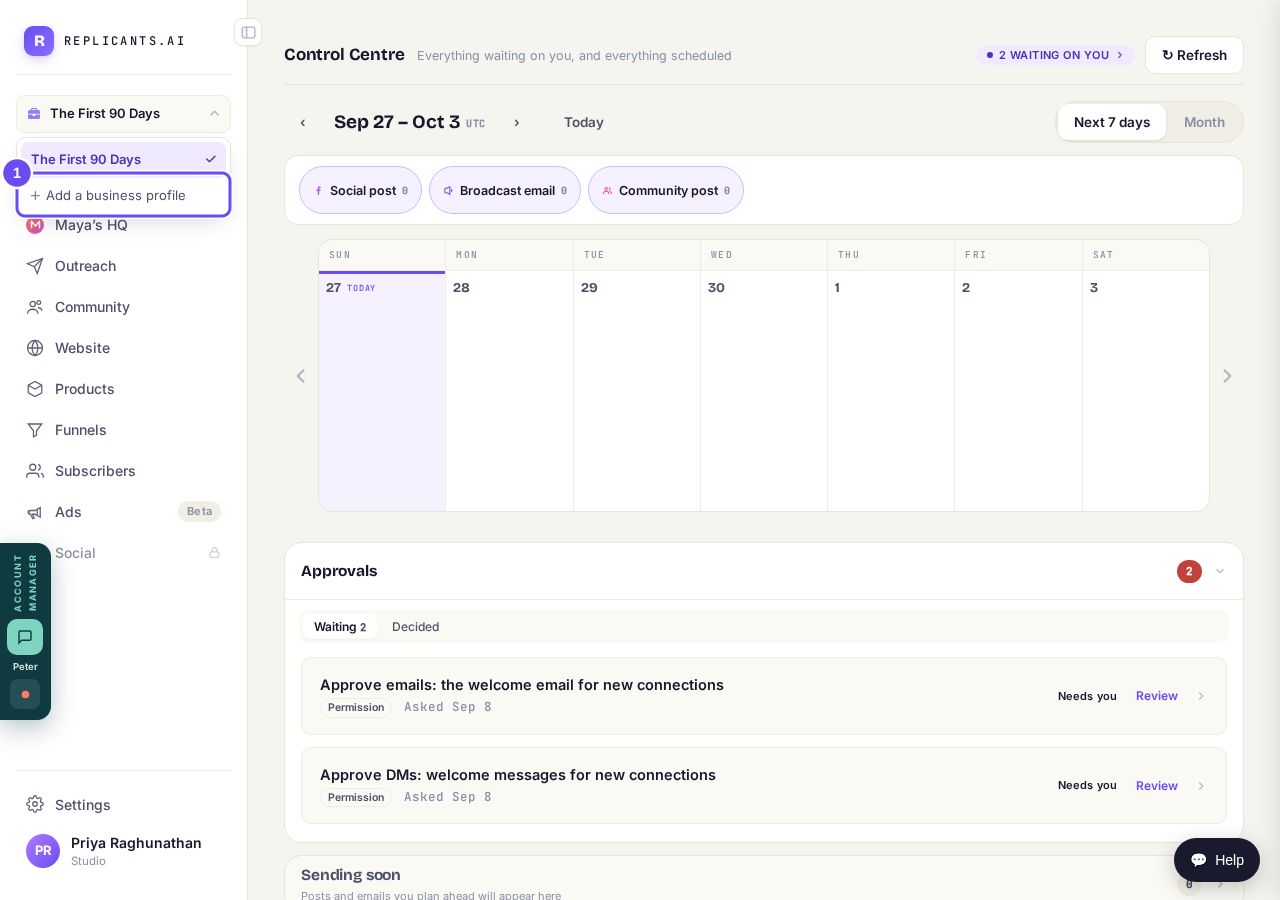
The business menu, with Add a business profile.
Name it and press Create
Type the new business's name, then press Create it and switch to it. On a phone, press X to close the menu first.
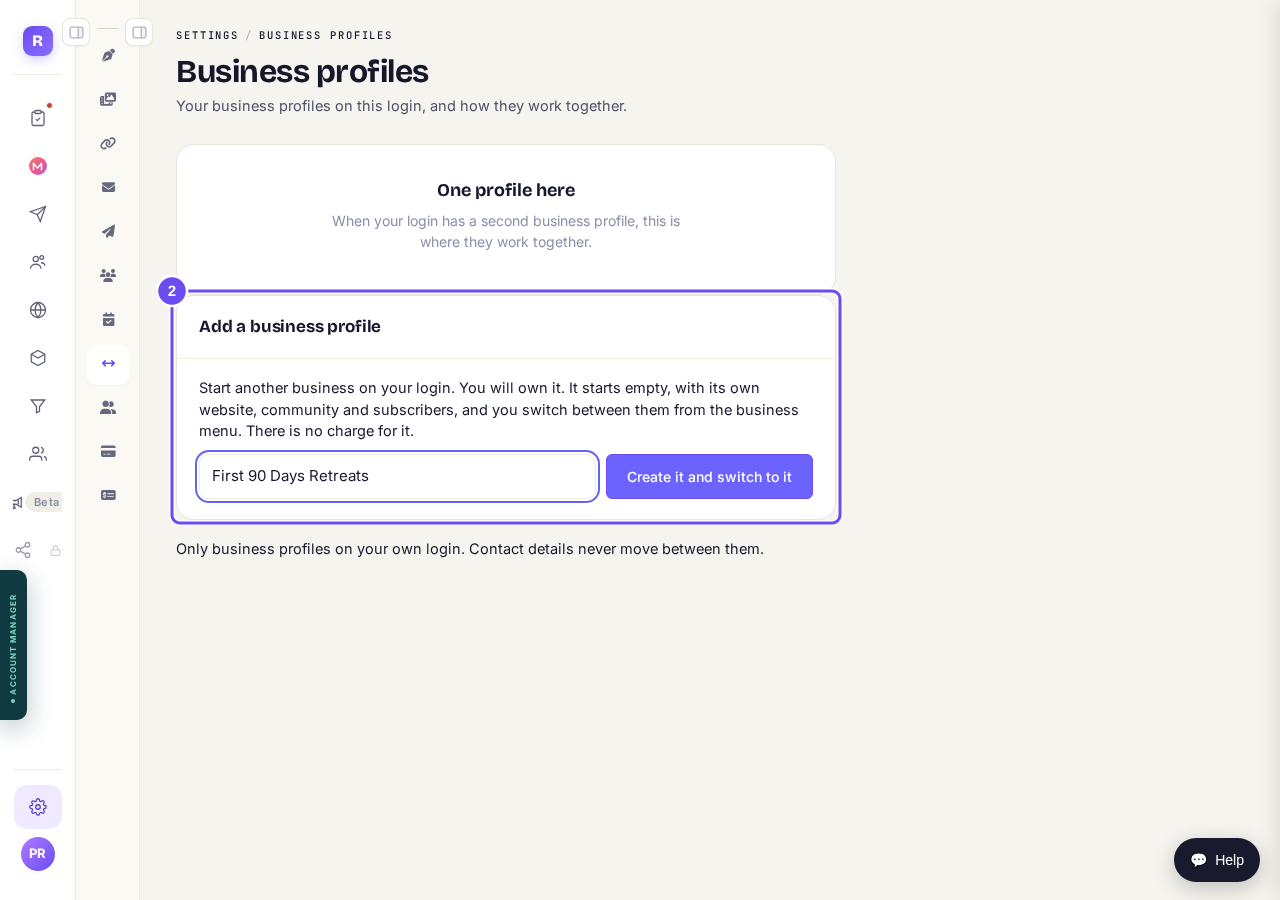
The Add a business profile box.
Switch between your businesses
Open the business menu and press the business you want. The tick shows which one you're in.
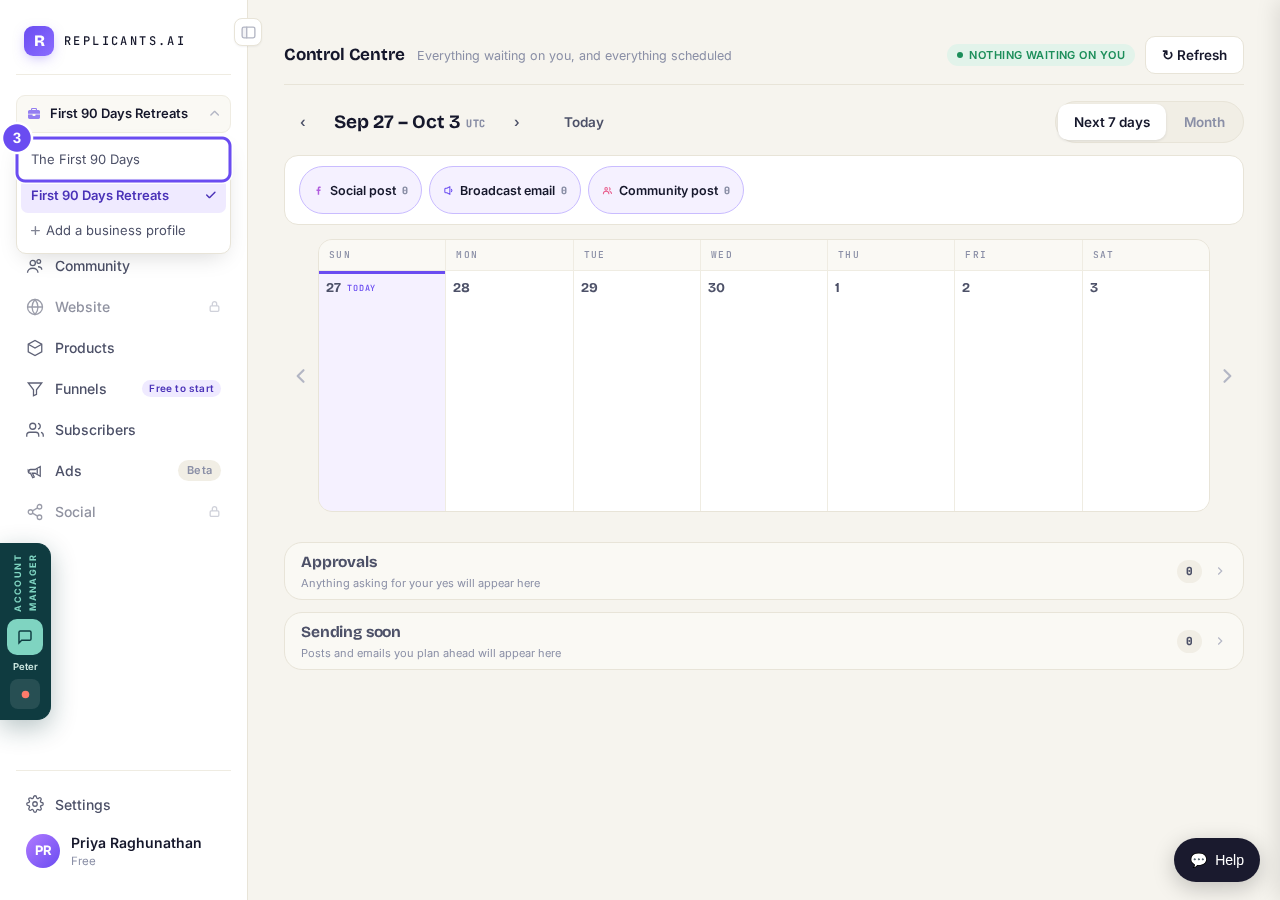
Both businesses in the business menu.


How do I bring my team into my account?
Related articles
Do I have to decide on the leads offer right now?
No. Your community is free and works without it. The price for leads is Outreach, a separate paid tool that finds people for your community, and you can say no and carry on building.
How do I bring my team into my account?
Invite your assistant or your team by email. Each person gets their own login, and you choose what they can do.
How do I close my account and have my data removed?
Three different things, and it's worth knowing which you want. Cancelling stops a payment. Closing ends the account. Deletion removes your information.