
How do I add quick checks to my lessons?
Switch on Quick checks, then press Write the first one: Maya drafts two questions from the lesson and you approve them. About two minutes a lesson.
Updated 18 October 2026
Press the switch beside Quick checks
It is under What students get on the Delivery screen, starts off, and costs nothing by itself.
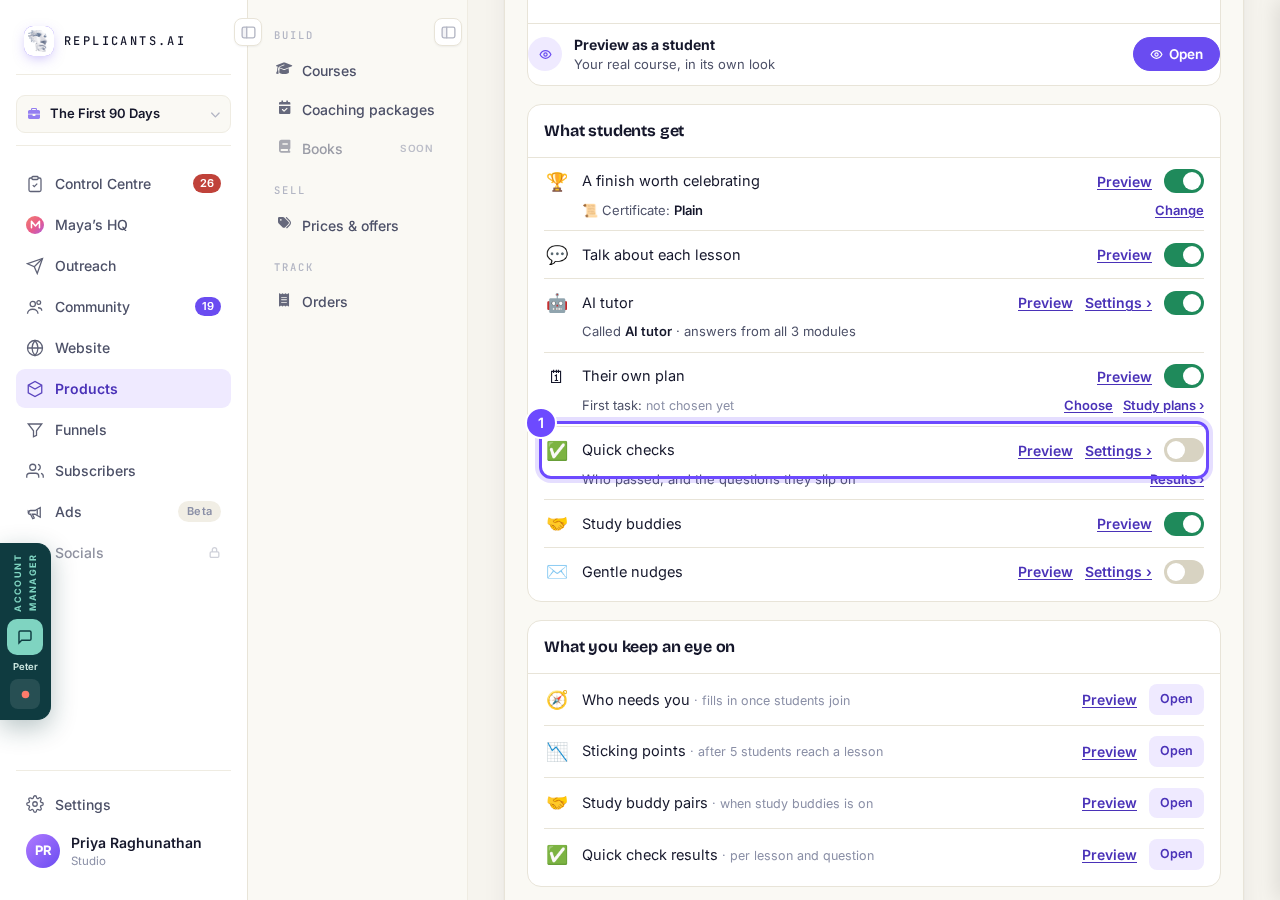
Quick checks on the Delivery screen.
Press Settings ›, then Review the checks →
The Quick checks screen opens, listing every lesson.
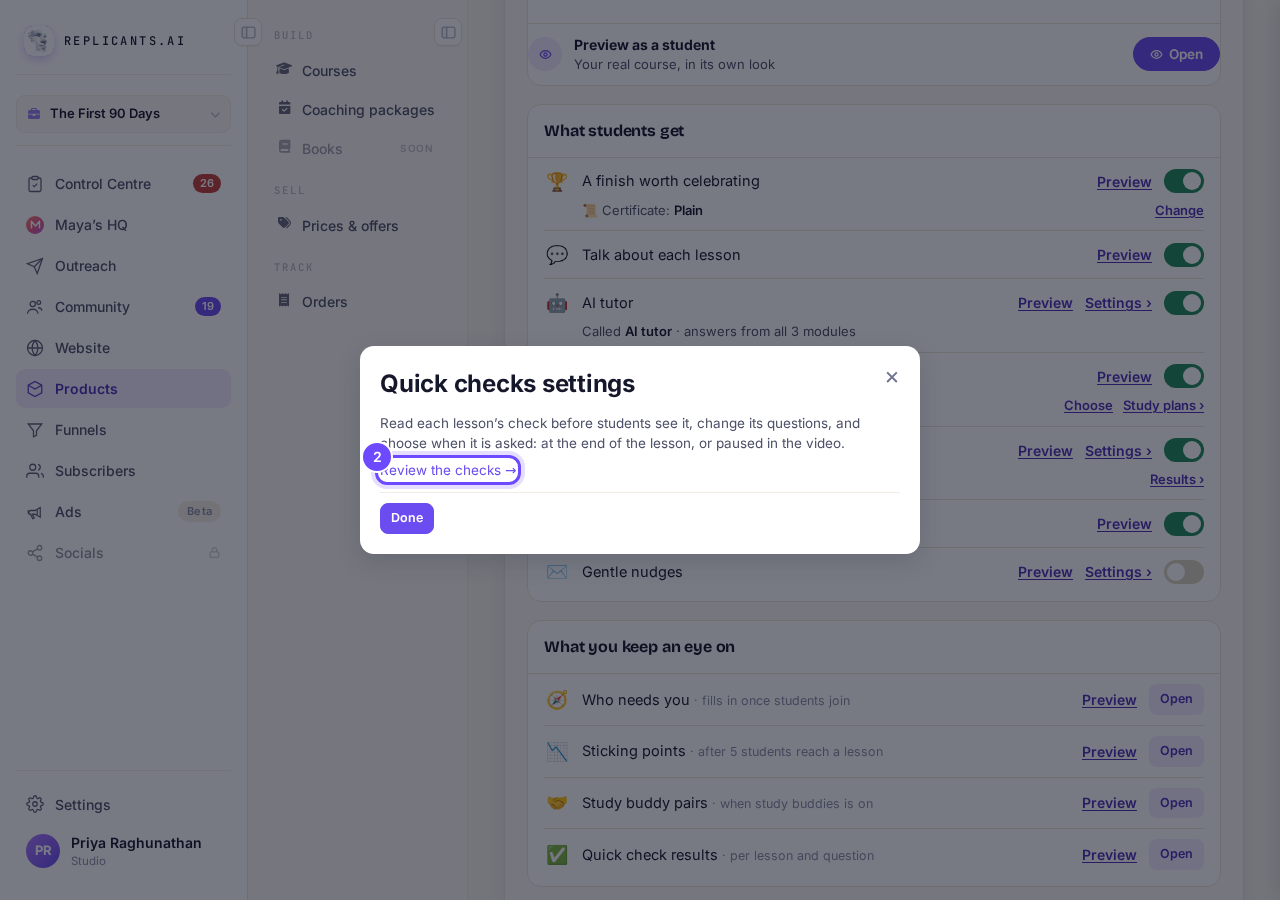
Quick checks settings, with Review the checks.
Press Write the first one
On a laptop, first close the two menus on the left with the small square button at the top right of each, or the list can squeeze into a narrow strip.
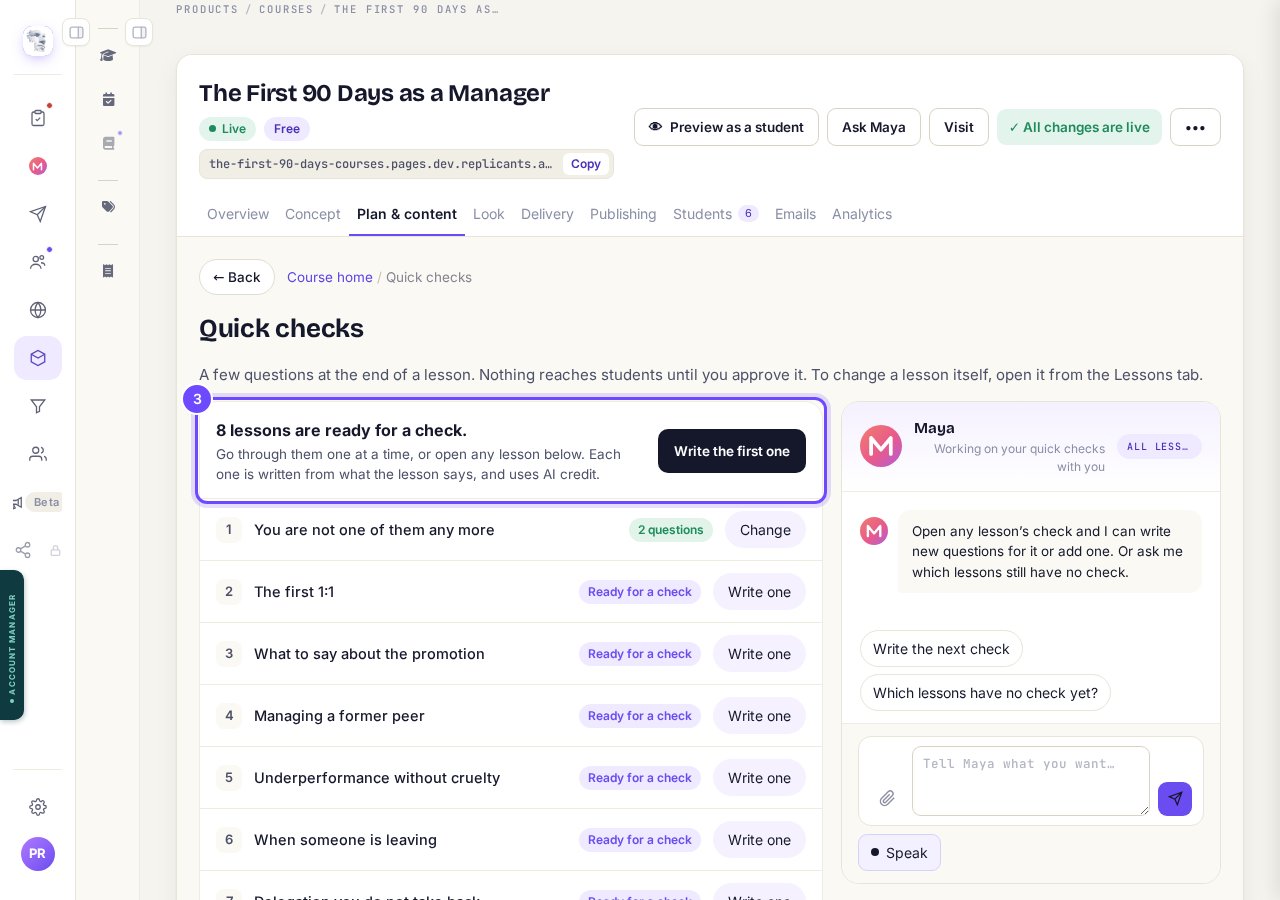
The Quick checks screen, with Write the first one.
Read the questions and change any words
Right answer ✓ marks the right answer; press Mark as right to move it.
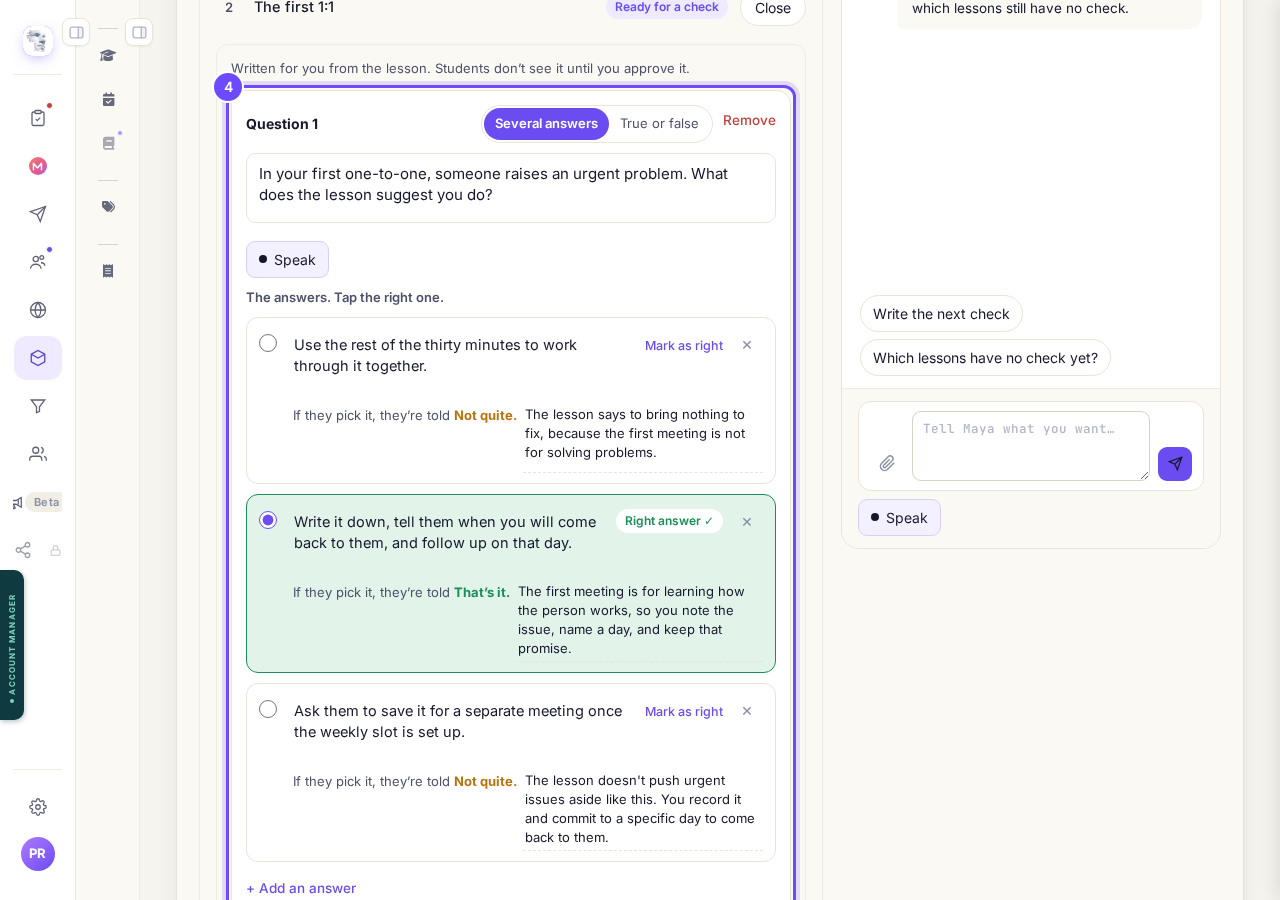
A question Maya drafted from the lesson.
Choose When to ask
Pick At the end of the lesson, or Pause the video at a time such as 3:10.
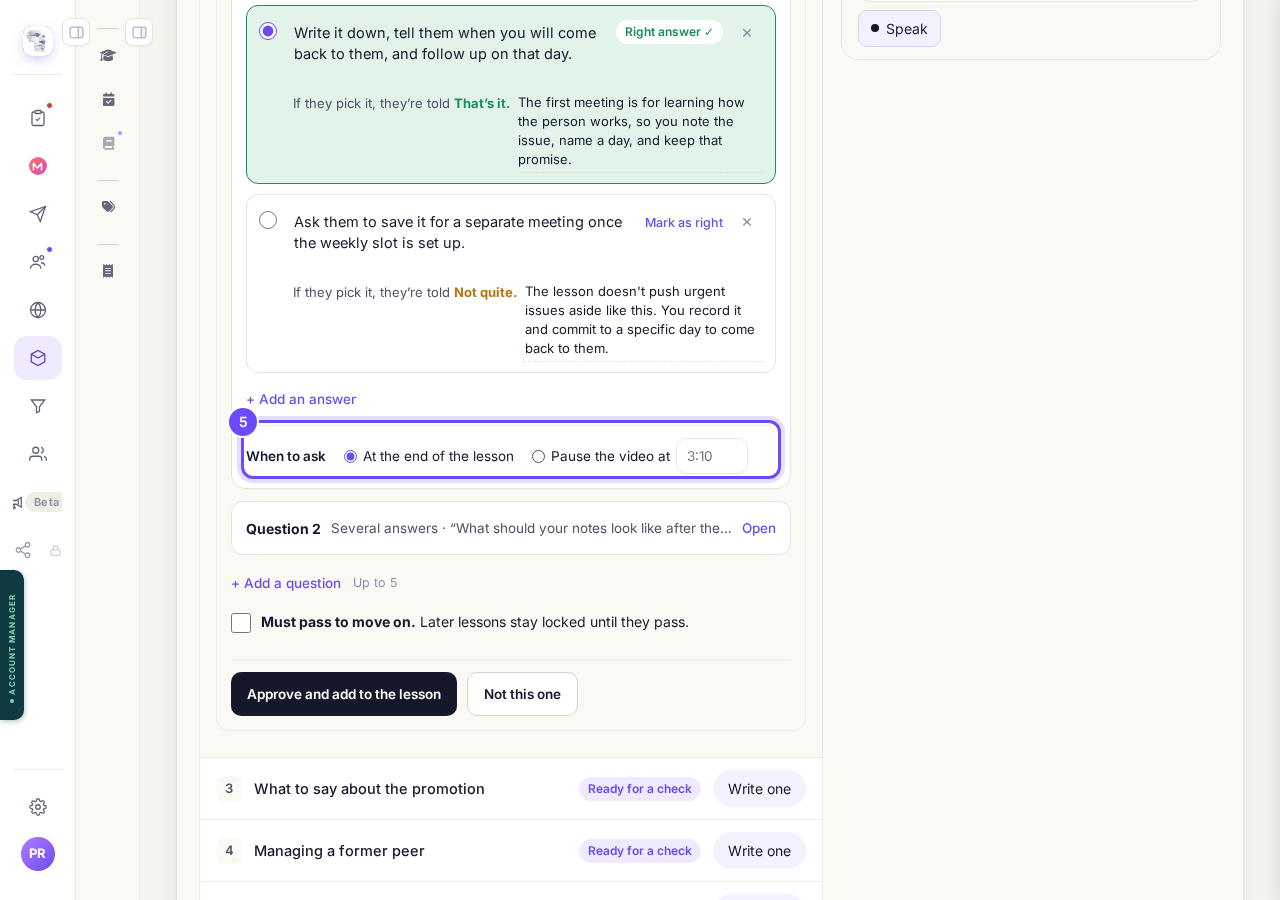
When to ask: at the end, or paused in the video.
Tick Must pass to move on, if you want it
Later lessons then stay locked until they get every question right, with as many tries as they like.
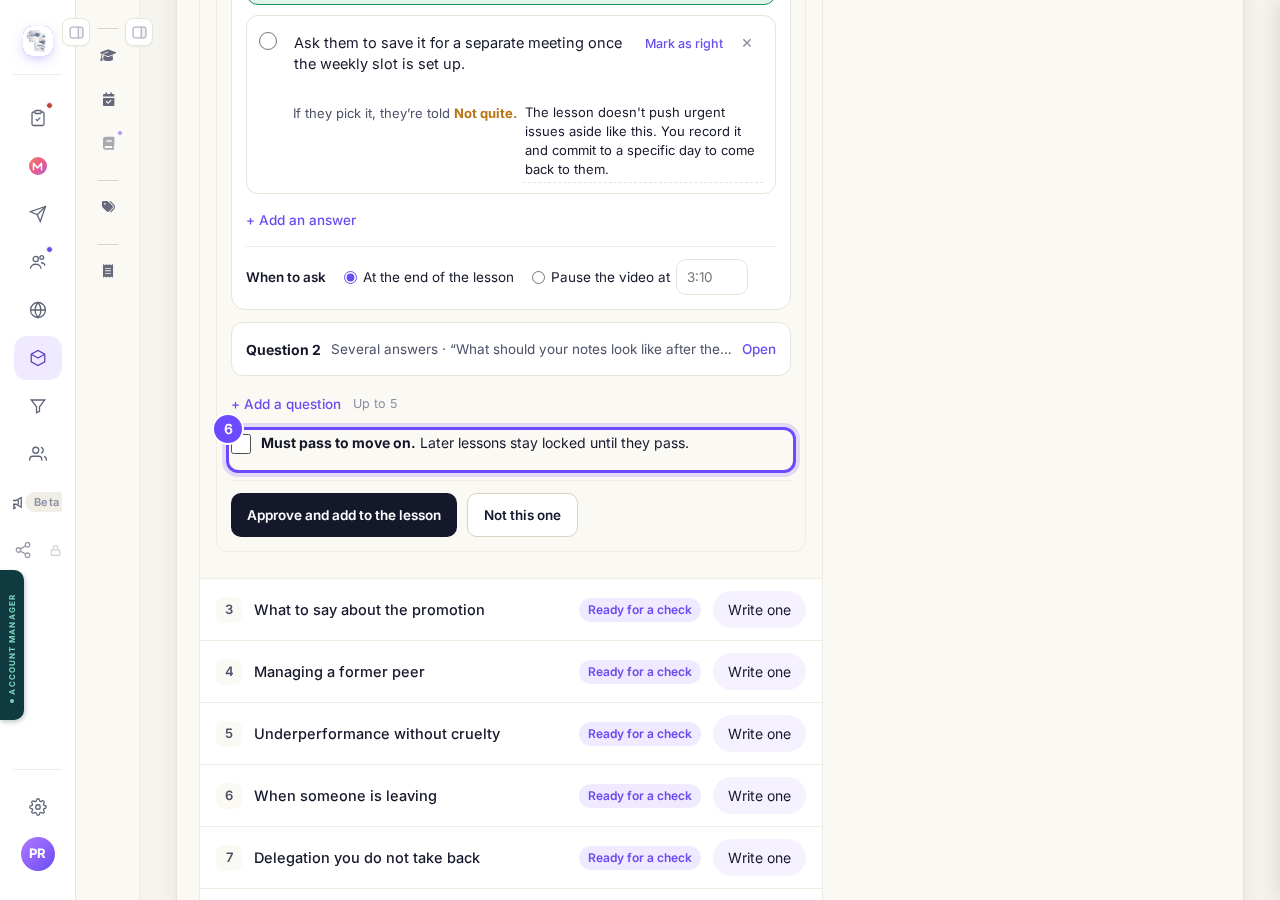
Must pass to move on.
Press Approve and add to the lesson
Students see it from now on, and Write the next one takes you to the next lesson that is ready.
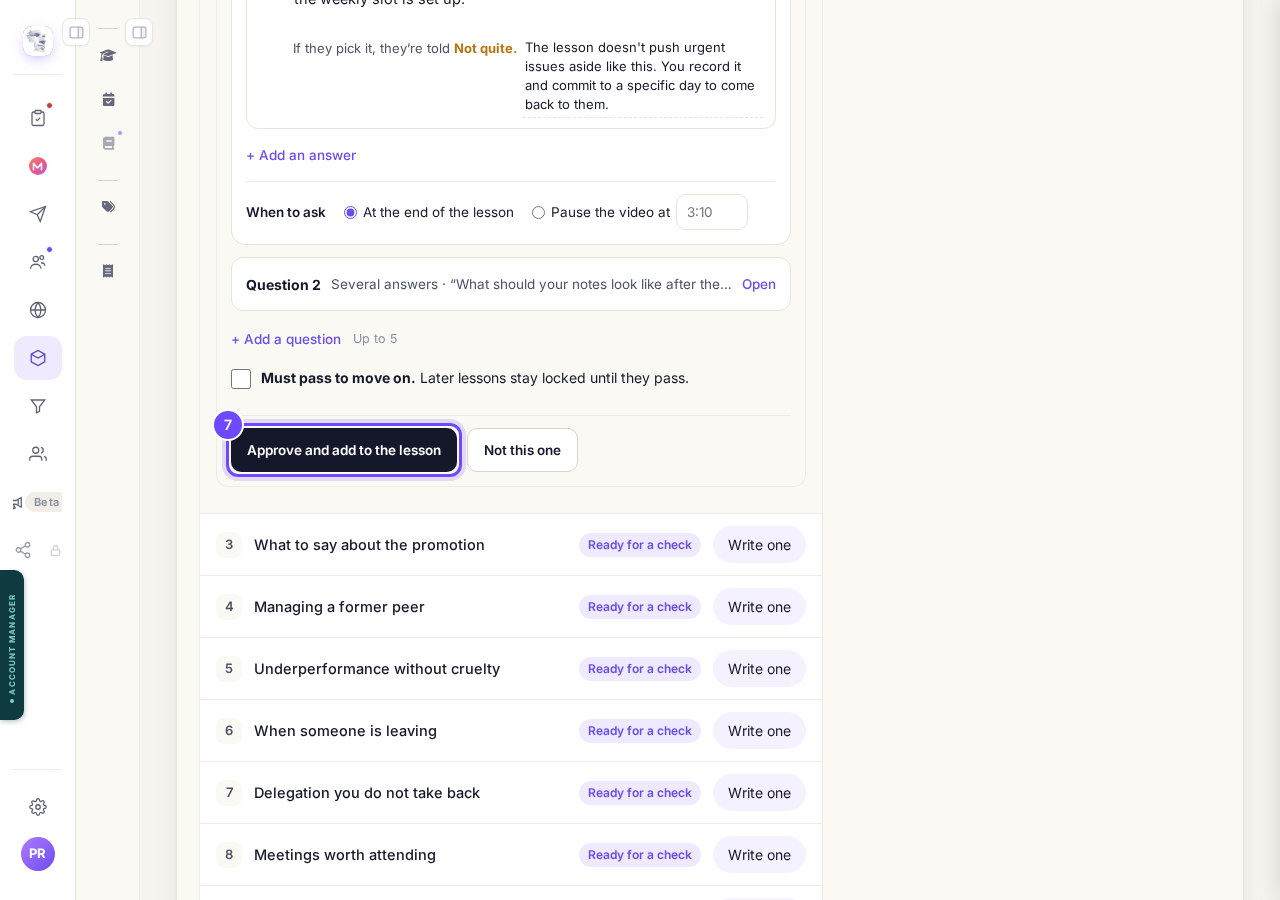
Approve and add to the lesson.


Questions
How do I see how students did?#
Press Results › under Quick checks on the Delivery screen: who passed, and the questions they slip on.
What does the student see?#
One question at a time with Check, why each answer is right or not, then their score and a chance to retry the ones they missed.
Can I get a fresh pair of questions?#
Yes: press Change on the lesson's row, then Write new questions instead.
Each time Maya drafts a lesson's questions it is about one AI request, charged to your account; writing them yourself costs nothing. Maya needs at least 120 characters of words in the lesson, or a video whose words are ready. If the top of your course shows Publish changes, press it once. That brings your students today's tools and anything you have changed on your course page.
Related articles
Can I see a real course before I build mine?
Yes. Claire's free course, Small Steps, is a real course you can join as a student in about five minutes.
Can I turn my workbook, notes or recordings into a course?
Yes. Add your workbook, notes, slides or recordings at the start of a new course and Maya reads them; the questions arrive already answered, and your plan is built from them.
How does my course help students finish?
Your course has a tool for students who drift off, get stuck or feel alone, and you switch them all on or off in one place: Delivery, at the top of your course. Looking through them takes about five minutes.