
Why is my order form not showing, and how do I put my product on it?
A page that takes payment only shows its order form once it has a product. Open your funnel, press Choose products, pick the product in What it sells, do the same for any upsell or downsell page, then publish. About three minutes.
Updated 19 October 2026
Open your funnel
Press Funnels in the main menu, then Manage on your funnel under Your funnels; on a phone, press the menu button at the top right first. It opens on Overview.
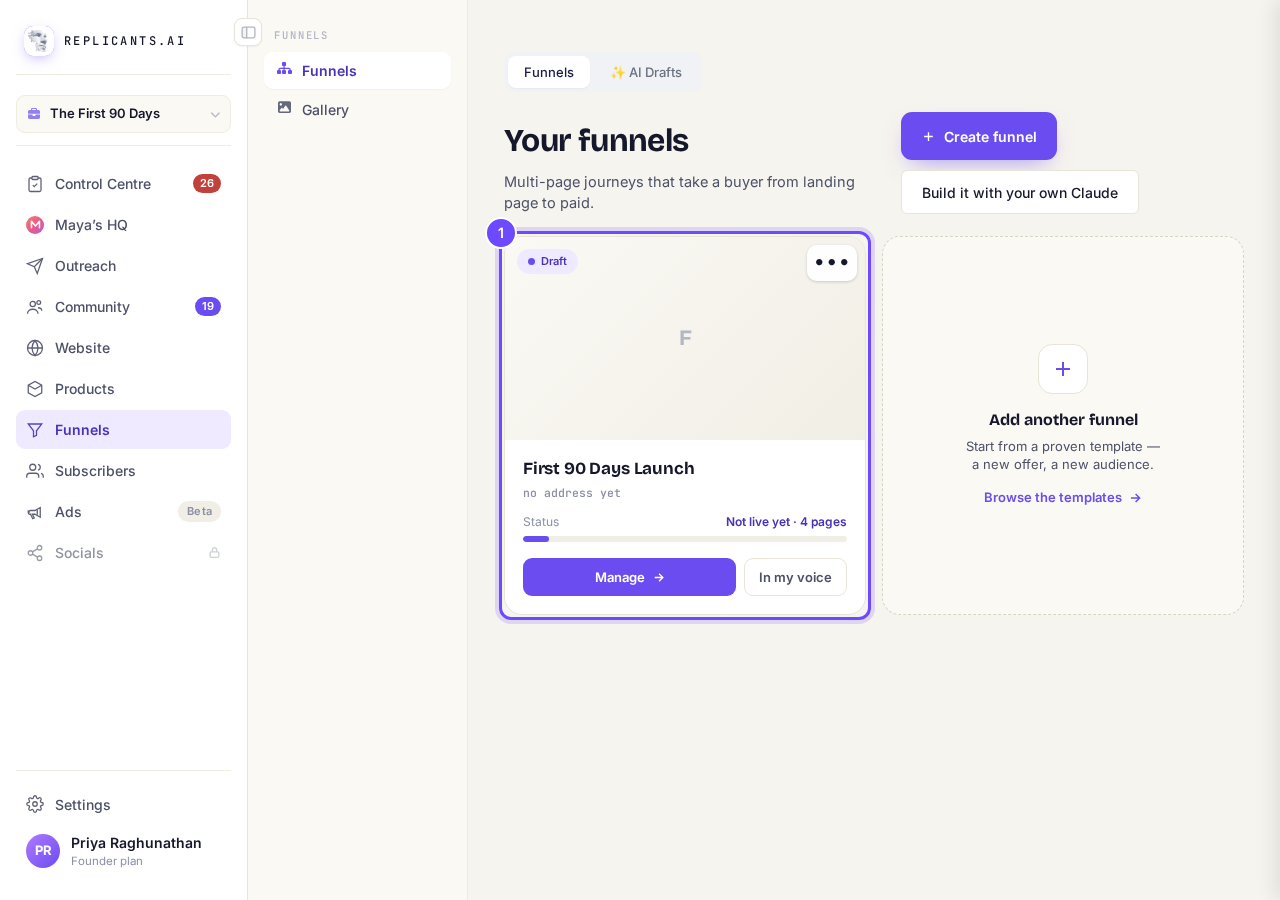
Your funnels, with the funnel to open.
Press Choose products
Under Needs you it says Every page that sells needs a product with a price while any selling page has none. Press Choose products beside it.
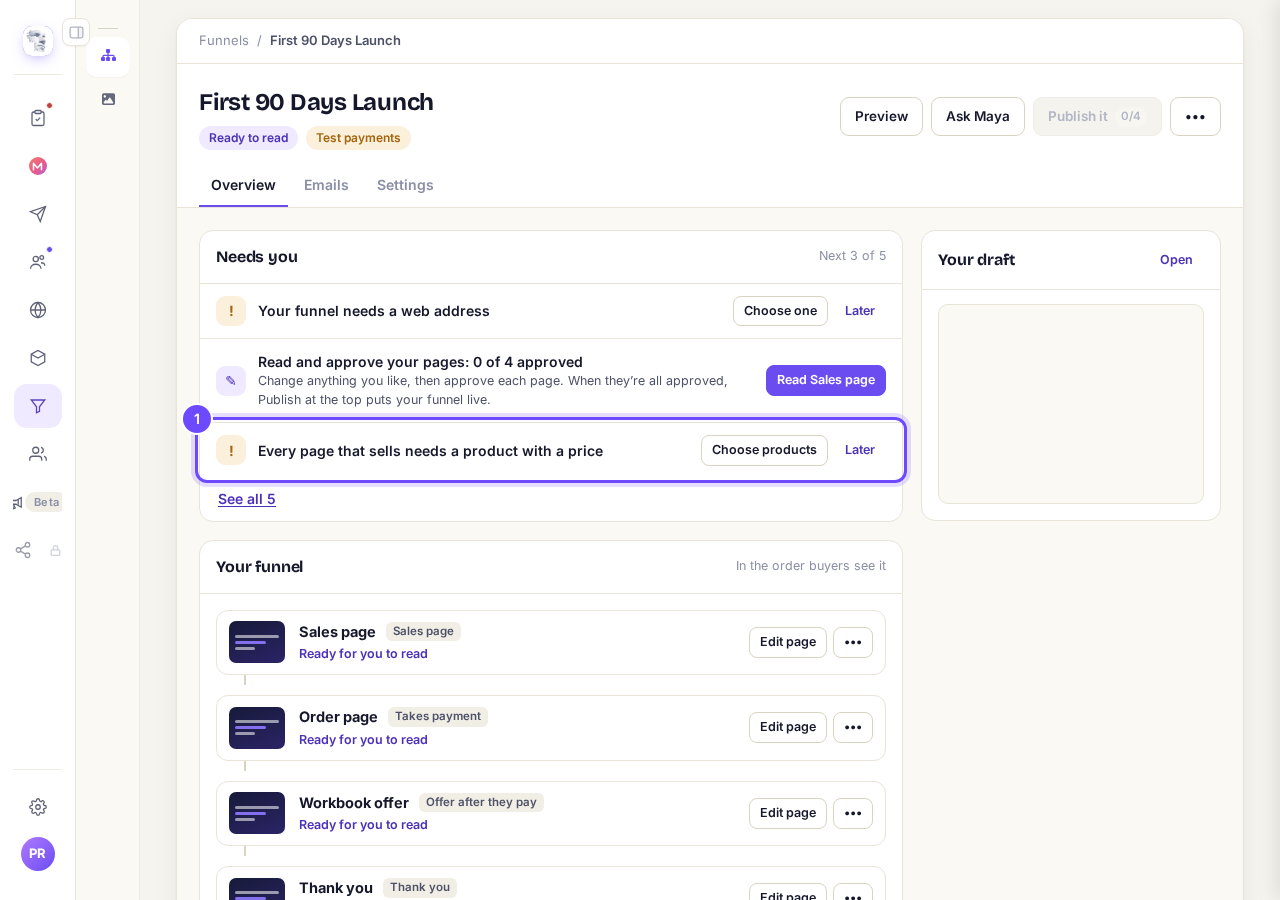
Every page that sells needs a product with a price, with Choose products.
Choose the product in What it sells
The page that takes payment opens under Your funnel. Check What it does says Takes payment, then choose your product in What it sells; it saves by itself.
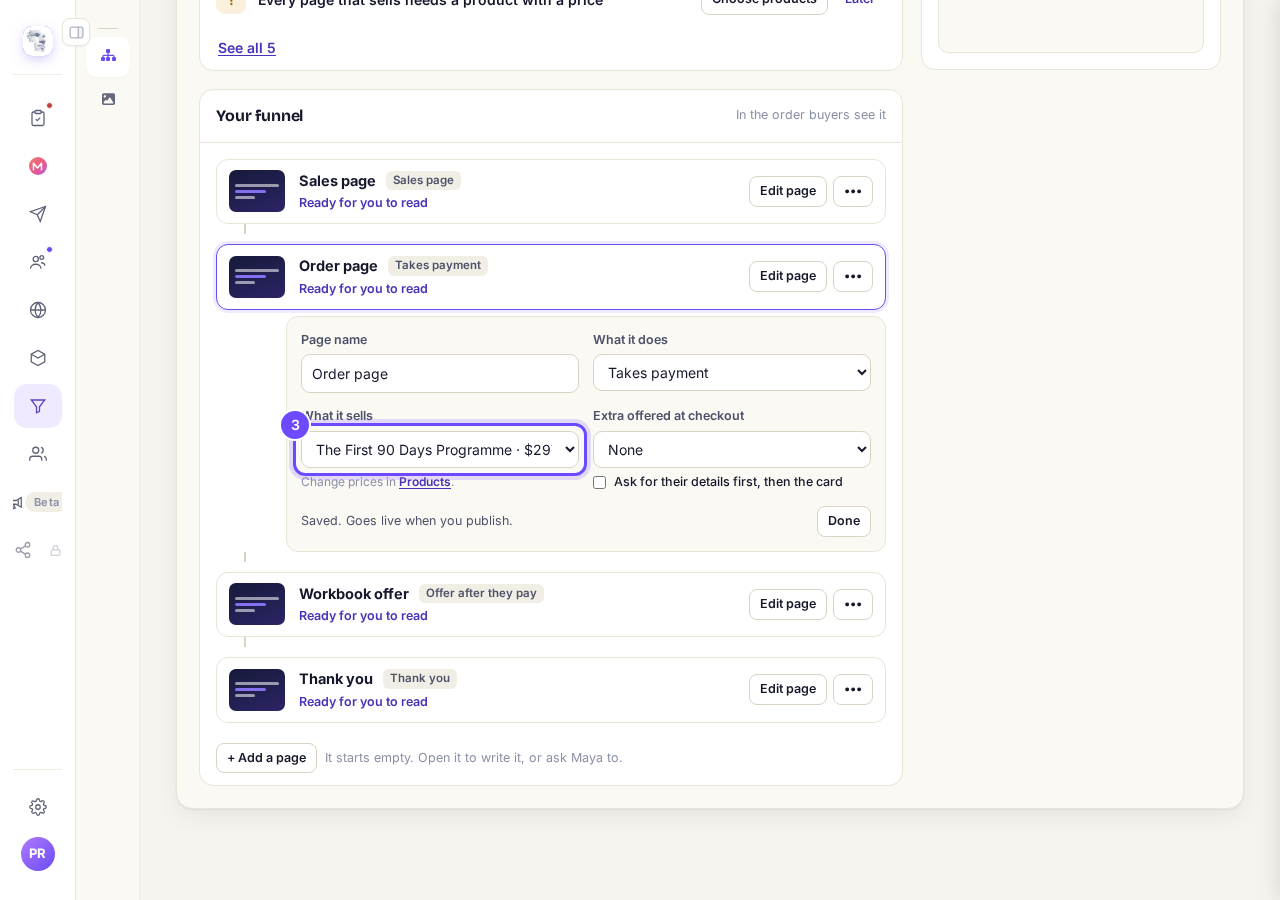
What it does and What it sells, on the order page.
Open your upsell or downsell page
Press ••• beside the page, then What it does and sells. An upsell says Offer after they pay; a downsell says Cheaper offer if they decline.
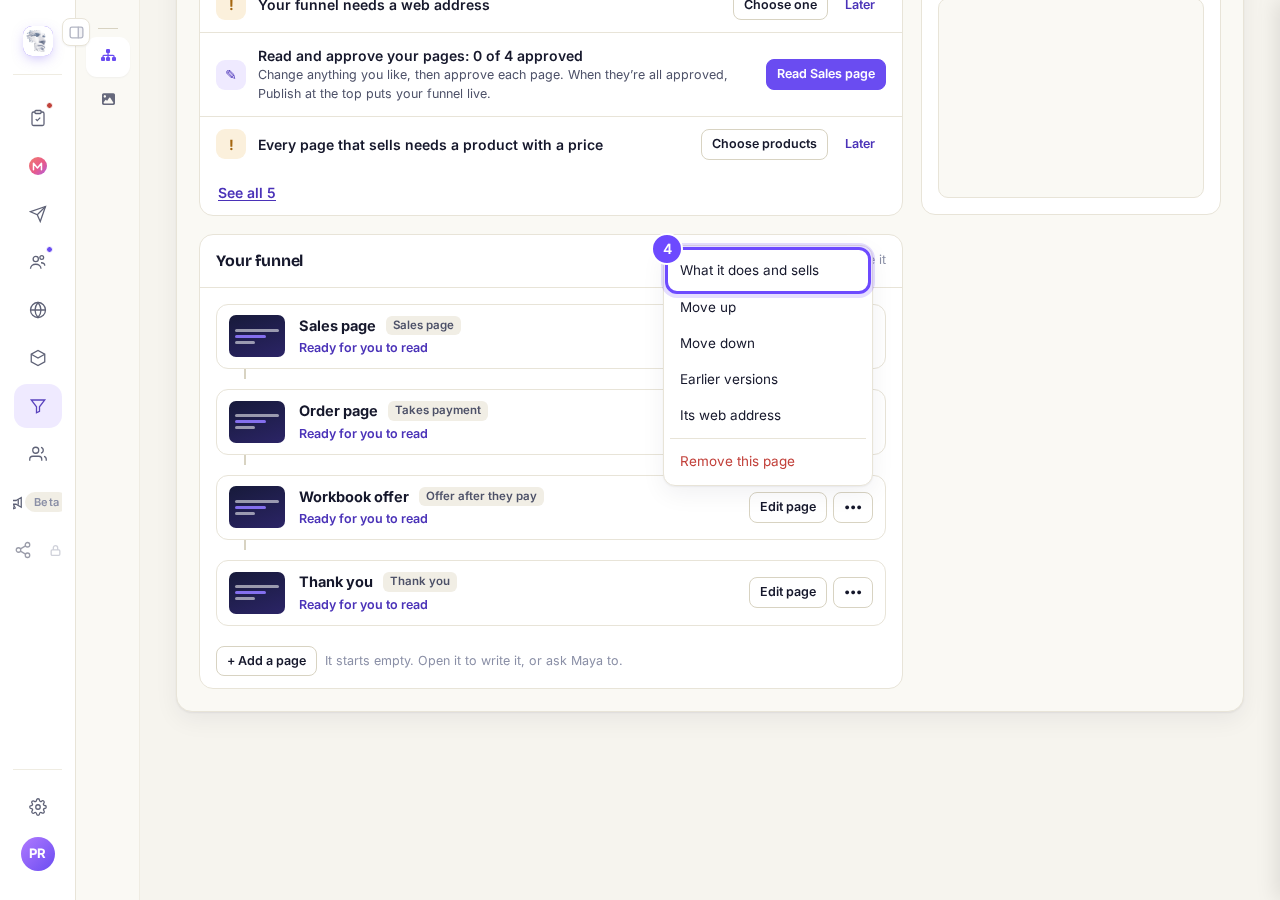
What it does and sells, in the page's ••• menu.
Choose its product
Choose the product in What it sells, then press Done. Each upsell or downsell page sells one product.
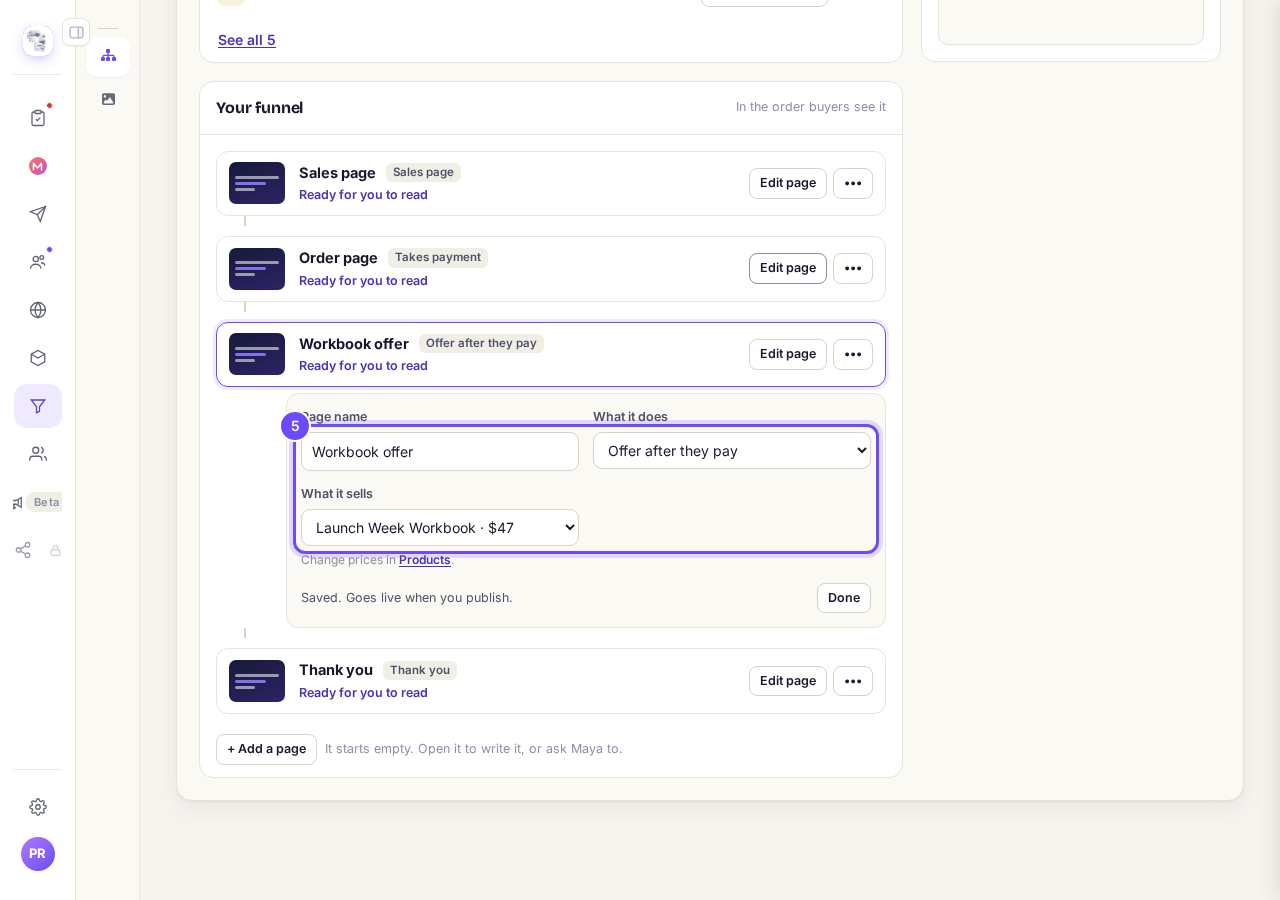
Offer after they pay, selling the workbook.
Press Publish it
Press Publish it at the top of your funnel, or Publish with a number once it is live, so buyers see the order form. It stays grey until you approve every page.
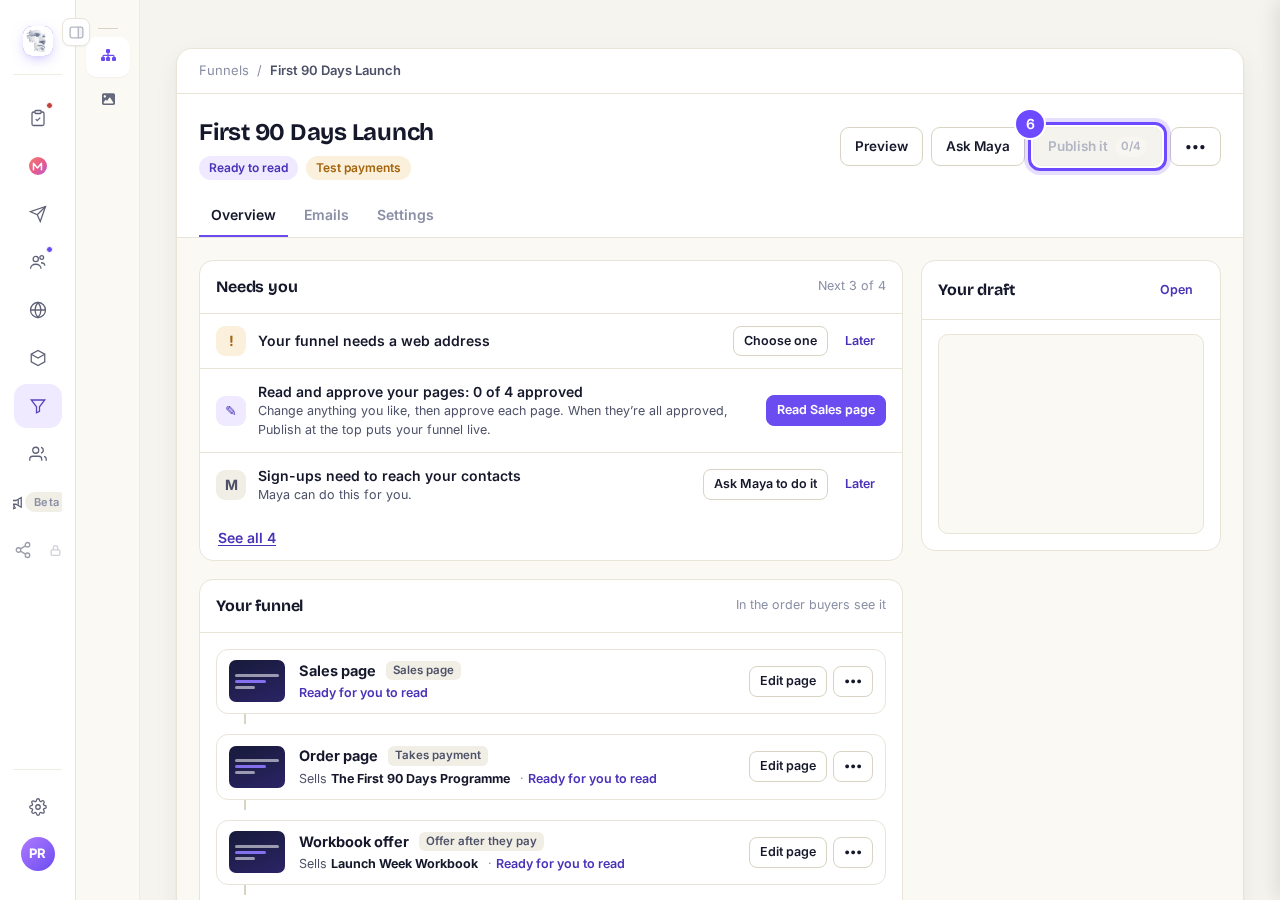
Publish it, at the top of your funnel.


Extras and prices
Can I offer a small extra at checkout?#
Yes. On the page that takes payment, choose it in Extra offered at checkout and give it a headline. Republish to update the live form.
Where do I change the price?#
On the product, in Products, then Prices & offers. The link Products under What it sells takes you there.
A page shows a form only when What it does is Takes payment, Offer after they pay or Cheaper offer if they decline, and What it sells has a product. If What it sells is missing, set What it does first. To put a funnel live you need Studio; the screen offers its free 14-day trial, or a plan to choose if the trial is not open to you.
How do I see who bought, and refund an order?
Related articles
Can I build a funnel before I pay?
Yes. Every account can open Funnels and build one finished page free. For the rest of the funnel, and to put it live, start the 14-day free trial.
How do I change the receipt my buyers get?
Every buyer gets a receipt with your business name at the top. You can give it your own heading and a message from you.
How do I get Maya to build my sales funnel from scratch?
Maya writes the whole funnel from what she knows about your business: the page that sells it, the order form, and the thank-you page. She reads what she already has first and only asks you for the gaps. You answer in your own words, read page one before she writes the rest, and press Publish. Without a plan, page one is free and the 14-day free trial covers the rest.