
How do I make a copy of my course, and what comes across with it?
Open the course, press the three dots and press Duplicate this course. You get a new course with the same lessons, knowledge checks, look and settings. Your students, sales and price stay with the original. About a minute.
Updated 7 October 2026
Open Products, then Courses, and press Manage on the course
On a phone, press the menu button at the top right first.
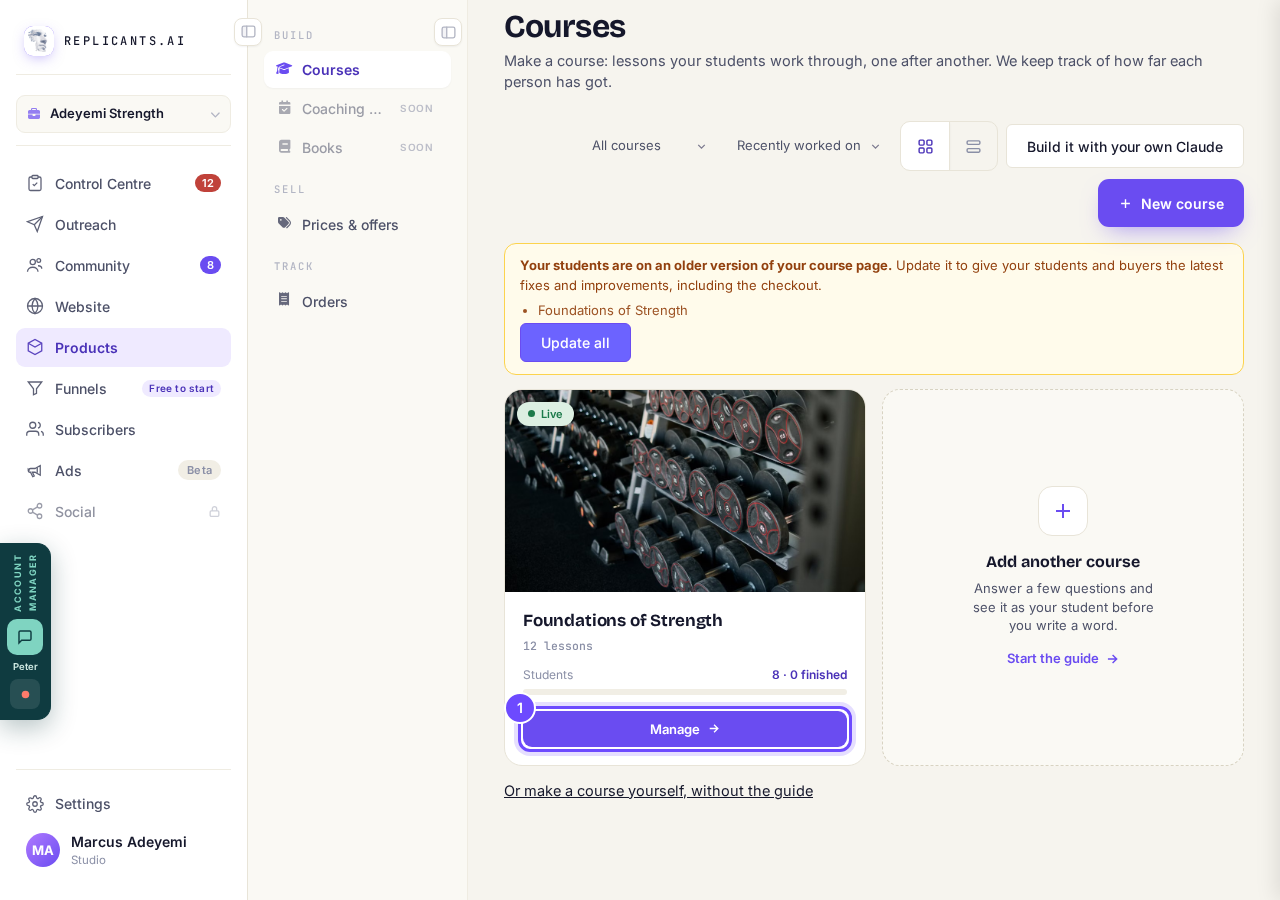
Manage, on the course you want to copy.
Press the three dots at the top right
They are at the end of the row of buttons, beside Publish changes or Publish.
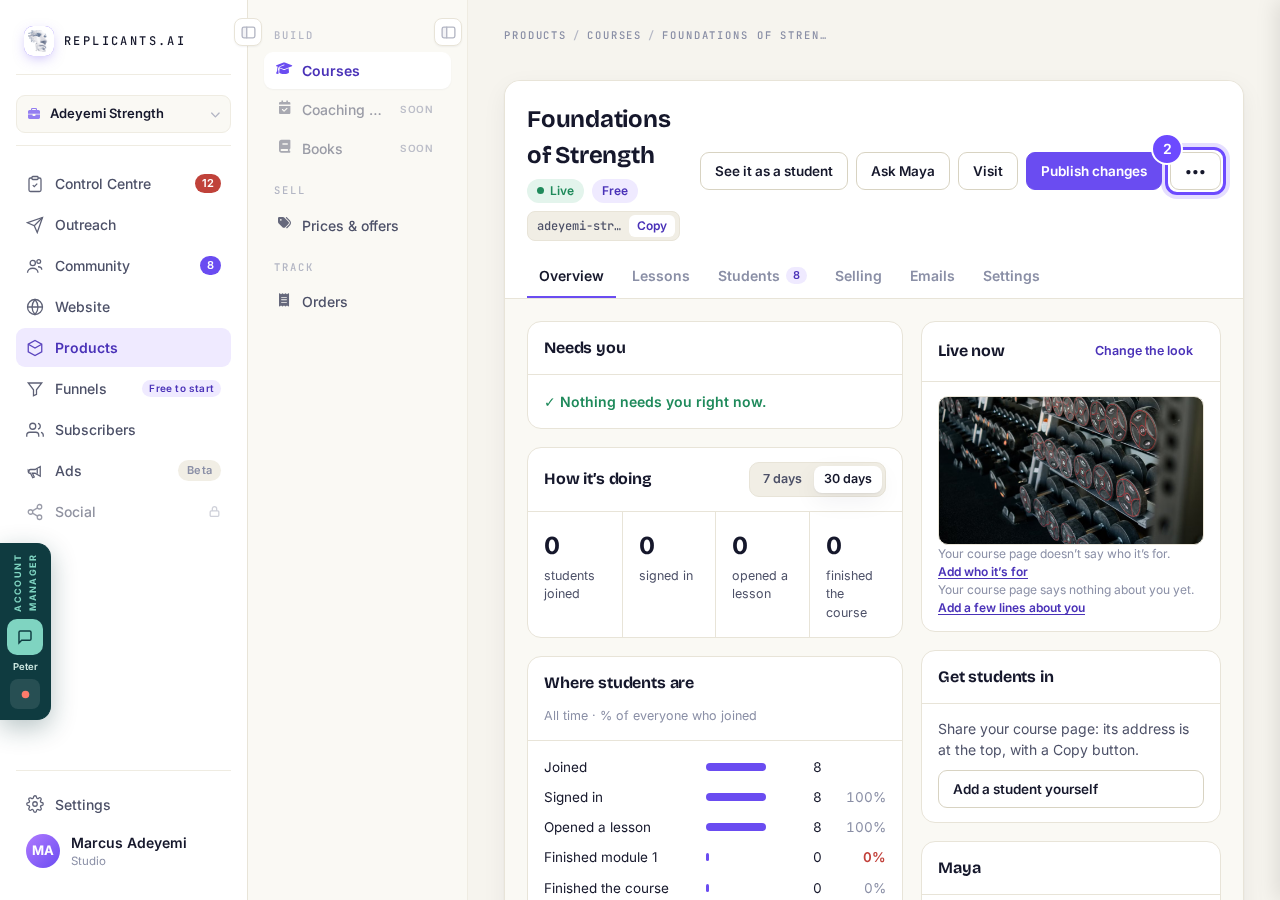
The three dots, beside Publish changes.
Press Duplicate this course
It is second in the list, under Rename.
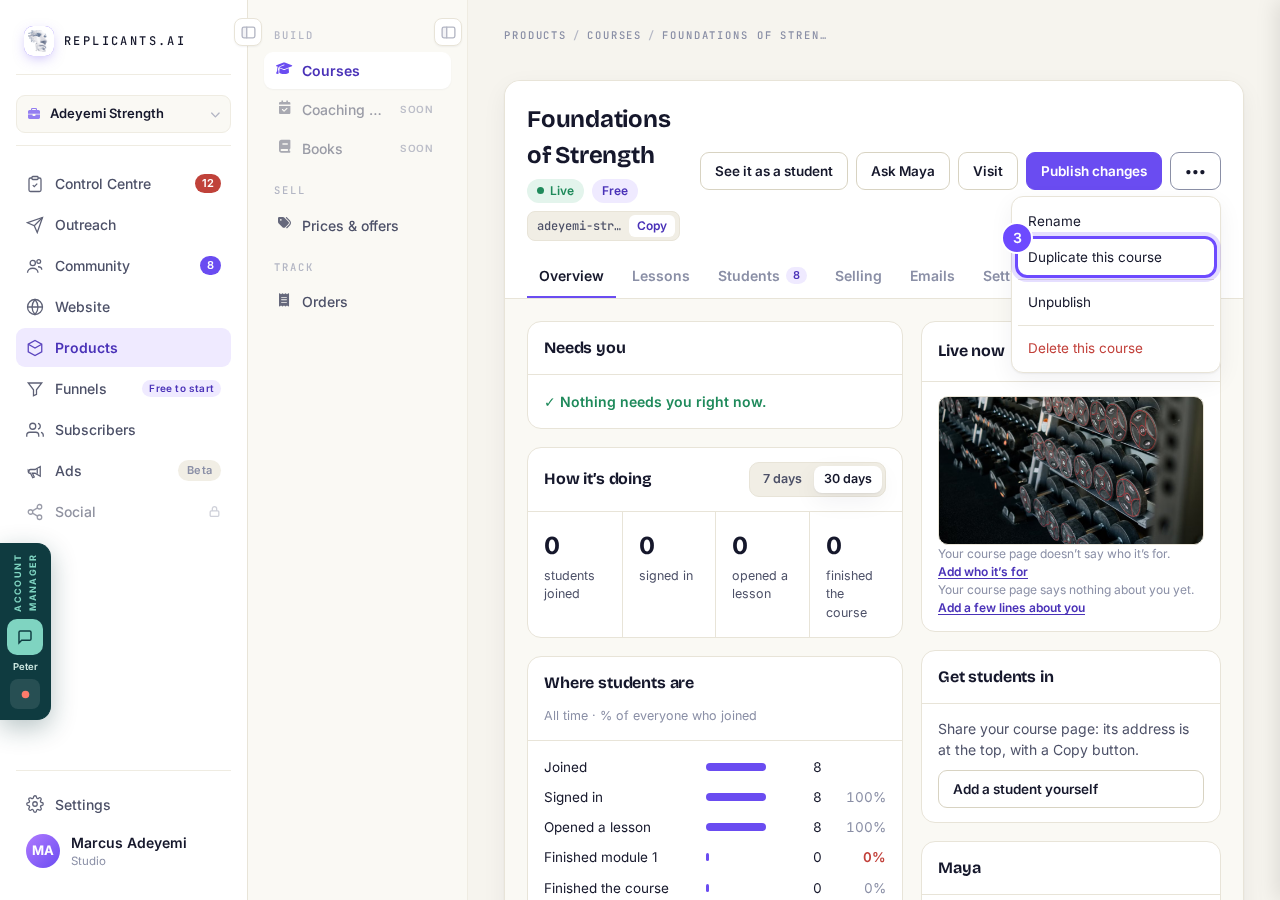
Duplicate this course, in the three dots list.
Read what comes across, then press Duplicate
The box says it plainly: the lessons, knowledge checks, look and settings come across, unpublished and free. Students, sales and the price stay with the original, and the copy gets its own web address. Not now closes the box and makes nothing.
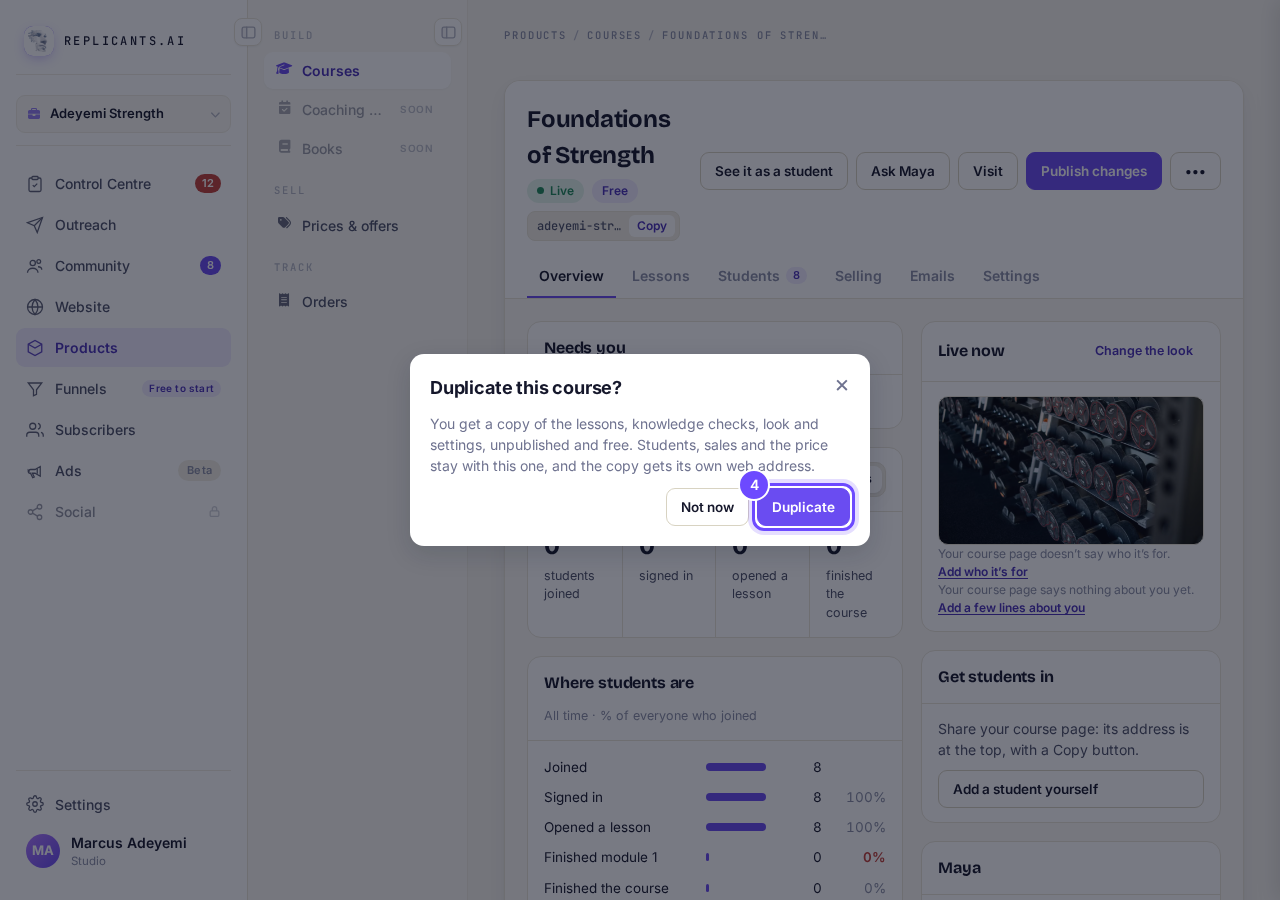
The Duplicate this course? box, with Duplicate.
Your copy opens, with (copy) after its name
It says Not published, and Before you publish lists anything it still needs. To give it a new name, press the three dots, then Rename. You can remove a module, move lessons and change its plan without touching the original. When it is ready, press Publish.
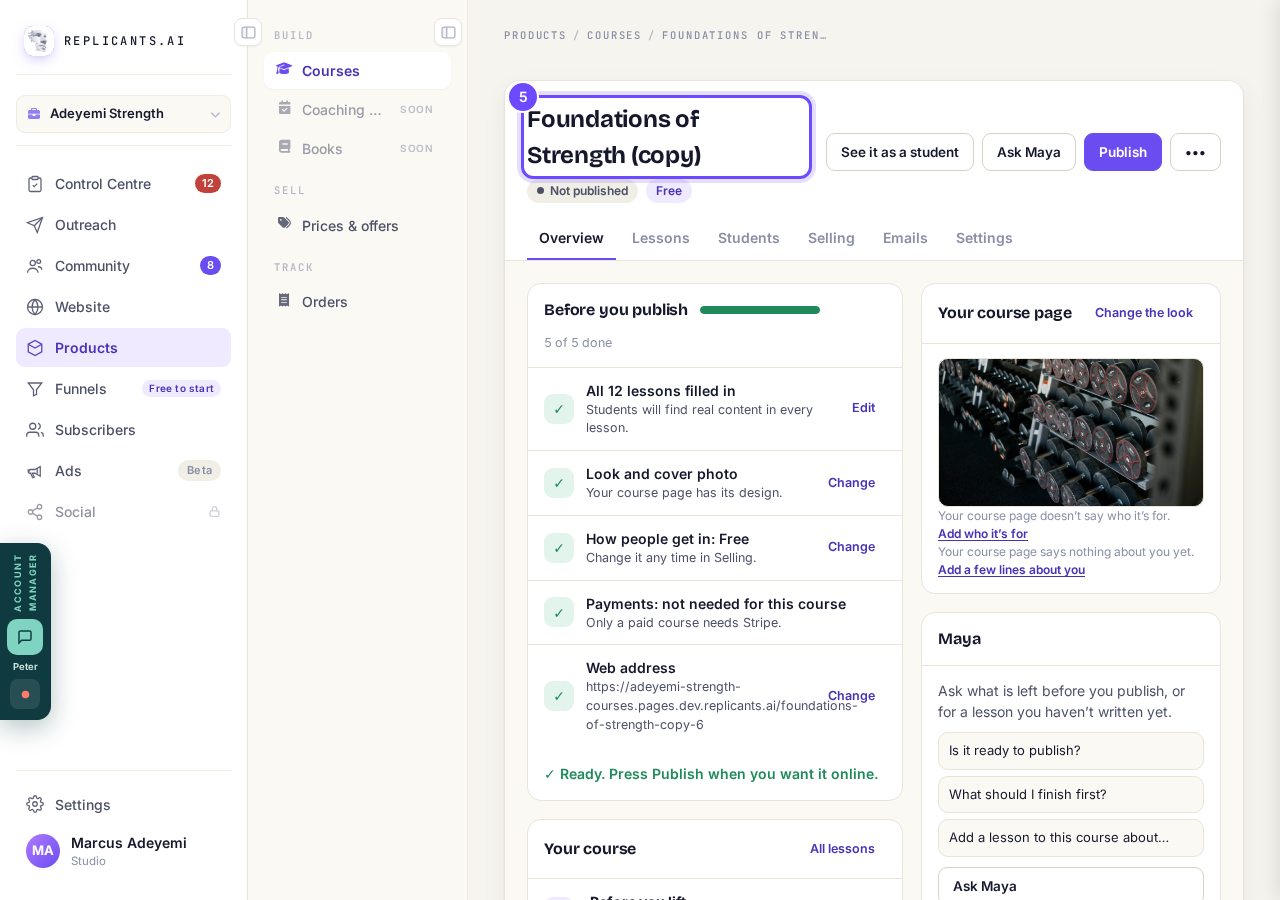
The copy, named Foundations of Strength (copy).


How do I add, move or rename modules and lessons in my course?
Related articles
How do I add, move or rename modules and lessons in my course?
Every course has a plan screen where you change its shape: add a module, move one, or rename a module or a lesson. It takes about two minutes.
How do I build a course, and what goes in it?
Maya builds it with you from six short questions. Open Products, then Courses, and press New course. She asks where you are starting from, then turns your answers into a plan of lessons that you approve before a word is written. You can speak your answers instead of typing them.
How do I email the students on my course?
Open your course, go to Students and press Email your students. Each student gets your words with their own first name, and an Open the course link that signs them straight in, with no password. About three minutes.