
How do I add, move or rename modules and lessons in my course?
Every course has a plan screen where you change its shape: add a module, move one, or rename a module or a lesson. It takes about two minutes.
Updated 30 September 2026
Open your course's plan
Open Products, then Courses, and open your course. Press Lessons at the top, then Open the lesson editor, then Edit the course plan.
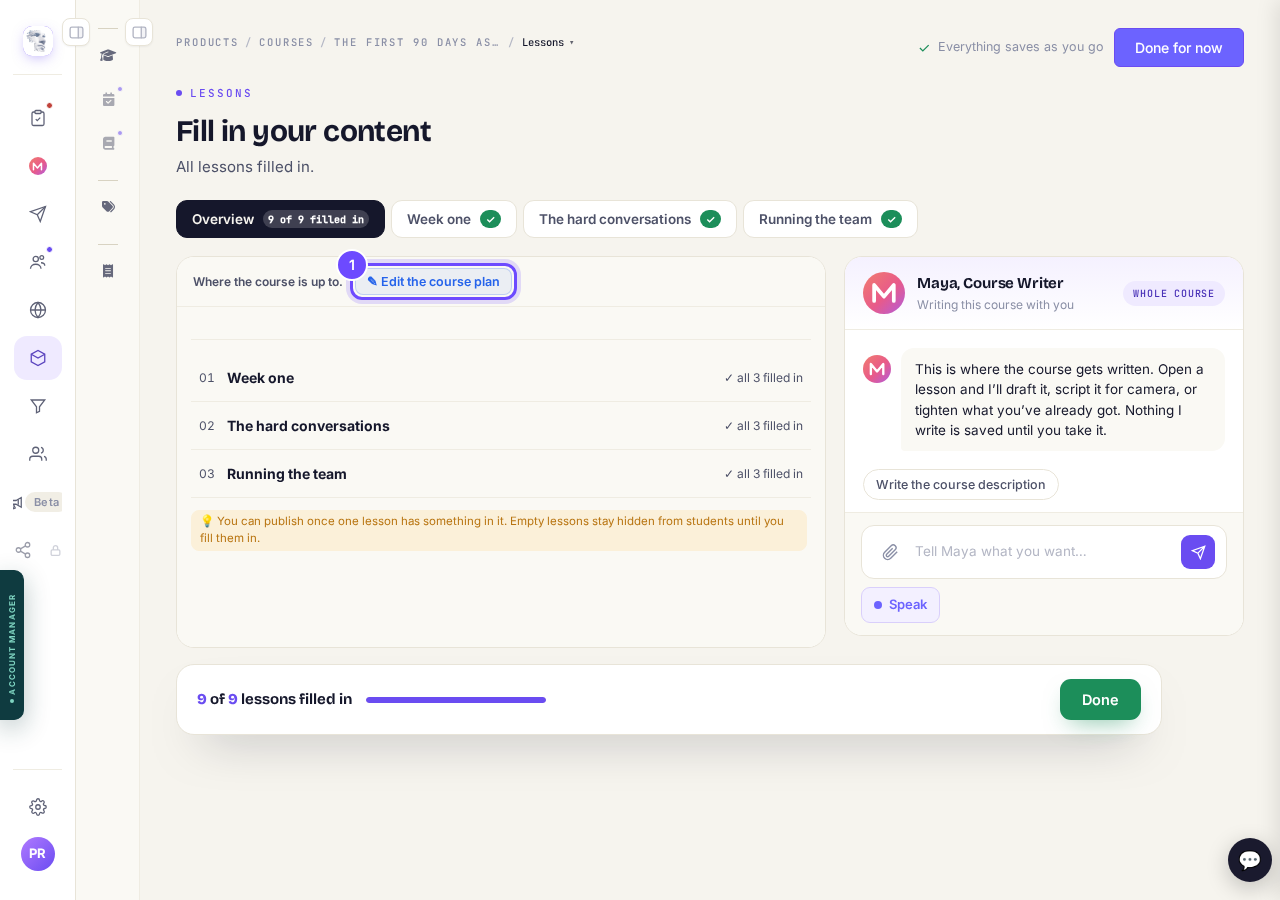
Edit the course plan is at the top of your lessons.
Add, move or rename modules and lessons
Press + Add a module for a new one. Press a module's name at the top to open it, then use the arrows to move it and the cross to remove it.
Tap a name to change it, and press + Lesson to add a lesson. Nothing you have written is removed without asking you first.
Press Save and add the content when you are done, or Discard changes to put it back. On a phone, those two are at the bottom of the page.
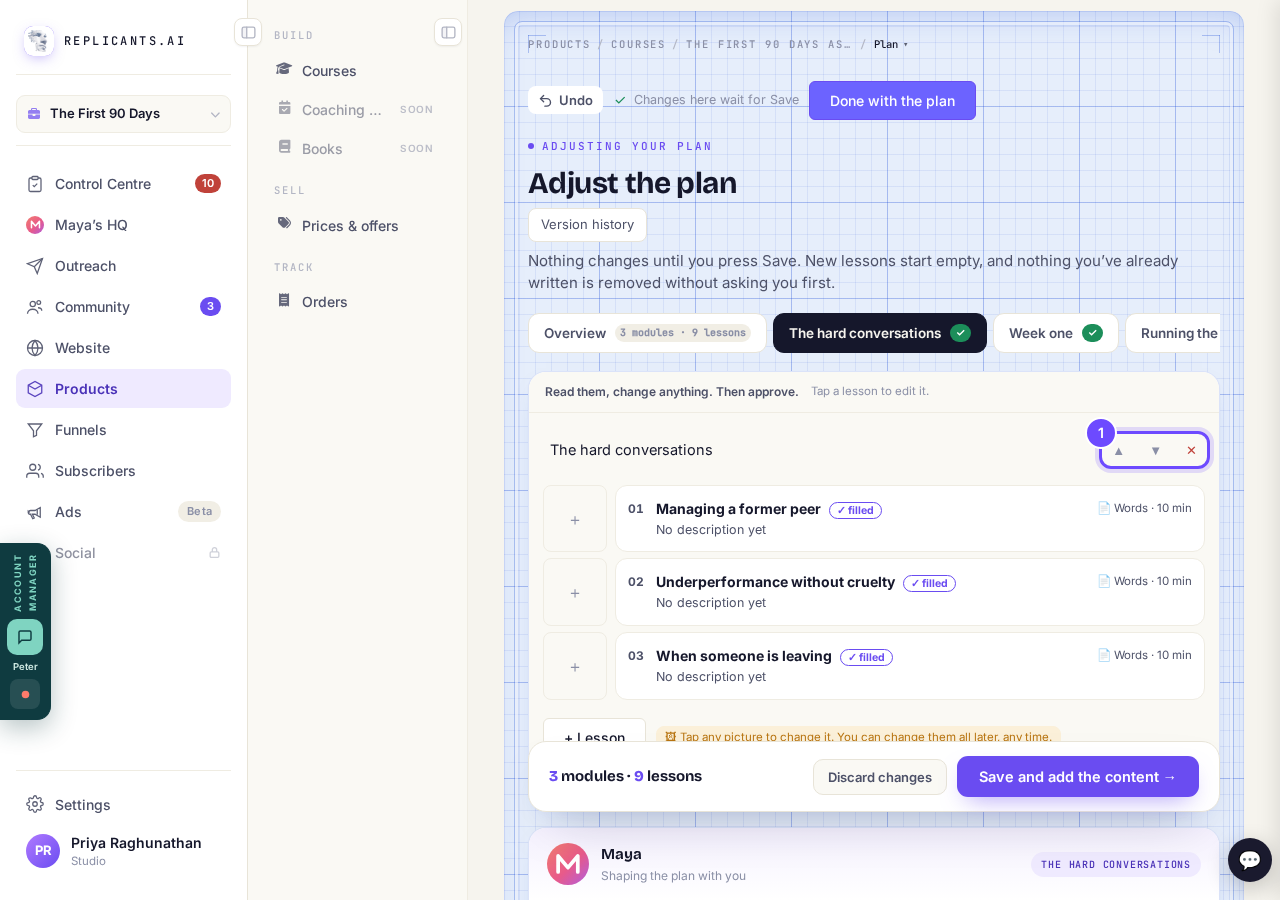
The arrows move a module. The cross removes it.


How do I build and change a course with Claude?
Related articles
How do I build a course, and what goes in it?
Maya builds it with you from six short questions. Open Products, then Courses, and press New course. She asks where you are starting from, then turns your answers into a plan of lessons that you approve before a word is written. You can speak your answers instead of typing them.