
I closed the DNS instructions for my domain. How do I get them back?
You can't re-open them — our fault, not yours. Remove the domain with its three-dot button and add it again: that shows a fresh set.
Updated 15 September 2026
Take me there
Open Websites, Manage, then Domain and SSL
That's where domains live. If you haven't added yours yet, take the second road: the domain you already own.
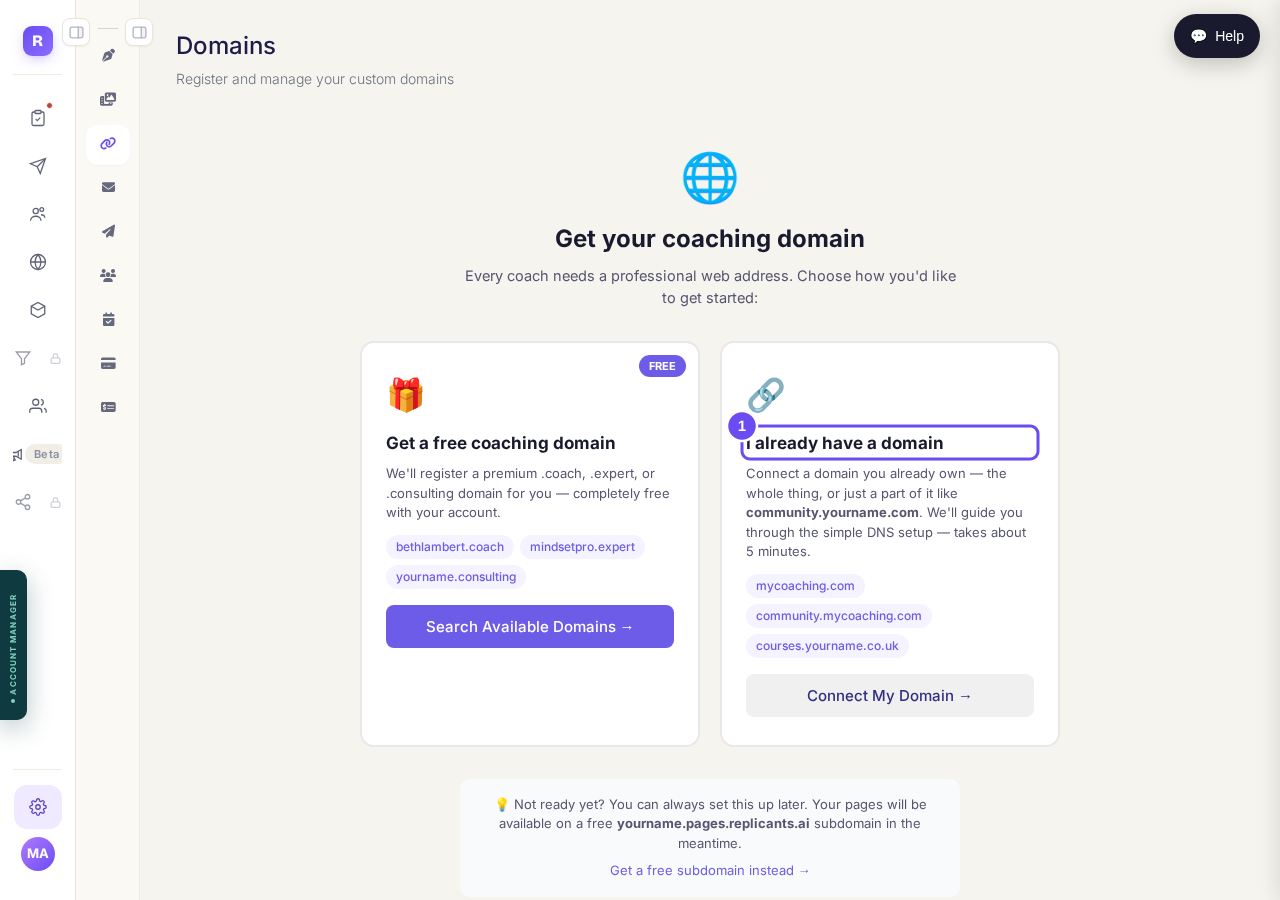
Two roads. This page is the one on the right.
Take me thereType the address you're connecting
Step one of three asks which address. A whole domain or a part of one — community.yourname.com works and leaves your main site alone. Press Continue; the records appear at step two.
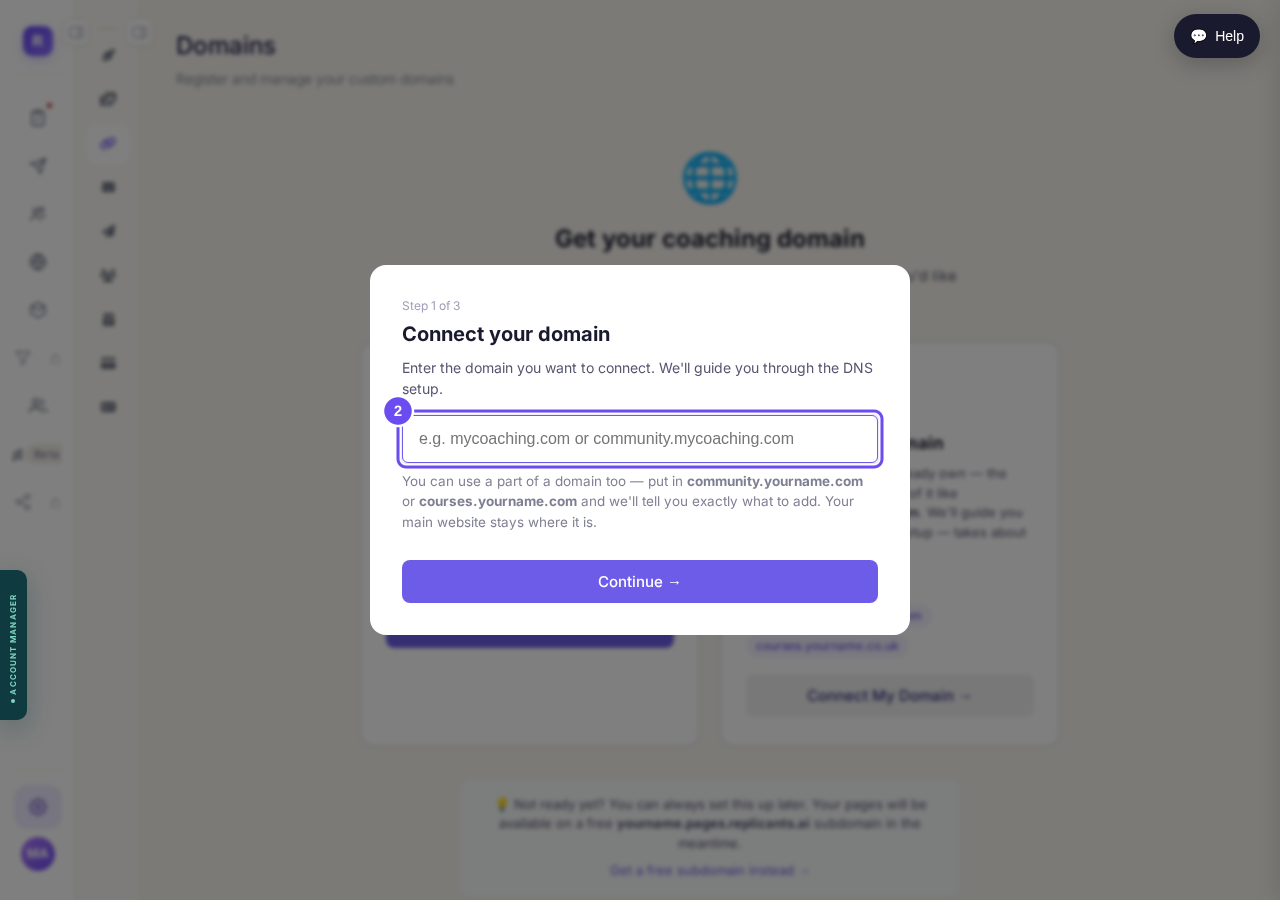
Step one of three: the address you are connecting.
Copy both records before you leave
Two records, both entered at your domain provider. TXT: host _coached-verify, value a long line beginning coached-verify. A: host @, value an address made of numbers. Copy for developer copies both. Write them down — this panel doesn't come back.
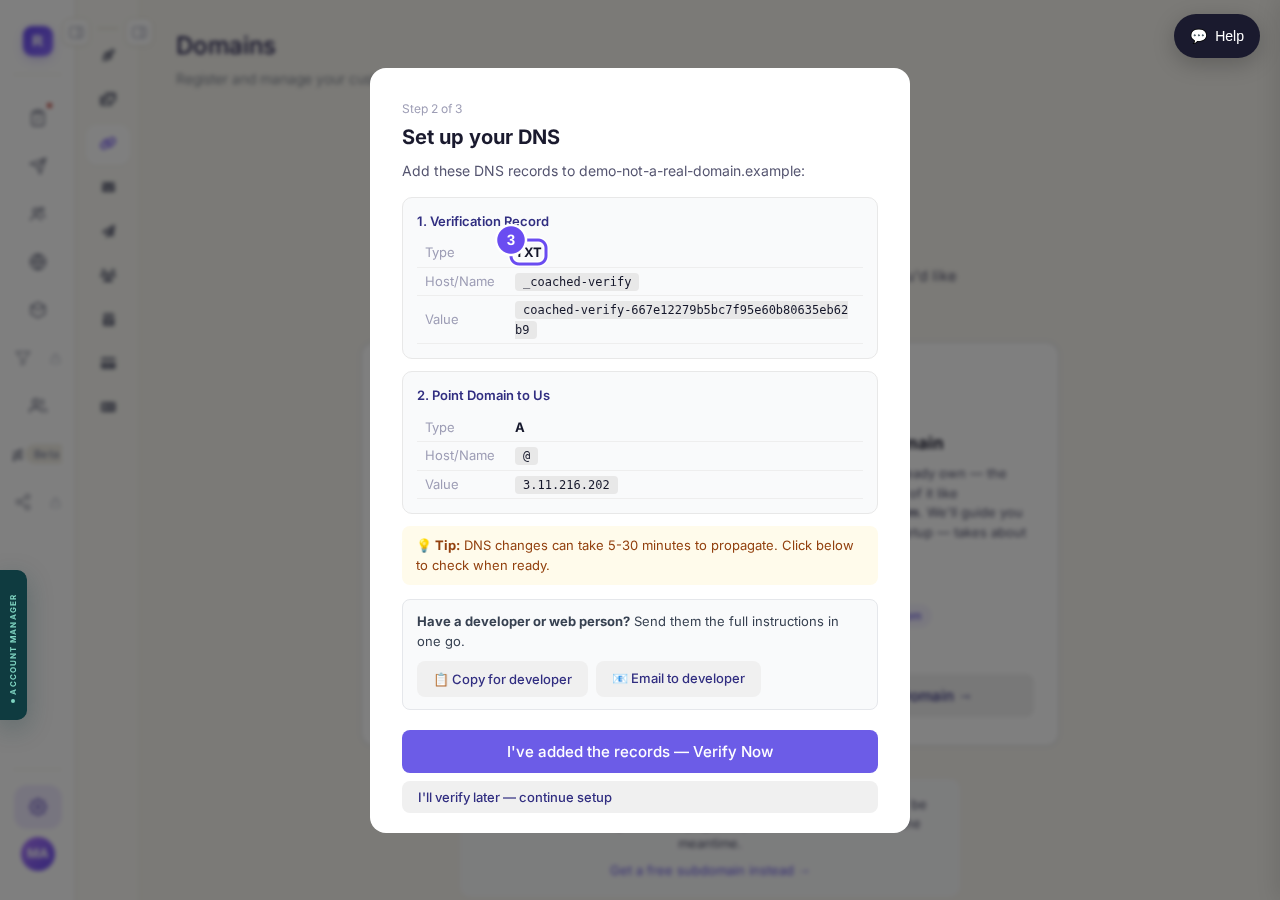
A TXT record to prove it is yours, an A record to point it at us.
Take me there
How do I use my own web address?
Related articles
How do I change how my website looks?
Everything you can change sits on one board. Open Websites, press Manage, and look under "Make a change" for a door per kind of change.
How do I change one thing on my page, like a photo or a paragraph?
Every page is a stack of sections, and each one changes on its own. Open the page, find the section, change it — then publish.
How do I publish my website?
Publishing lives inside the page you're editing, not on the Websites screen. Open the page, change it, press Save, then Publish.