
How do I use my own web address?
Your site already has a working address, so nothing is broken while you decide. For your own: Websites, Manage, then Domain and SSL.
Updated 15 September 2026
Take me there
Read the address you have now
Open Websites, press Manage. The green bar shows the address you're on now: it ends in pages.replicants.ai, and it already works.
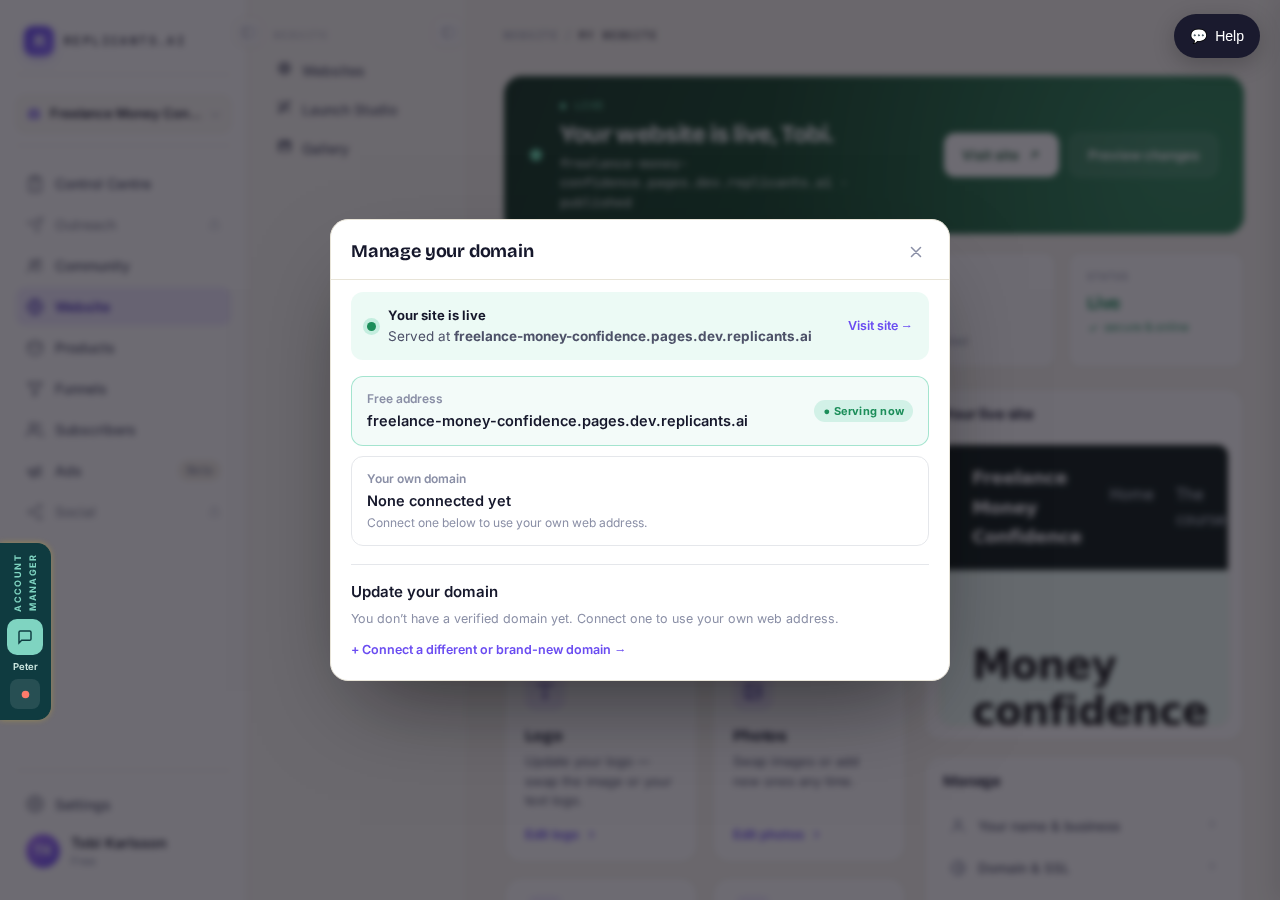
The address you already have. It works, and it keeps working.
Take me thereOpen Domain and SSL on the right
Two routes. A free address ending .coach, .expert or .consulting, registered for you. Or one you already own — the whole thing, or a part like community.yourname.com.
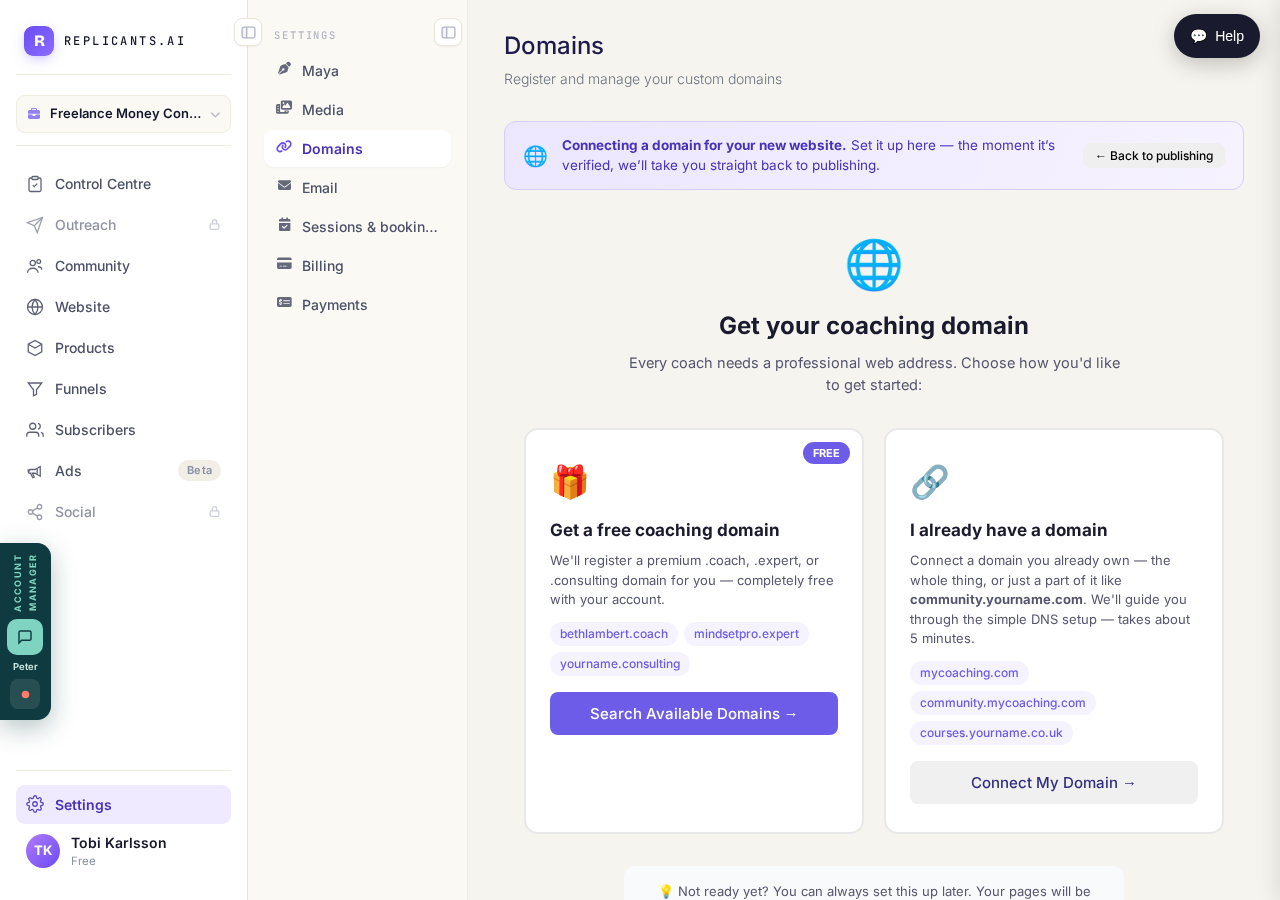
Two routes: a free coaching address, or one you already own.
Take me thereSearch for a name, or connect yours
Search and the screen says what's free. Connecting your own? Type it bare: yourname.com, or community.yourname.com. No https://, nothing after the first slash. Then it shows what to enter at the company you bought the address from.
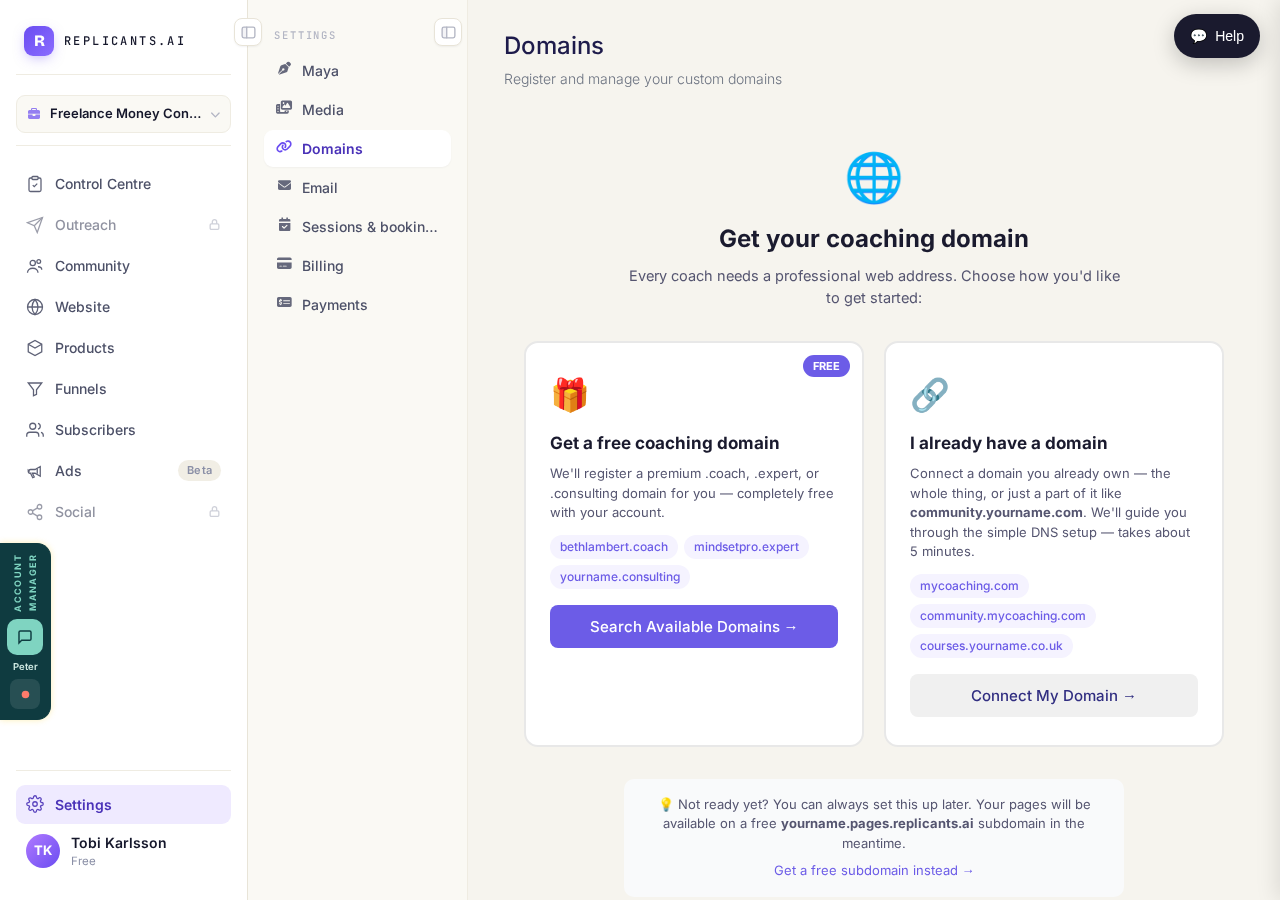
Type the name you want and see what is free.
Related articles
How do I change how my website looks?
Everything you can change sits on one board. Open Websites, press Manage, and look under "Make a change" for a door per kind of change.
How do I change one thing on my page, like a photo or a paragraph?
Every page is a stack of sections, and each one changes on its own. Open the page, find the section, change it — then publish.
How do I publish my website?
Publishing lives inside the page you're editing, not on the Websites screen. Open the page, change it, press Save, then Publish.