
How do I bring back students who go quiet?
Gentle nudges send one email to a student who goes quiet, pointing at the lesson they stopped on. For students who never started, Maya drafts a reminder from you that sends only when you approve it.
Updated 18 October 2026
Press Delivery at the top of your course
Open your course from Products, then Courses, then Manage, and press Delivery in the row of words under its name. On a phone, slide that row to the left to find Delivery.
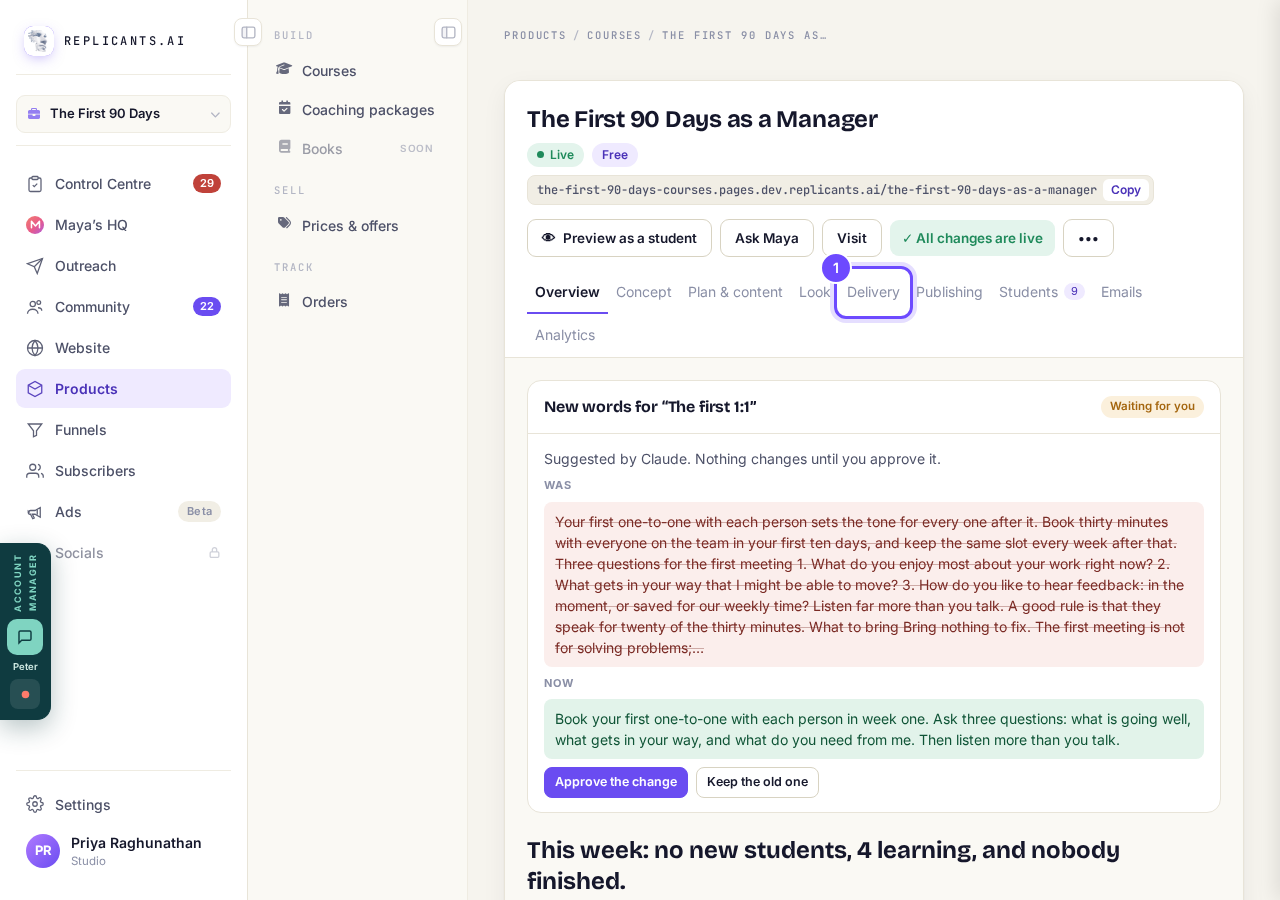
Delivery, at the top of your course.
Switch on Gentle nudges
It is the last row under What students get, off to begin with because it sends email for you.
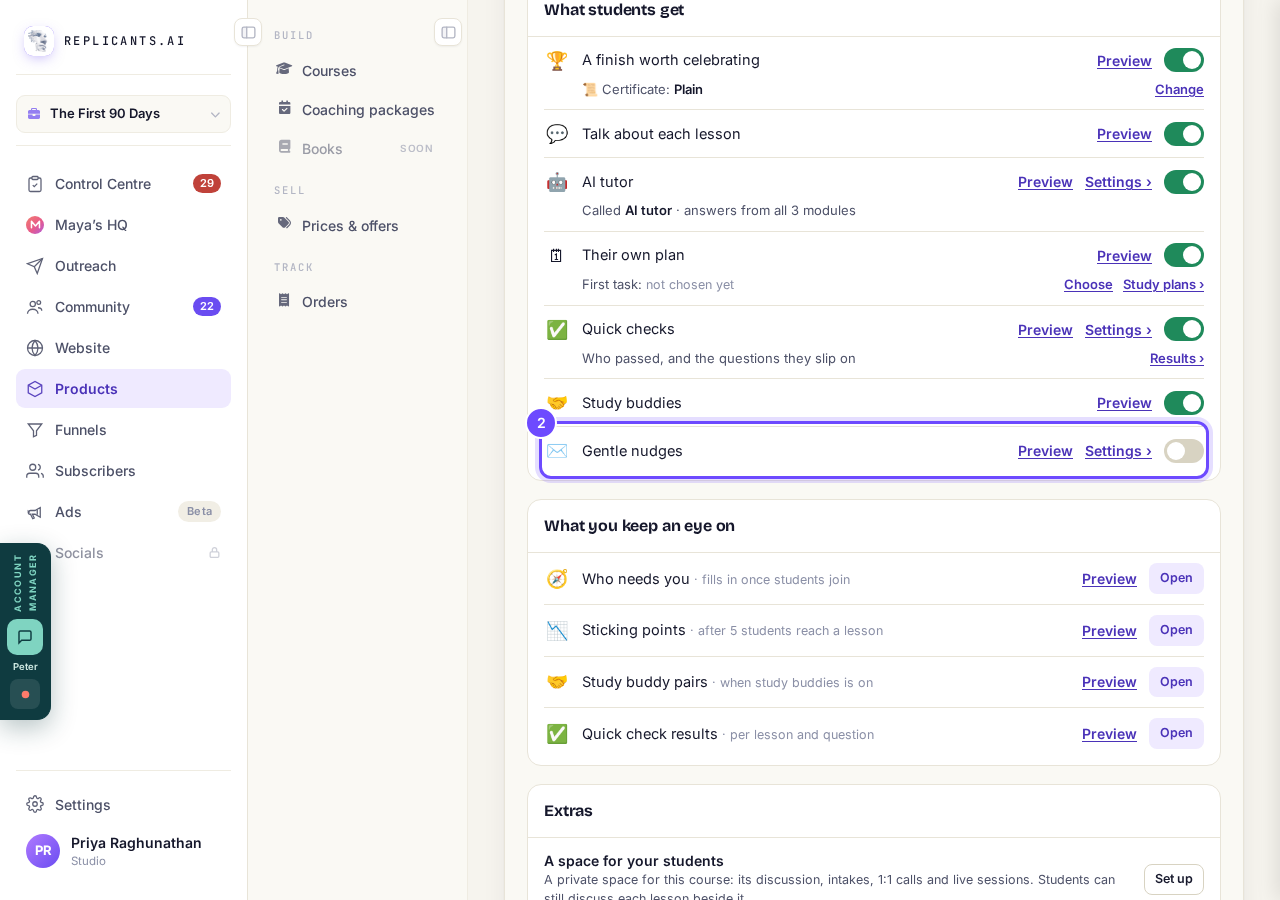
The Gentle nudges switch.
Press Settings and pick how long is too quiet
Pick from the days shown; one is usually marked recommended, with the reason from your own course.
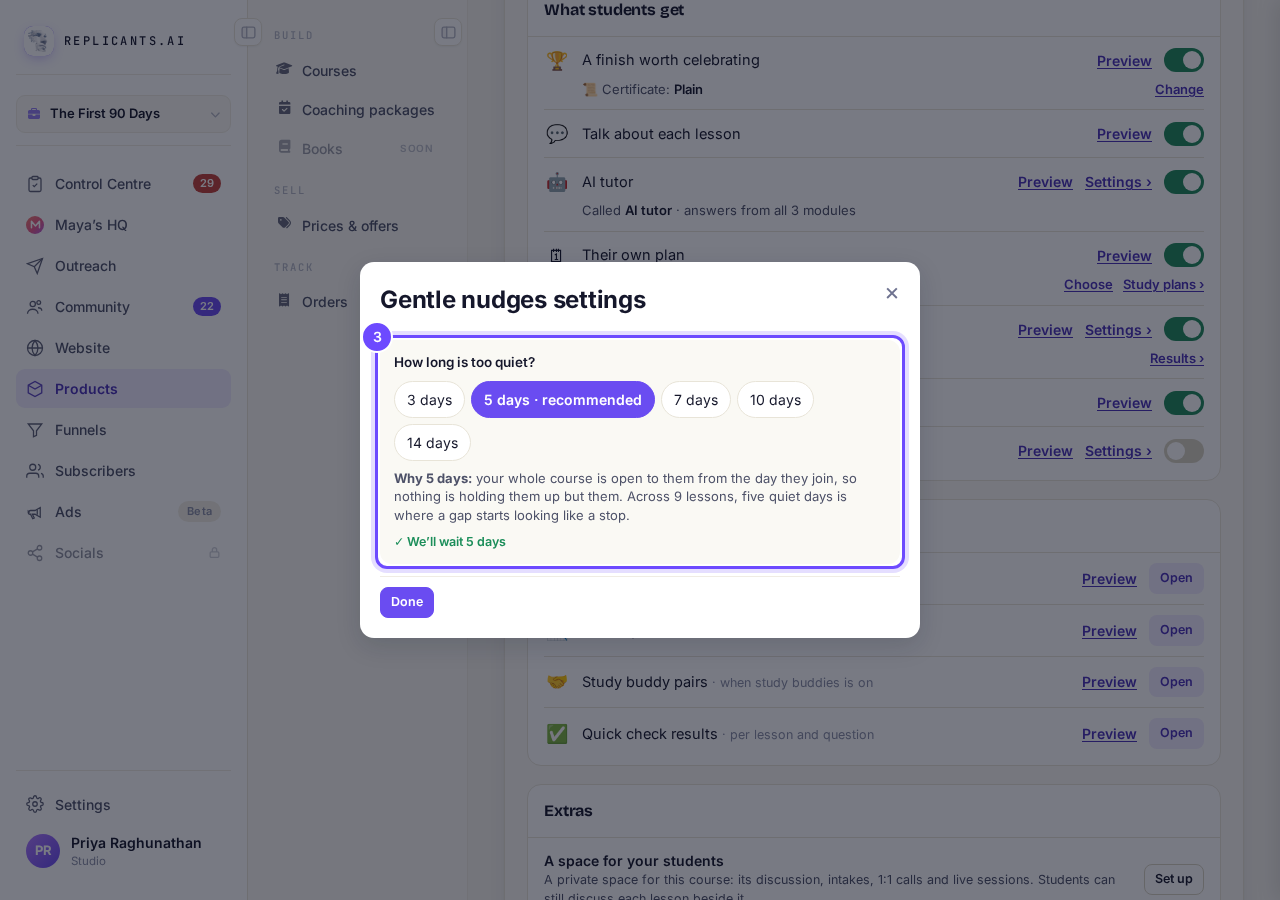
How long is too quiet?, with the recommended choice.
Press Students, then Haven't signed in or Signed in, no lesson
The list below shows exactly who is in that group.
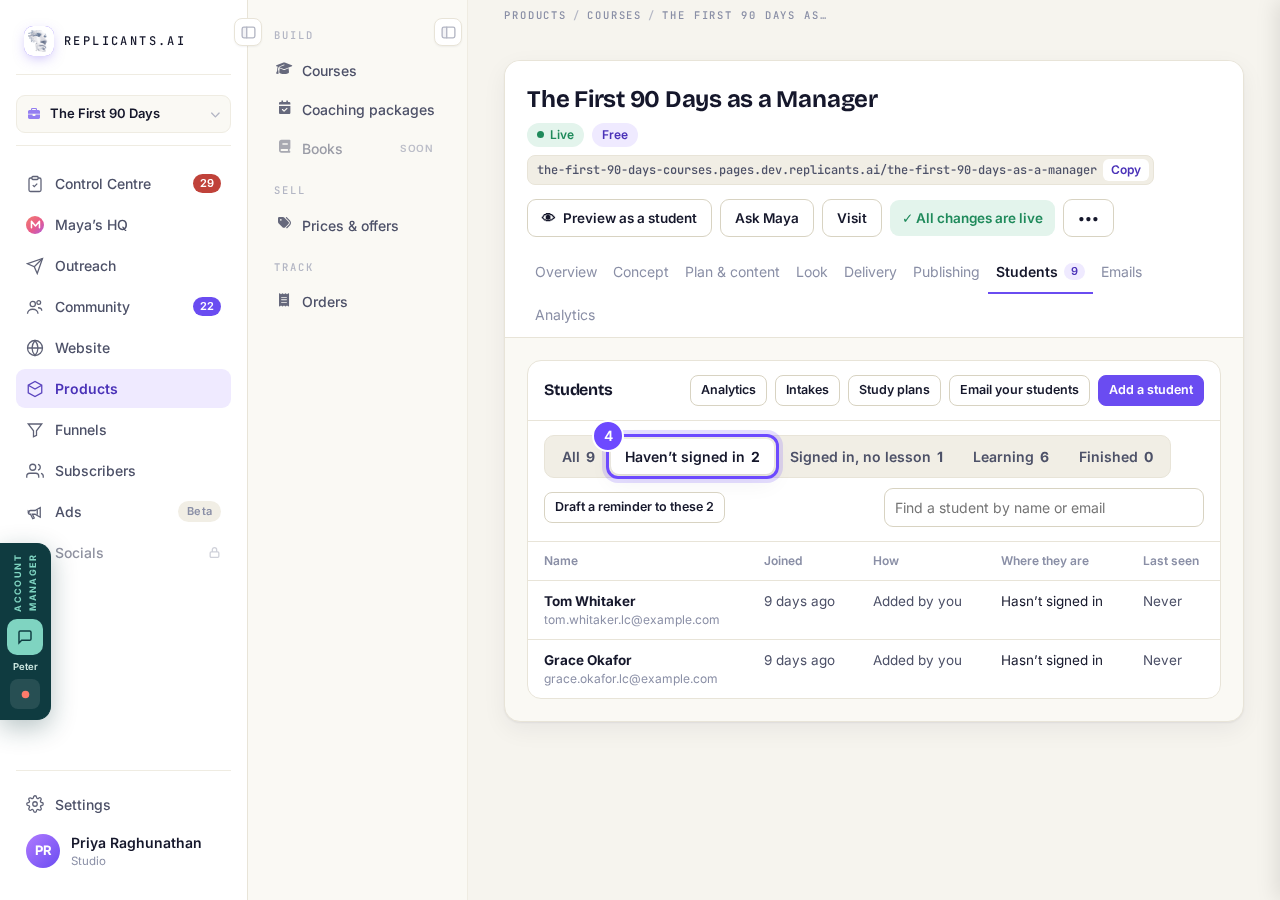
The students who have not started.
Press Draft a reminder
On a published course the button says how many it is for, and each draft is one AI request, charged to your account.
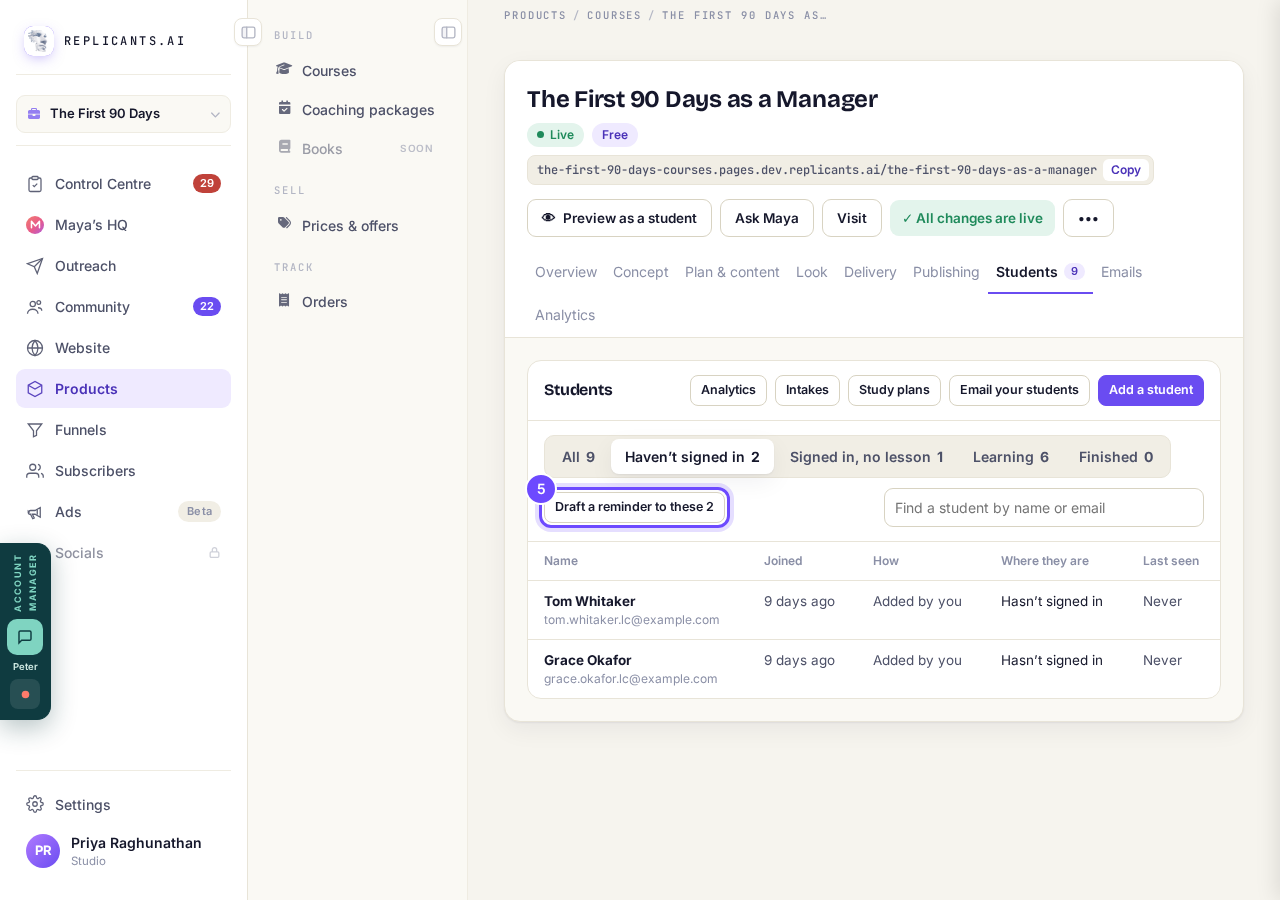
Draft a reminder, for the group you picked.
Press Emails, read it, then press Approve and send
It waits under Waiting for you, where you can change the words, Save changes or Discard it.
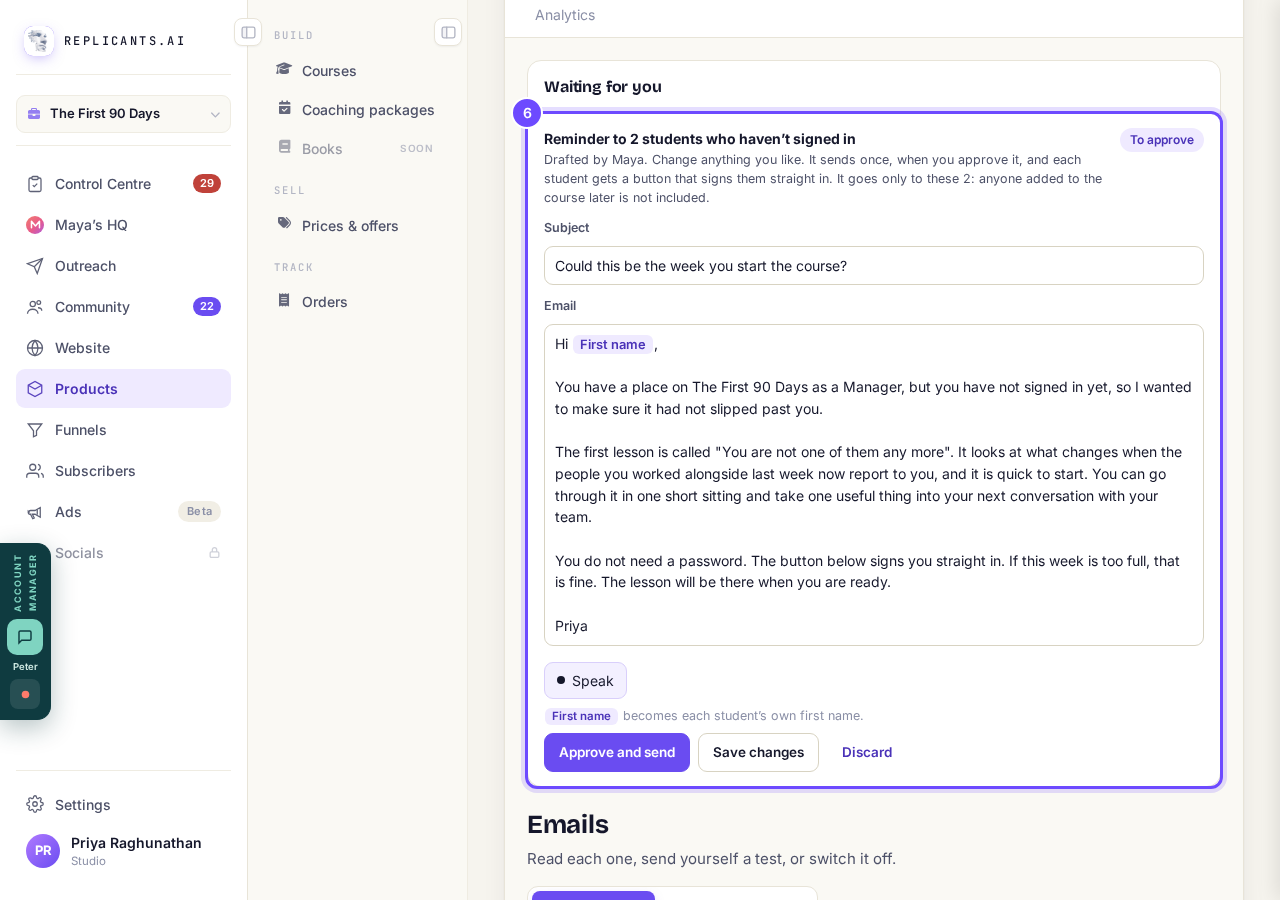
The reminder Maya drafted, waiting for you.


What does the nudge email say?#
Pick up where you left off names the lesson they stopped on, with a button back to it, and quotes their own why if their study plan has one. Someone who never opened a lesson gets Your first lesson is waiting.
Will a student get nudged again and again?#
No. Each quiet spell gets one nudge, and nudges skip anyone who has finished or turned off your community's emails.
Who gets the reminder?#
Only the students still in that group when you approve it; anyone who has signed in since is left out.
Both reach students by email. Gentle nudges use no AI; Your first lesson is waiting only goes to students who joined in the last 60 days, and Draft a reminder only shows on a published course.
How do I run my course with start dates?
Related articles
Can I see a real course before I build mine?
Yes. Claire's free course, Small Steps, is a real course you can join as a student in about five minutes.
Can I turn my workbook, notes or recordings into a course?
Yes. Add your workbook, notes, slides or recordings at the start of a new course and Maya reads them; the questions arrive already answered, and your plan is built from them.
How does my course help students finish?
Your course has a tool for students who drift off, get stuck or feel alone, and you switch them all on or off in one place: Delivery, at the top of your course. Looking through them takes about five minutes.