
I have an audience somewhere else. How do I turn it into income?
A list you never ask to buy is not an audience, it is a bill. This is how to move it somewhere it can be spoken to, give it a reason to show up, and make one real offer at the end of it.
Updated 16 September 2026
Connect payments
Move the list in. Nothing gets sent
This is the step people put off for months, so let us kill the fear first. Importing your contacts sends nothing to anyone.
The screen says so itself, in the place you would be worrying about it: "Your contacts are never emailed or messaged. Importing only adds people to your list, it never messages anyone or starts any automation. We'll email you a summary report when the import finishes."
A CSV or an Excel file, the columns matched for you, and a preview of everything before a single row is saved. There is no contact limit.
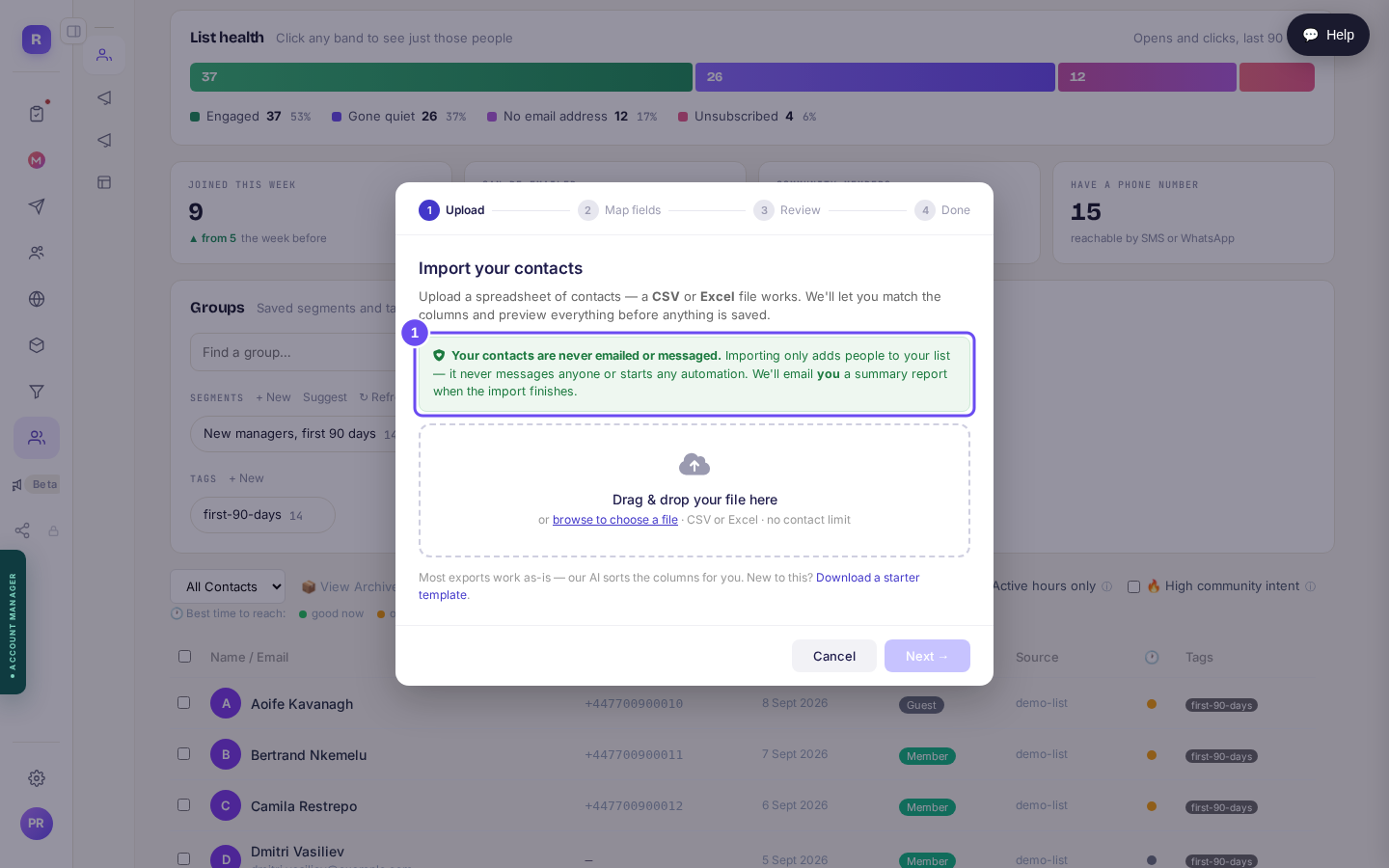
The green line is the whole answer to "will this spam my list?"
Bring my list inPut them in groups on the way in
You are not going to invite "the list". You are going to invite a part of it: the people from one webinar, the ones who bought something once, the ones who have never replied to anything.
A tag is a label you stick on. A segment is a saved question, such as everyone who came from the June webinar, and its size is counted live, so the number beside it is today's number rather than the day you made it.
Both appear by name in step five, which is the only reason to do this now.
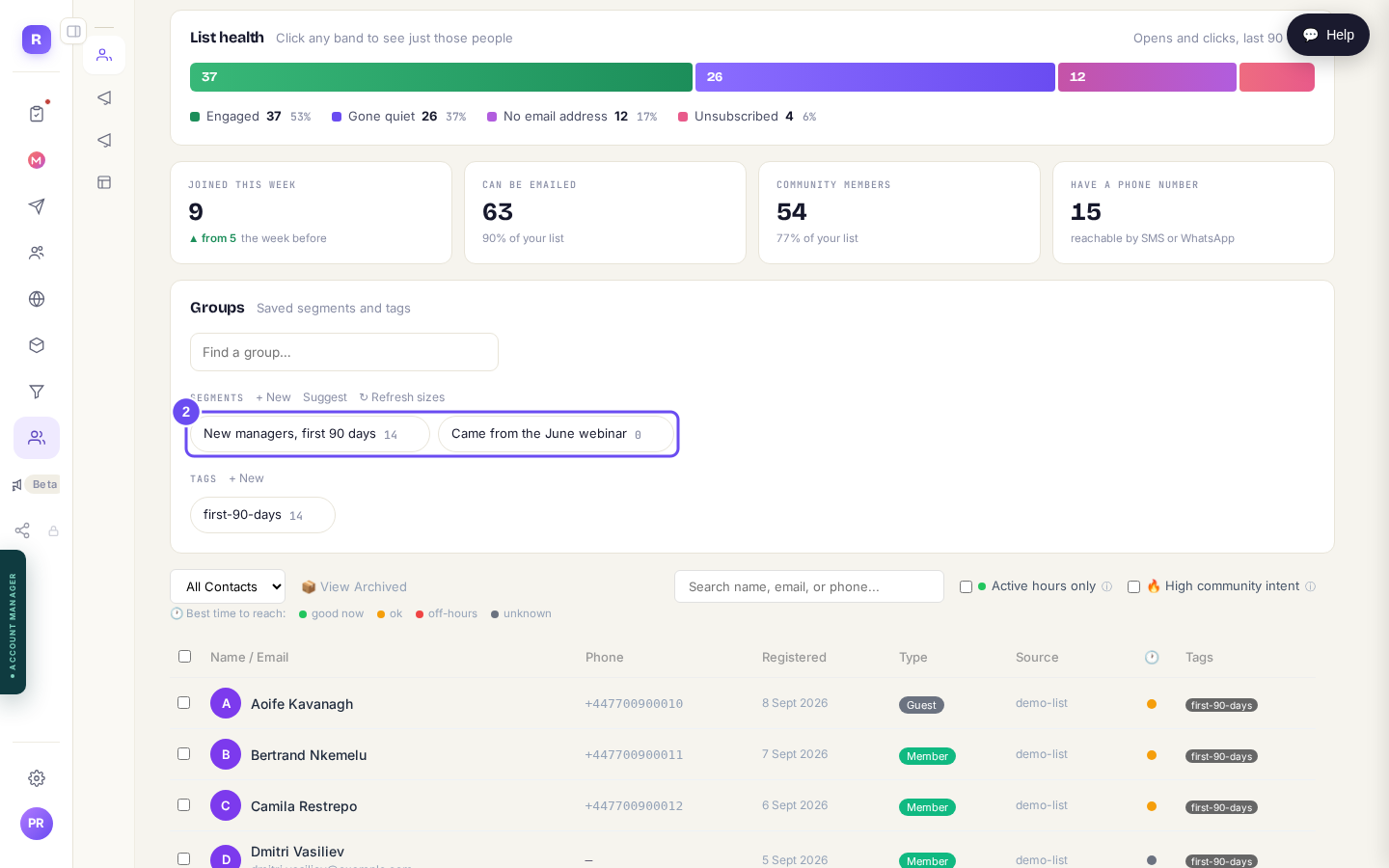
Groups on the Contacts screen. These names are what you will pick from later.
Give them a reason to come over
"Join my community" is not a reason. "Five days, and at the end you will have written your offer" is.
There are twelve formats, and each tells you honestly what it is bad at as well as what it is good at. For this job there is one obvious answer: Quick-Win Launch, five days from a fast result to an offer, built for selling something at the end such as a programme, a course or a retainer.
Day one has to produce something real in half an hour, and that is what buys you the four days after it.
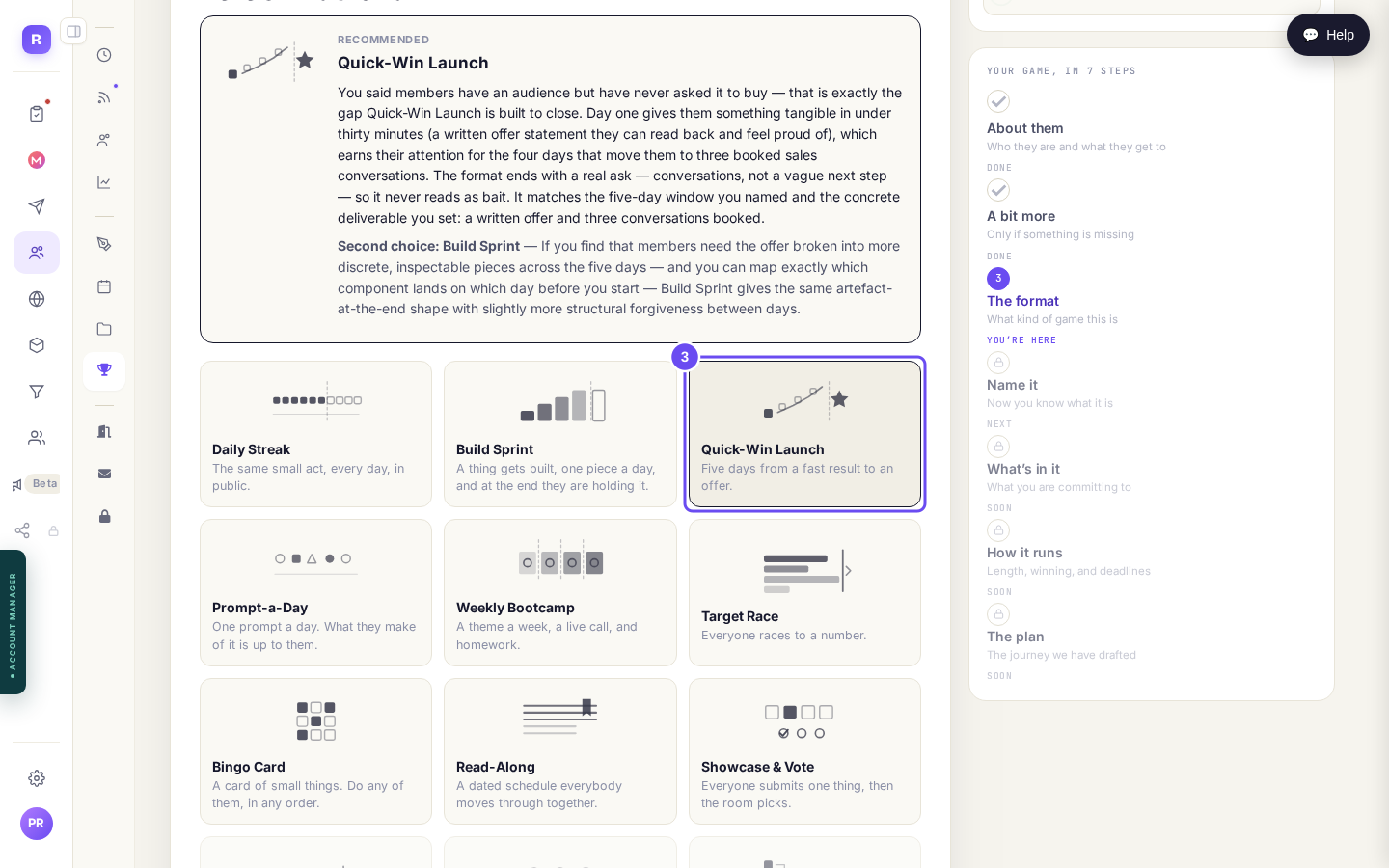
Twelve formats. Nine you can run now, three marked coming soon.
Set up a gameDecide what is in it, including the offer
The format pre-ticks what it thinks you need. Untick anything you will not actually do: each row tells you what it will cost you, in your numbers, rather than in the abstract.
Three of them matter here. Nudges to people falling behind sends automated emails when someone stalls and when someone is nearly finished, with wording you approve once, up front. A reward for everyone who finishes is named in the closing post. And the one this whole guide turns on: an offer at the end, which is a product linked from the closing post.
The screen is straight with you about what that still needs: "Needs setting up first: A product to point at. The closing post has nothing to link to otherwise. You can do it later."
It is a flag, never a blocker. You can carry on and publish without it. It just has to be true before day five.
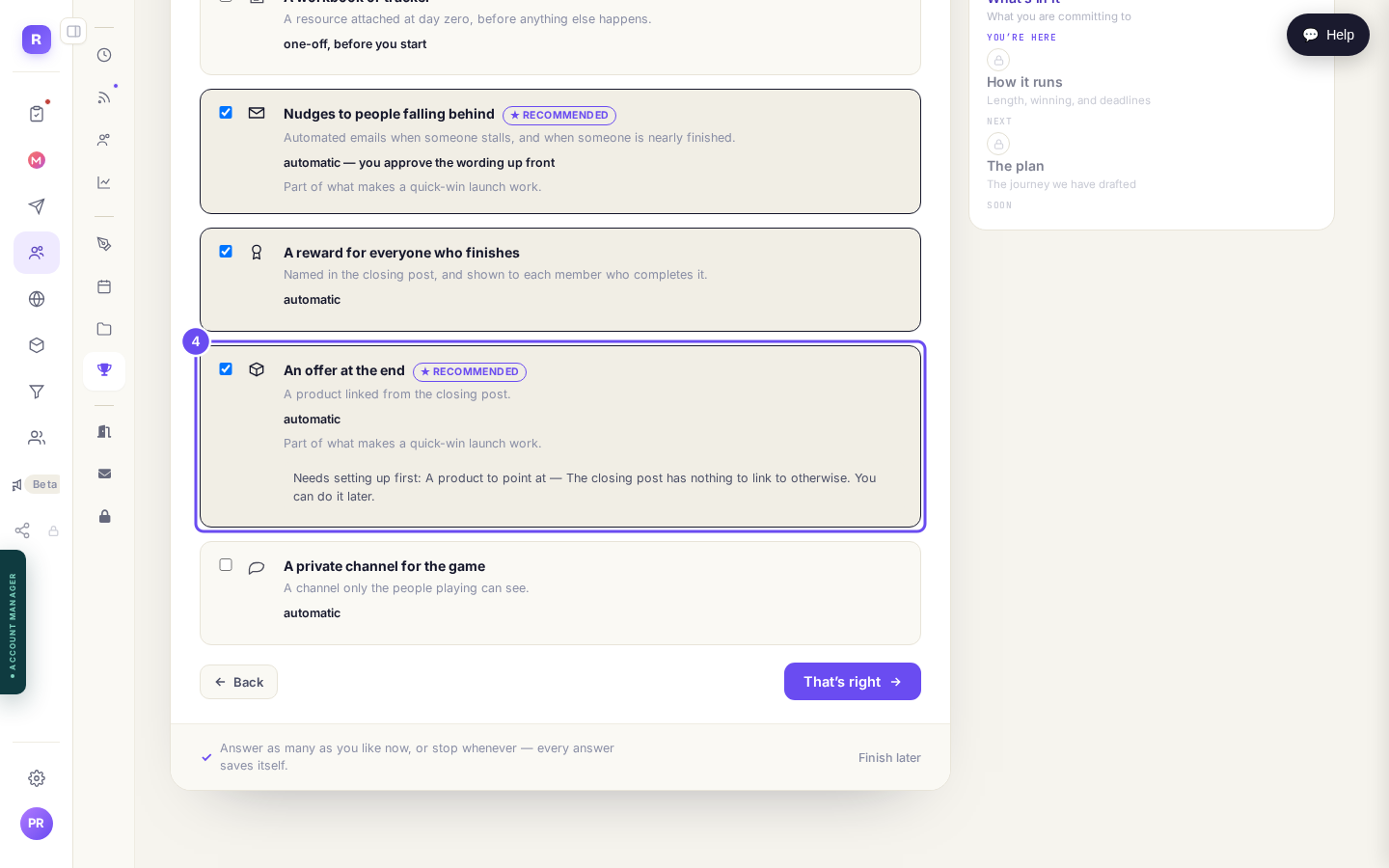
Ticked, recommended by the format, and telling you what is missing.
Open my gamesInvite the whole group in one go
This is the step that turns a list into a room, and it is one screen: "Pick a tag or a segment and invite everyone in it at once. Each person gets an email with a personal one-tap link into the game. Anyone already playing is skipped automatically, so you can never invite someone twice."
One tap signs them in and drops them into the game. No password, no sign-up form, no waiting for a confirmation email.
Three things happen quietly, all in your favour: anyone who has opted out of your marketing is left out, duplicates are matched by email address rather than by record, and you can open the list first and see exactly who would be contacted. That number is smaller than the group's, and it is the honest one.
There is a second mode too, just add them with no email, which puts them in straight away to find next time they sign in.
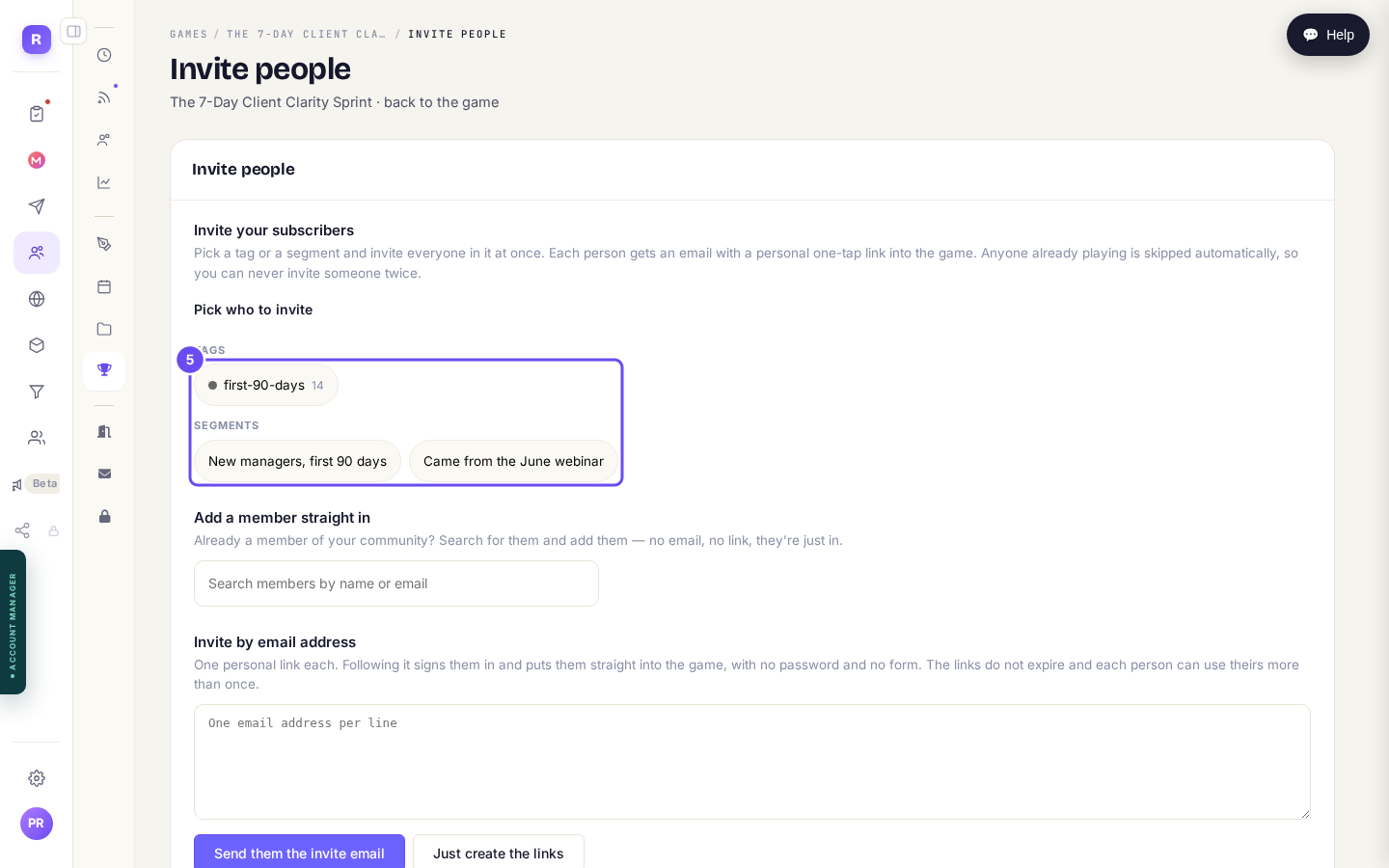
Your tags and segments, on the game's own invite screen.
Invite people to the gameBuild the thing the offer points at
Products, then Prices and offers. A product pushes to your Stripe account the moment you save it, so payments have to be connected first. Until they are, the screen says so and hands you the door, rather than letting you fill in a form that fails at the end.
Do this in week one, not on day five. A closing post with nothing to link to is the one failure this format does not survive.
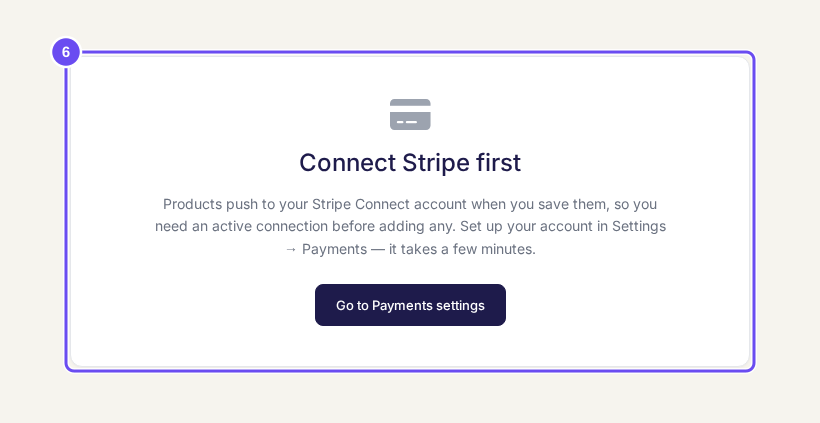
Until payments are connected, this is the screen, and it takes you there.
Connect payments
The format's own warning is the right one: the offer at the end has to be real, or the whole thing reads as bait. If day one is theory rather than something finished in half an hour, this format fails completely, because it has no slack. And five days is too short to change anybody's habits, so pick a different format if that is the goal.
One more, about the list itself: importing people you have not contacted in two years does not make them warm again. Bounces and unsubscribes are reported on every send, and that is where you will find out.
Related articles
Can I just tell Claude to do it?
Everything in these guides is a screen you can click. This is the other way in: connect your own Claude to your account and describe what you want instead of building it.
Can I sell the community itself?
Guide 1 puts a price on part of the room and keeps the door open. This one is the other decision: making the room itself the thing somebody buys. Pick the shape before you build anything, because the shape decides what a stranger sees.
How do I make money from the community I already have?
You do not have to close the door to charge. Keep your community free to join, and put the thing worth paying for behind a tier, so the room still brings people in while it starts earning.