
How do I choose how much Maya does on her own in Outreach?
Maya can do as little or as much of your LinkedIn commenting as you like, in three steps: Manual, Semi and Full. You can move up or step back at any time, and nothing changes until you press the button.
Updated 6 October 2026
The first time: choose under How much do you want Maya to do?
Before LinkedIn connects, Outreach shows a page called Before anything goes out in your name. On the right, pick Manual: I approve every comment (most people start here), Semi or Full. Semi lets you set how many comments a day go out without you, up to 8.
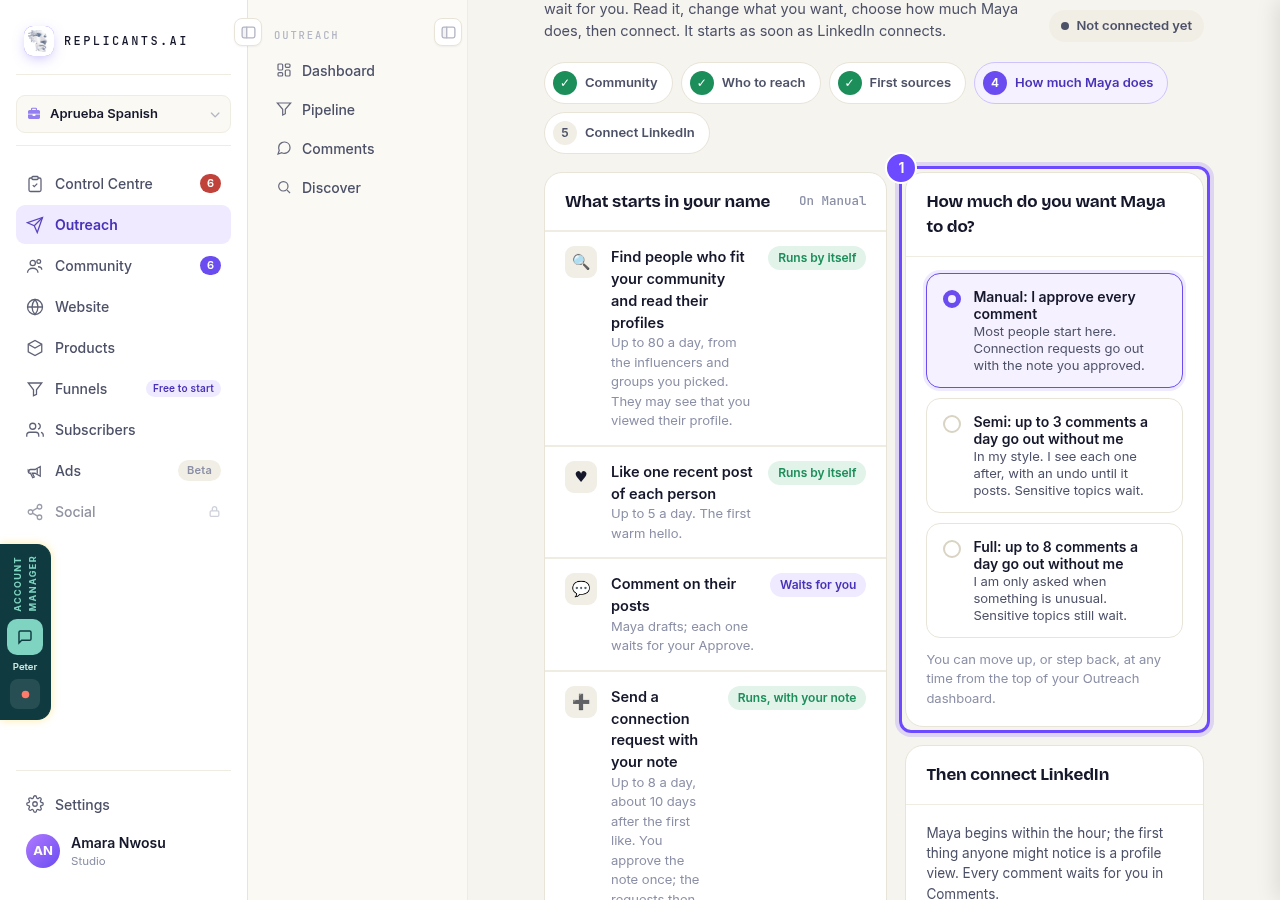
How much do you want Maya to do?, with the three steps.
Open OutreachLater: find the steps on your Outreach dashboard
Under Choose how much Maya does on her own are the three steps, with the one you are on marked. If you have never picked one, Manual says You are here today, because every comment waits for you.
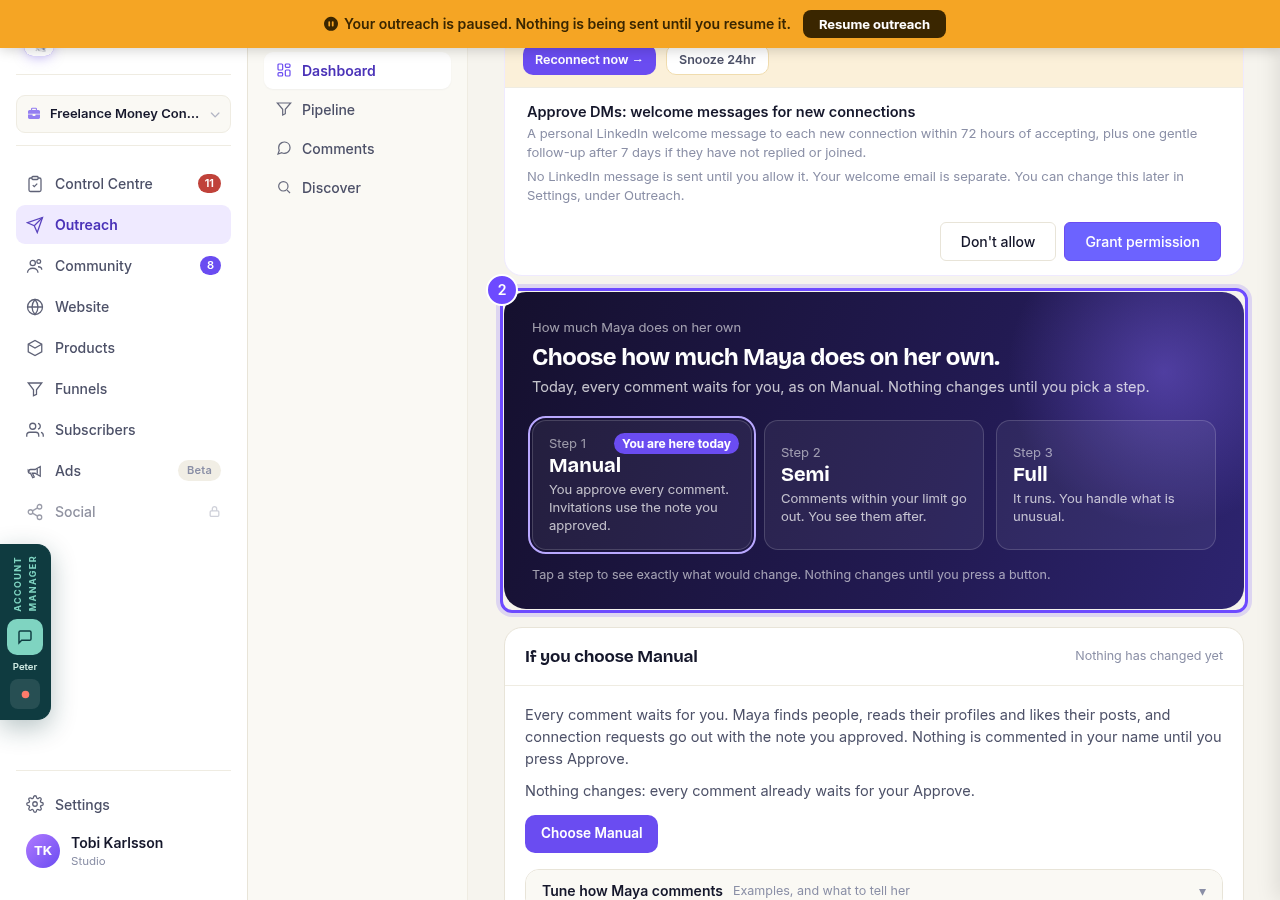
The three steps, on your Outreach dashboard.
Open OutreachTap a step to see what would change
Tapping only shows you. The card underneath says what would run in your name and what would wait for you, your daily limit and your comment style. Nothing changes yet.
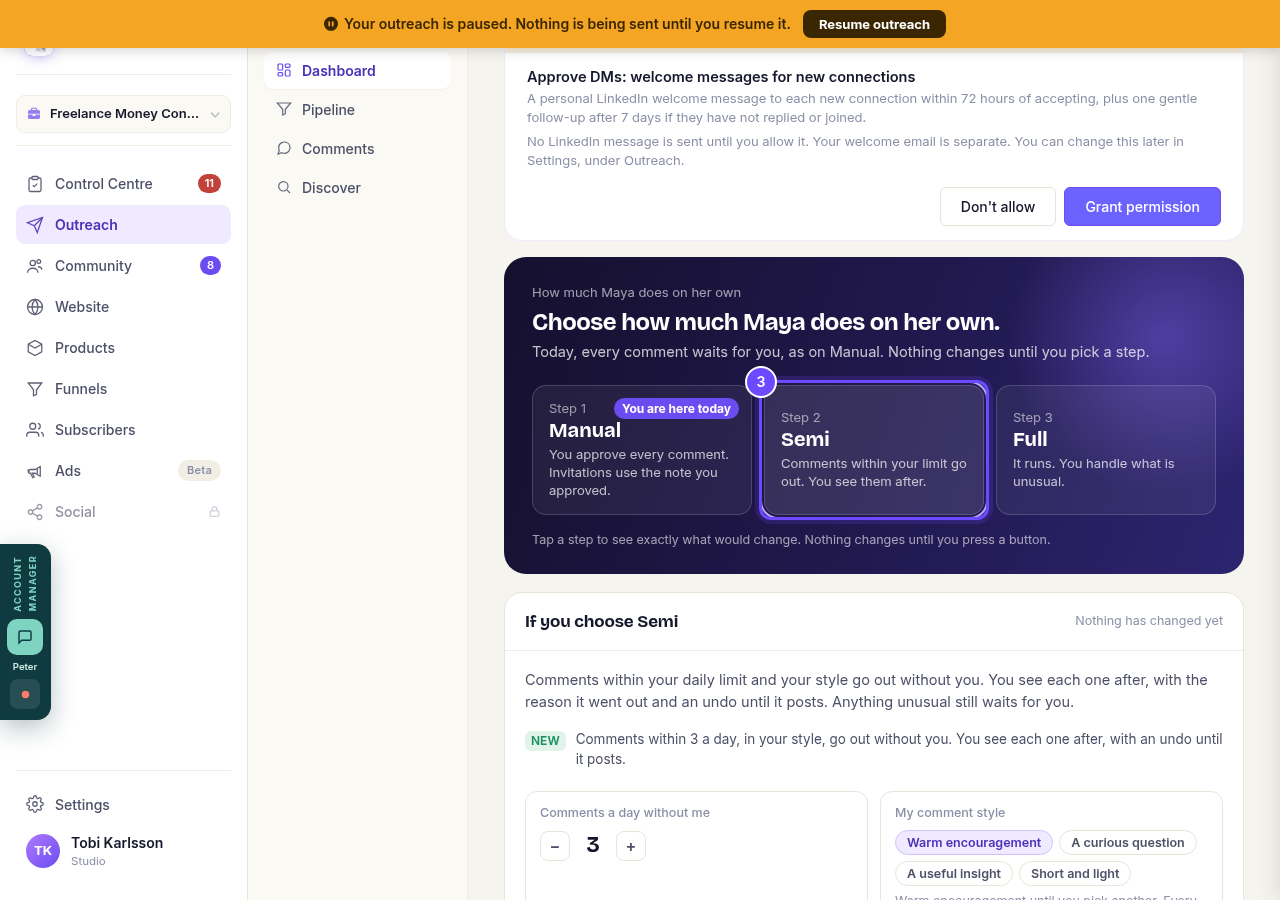
Semi, tapped to see what would change.
Press the button to switch
At the bottom of the card, press Choose Semi (or Move up to or Step back to, once you have a step). It takes effect straight away. Stay on keeps the step you are on.
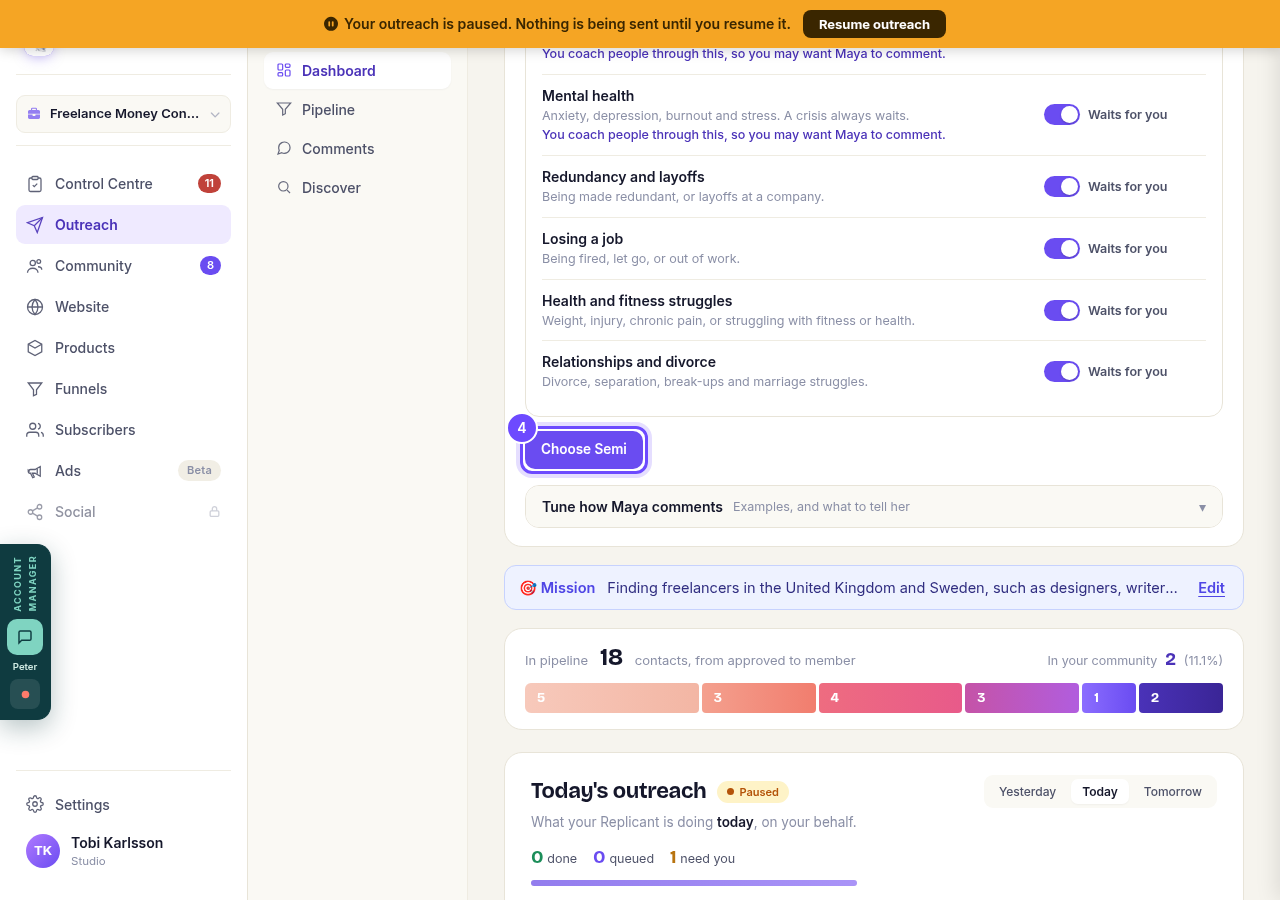
Choose Semi, at the bottom of the card.


How do I check a comment before it goes out?
Related articles
Can I use Outreach on Instagram or X?
Not yet. Today Outreach works on LinkedIn only, through your own account. Instagram and X are coming soon, and nothing you set up now is wasted.
Do my new connections get a welcome email automatically?
Yes. If you use Outreach, every new connection gets a welcome email by itself, as soon as we have their email address. The LinkedIn welcome message is the one that waits for your go-ahead. One screen shows you both, in about two minutes.
How does Outreach turn strangers into community members?
Outreach finds people who have recently shown an interest in the problem you solve, gets your name in front of them on LinkedIn, and brings the ones who say yes into your community. Most of it runs by itself. Your part is a few minutes a day approving comments, and then making new members feel welcome.