
I have my list in a spreadsheet. How do I get it in here?
Upload the file you already have — CSV or Excel. No tidying first: it reads your headings and shows what it decided before anything is saved.
Updated 15 September 2026
Subscribers, then Contacts — Import CSV
Press Import CSV. It's also in the list-health panel below. Bring whatever you have — a Mailchimp export, a spreadsheet, a list someone sent you. The screen says no contact limit.
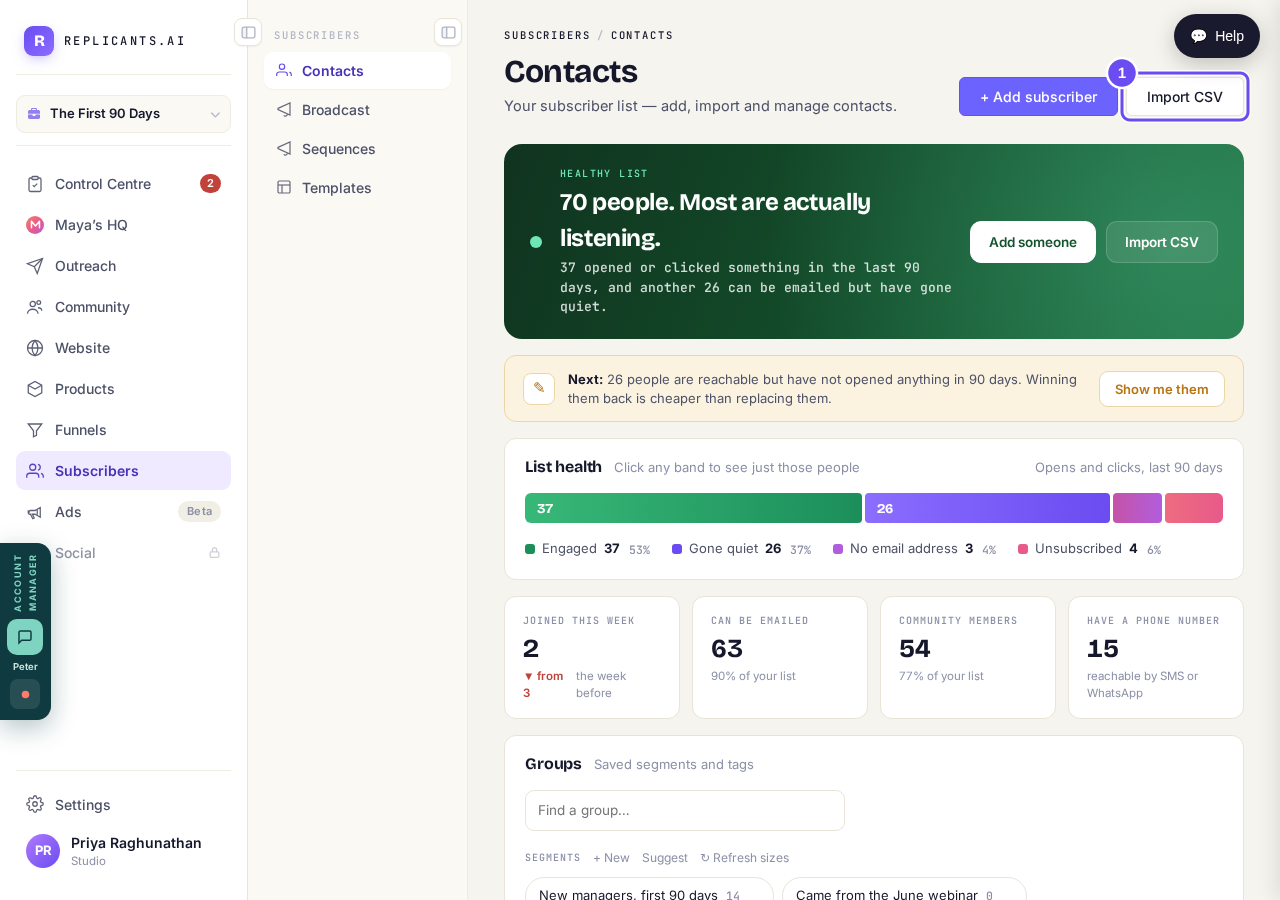
Beside Add subscriber, at the top of your contacts.
Take me thereRead the promise before you choose a file
Read it before you drag anything in. Importing adds people to your list and does nothing else — no message, no automation, no welcome. The only email goes to you.
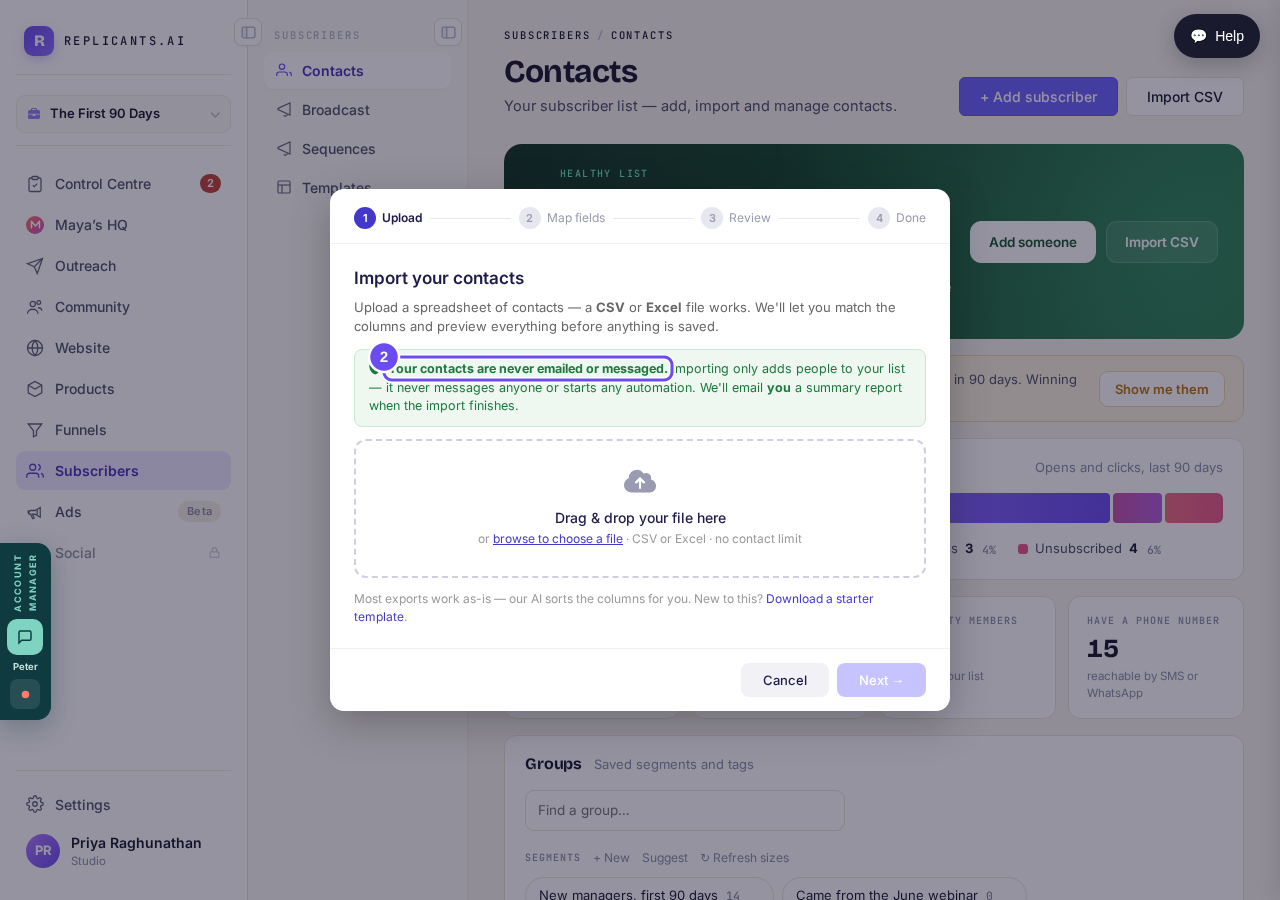
The promise, in the product's own words, before you choose a file.
Check the columns it has guessed
Your columns come back in two groups: the essentials mapped onto each contact, and extras kept against them for later. Each shows an example from your own file. Anything you don't want can switch to Don't import.
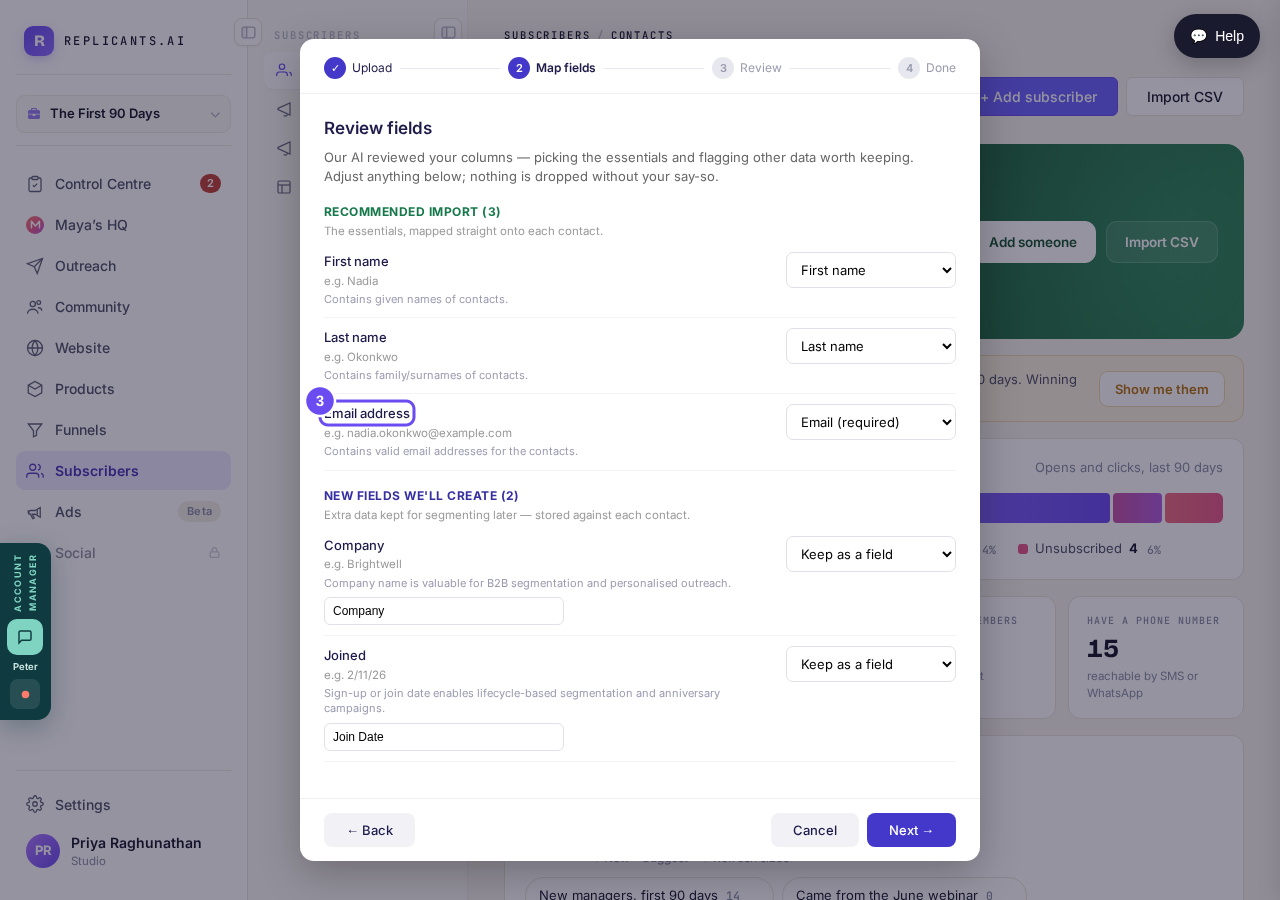
Email address is the only one that must be mapped.
Review the counts, then press Complete import
The last screen counts everything: ready, brand-new, already on your list, skipped. A row with no email address is skipped and named. Duplicates in your file are merged, keeping the last. Nothing is added until you press Complete import.
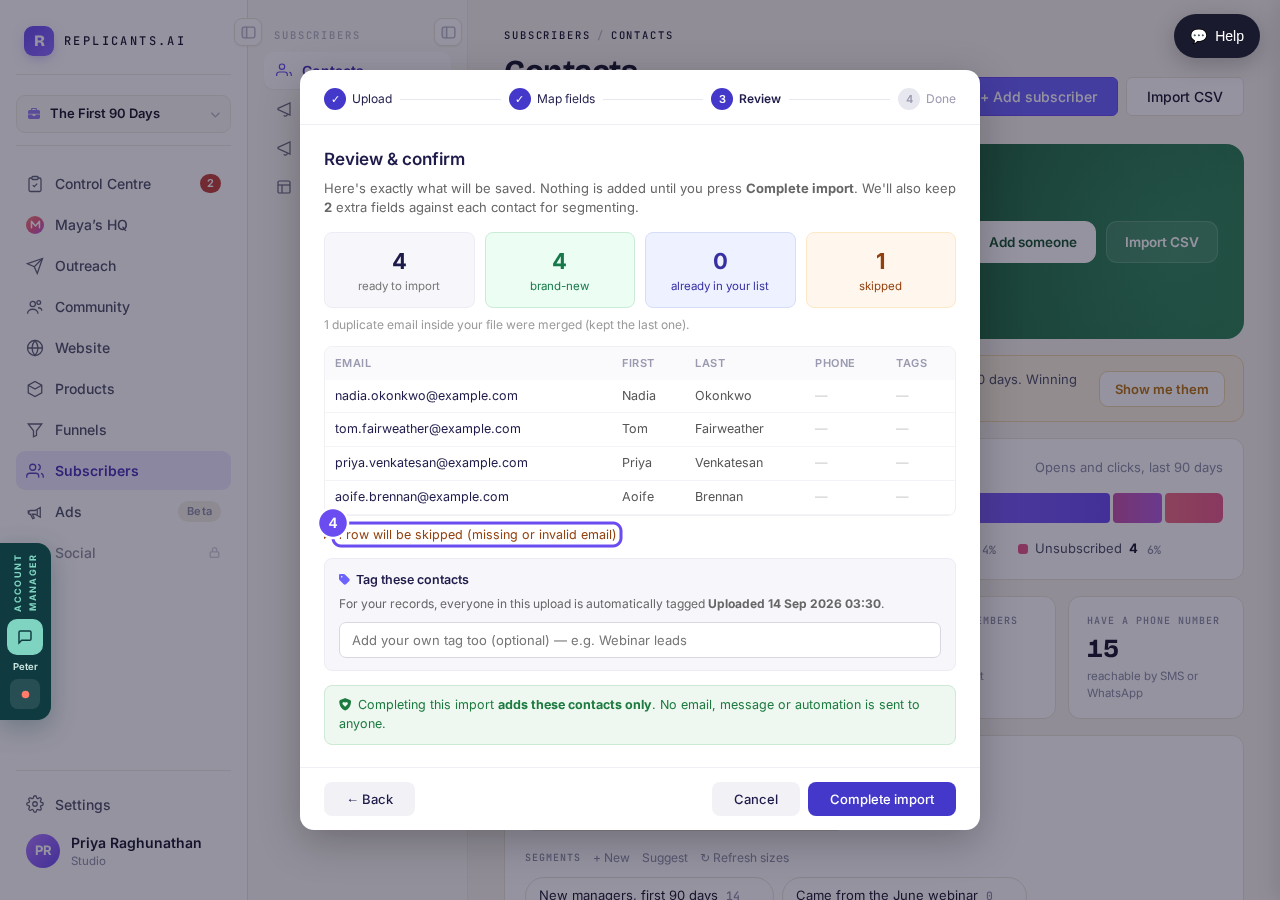
Counted, listed, and still not saved.
How do I invite people or share my community link?
Related articles
How do I create a new tag?
A tag is a label you put on people so you can find them again. Tags live in Subscribers, under Contacts, in the Groups panel.
How do I send an email to my whole list?
One email to your whole list, sent now or later. Nothing sends until the last of four steps.